30
RECIPE AND PRODUCT SETUP
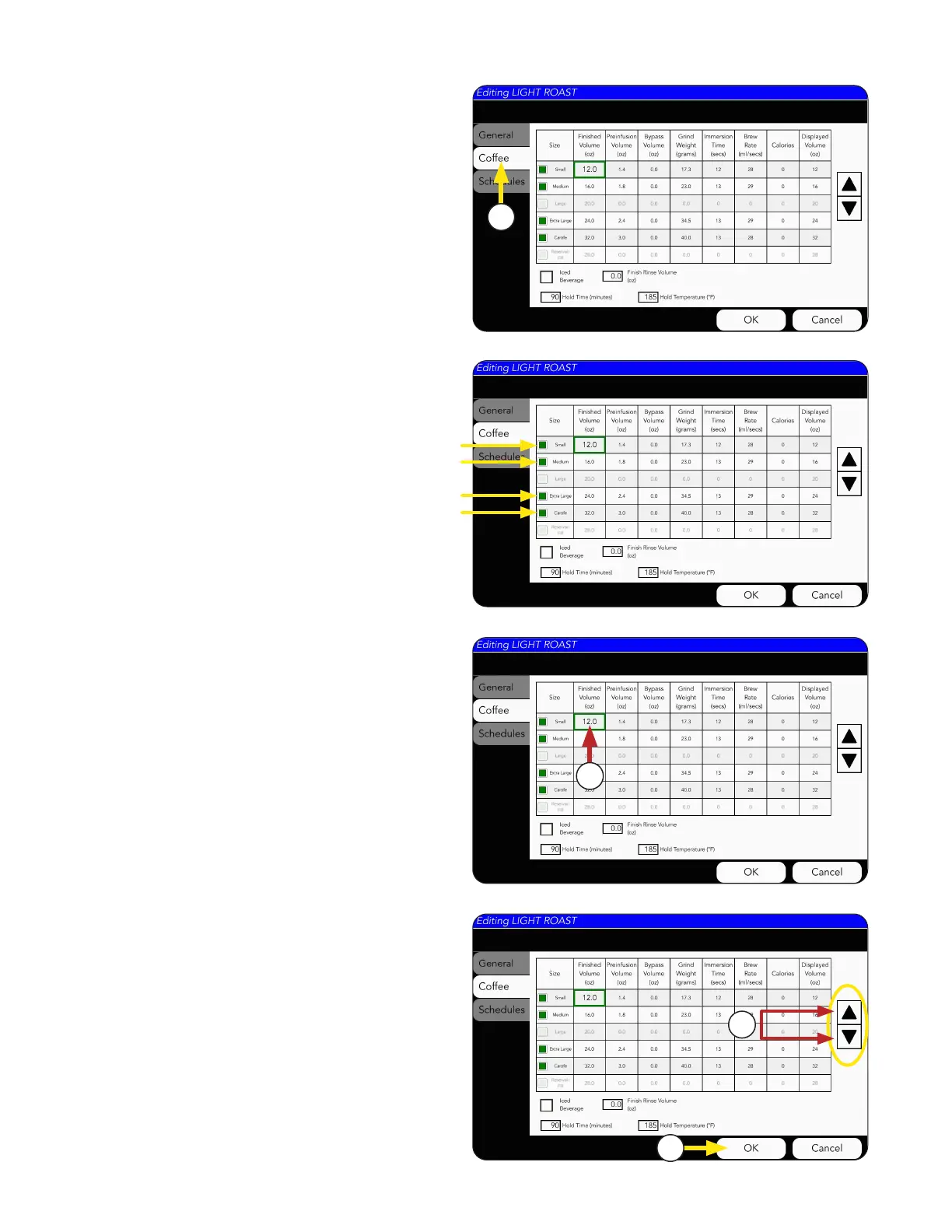
1. Choose the COFFEE tab to edit the recipe.
NOTE: Each size with a green box
is enabled.
Coffee Recipes can be edited from this screen by
clicking any of the numbers in the table cells.
2. For this example the Small Volume is being
revised as shown by the green border.
4. Press OK if changes are made.
3. The arrows on the right side of the screen can
increase or decrease the selected number by
decimal points. Example: 8.0 to 8.1, 8.2. 8.3, etc.
11
2
3
4
Recipe Setup



 To Next Page