46
OPERATION
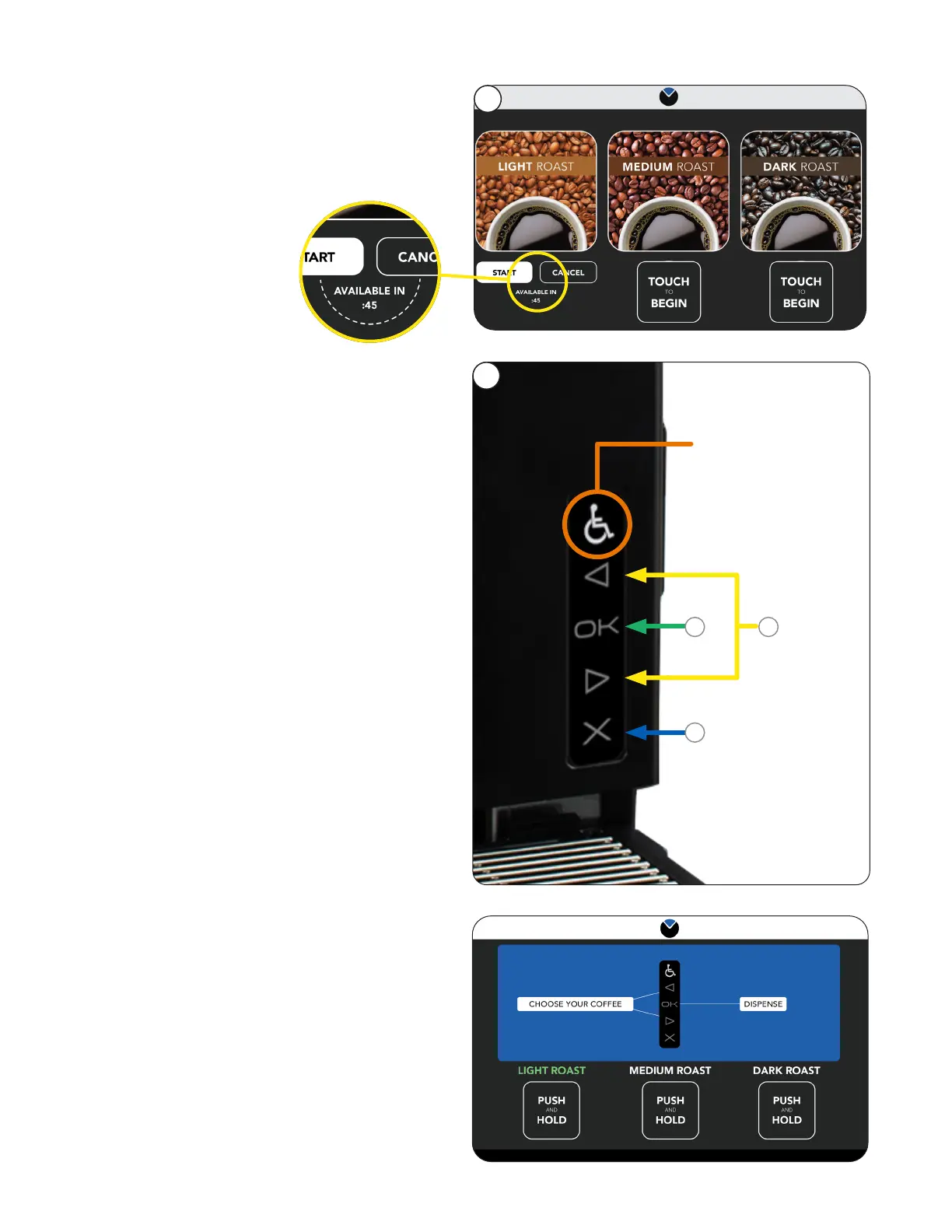
1. To activate the ADA screen interface, the
user must press the Accessibility symbol
(wheelchair icon).
NOTE: A description of the button functions can
be accessed through the Accessibility symbol
(wheelchair icon).
2. When activated, the screen will have a blue
banner across the top, and a blue highlight
around the item being selected.
ADA Interface
3. Navigate around the screens using the Left and
Right arrows on the ADA interface.
a. Select a beverage.
b. Press and Hold the OK button to
dispense.
c. Pressing the X cancels the selection.
1
NOTE: Pressing the
"Activation" button
at any time will exit
ADA mode.
b
c
a
2
2. Brew on Demand mode.
Anytime a reservoir schedule is programmed to
hold zero ounces then the machine will operate
in the Brew on Demand mode.
Customer Interface



 To Next Page