27
RECIPE AND PRODUCT SETUP
1
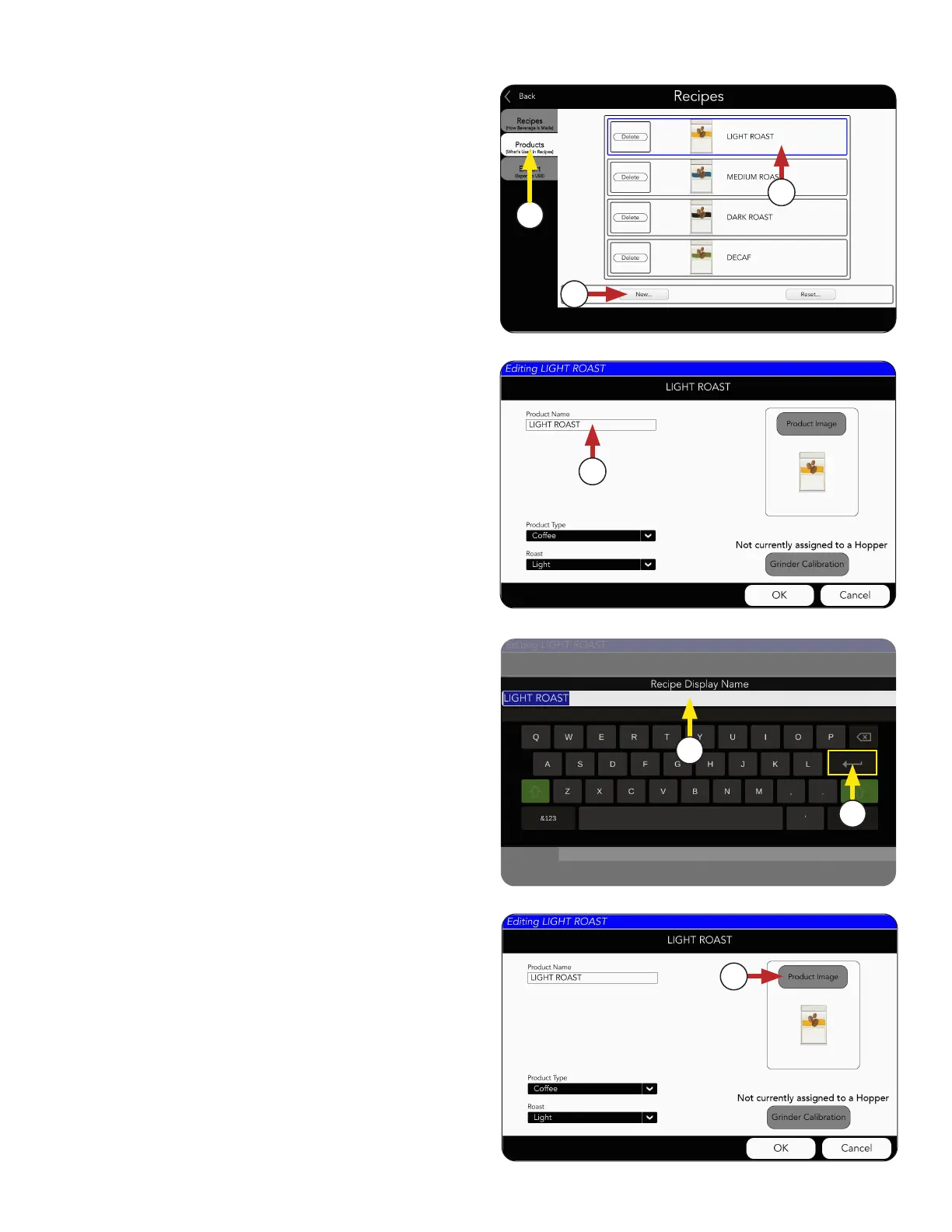
1. Select the PRODUCTS tab.
3. Or, create a new product by selecting the
New button.
2. Choose an existing product to edit.
For this example, we will select "Light Roast".
Product Setup
3
2
4. Choose the Product Image button if you want to
change the current image.
4
5. The Product Name screen will appear.
Click in the text field and type a new
Product name, if preferred.
6. Press the Return key to complete.
7. Choose the Product Image button if you want to
change the current image.
7
continued >
3
4
NOTE: If you decide not to use an available
product on the screen, then you will need
to create new recipe(s) before they can be
assigned to a hopper.



 To Next Page