41
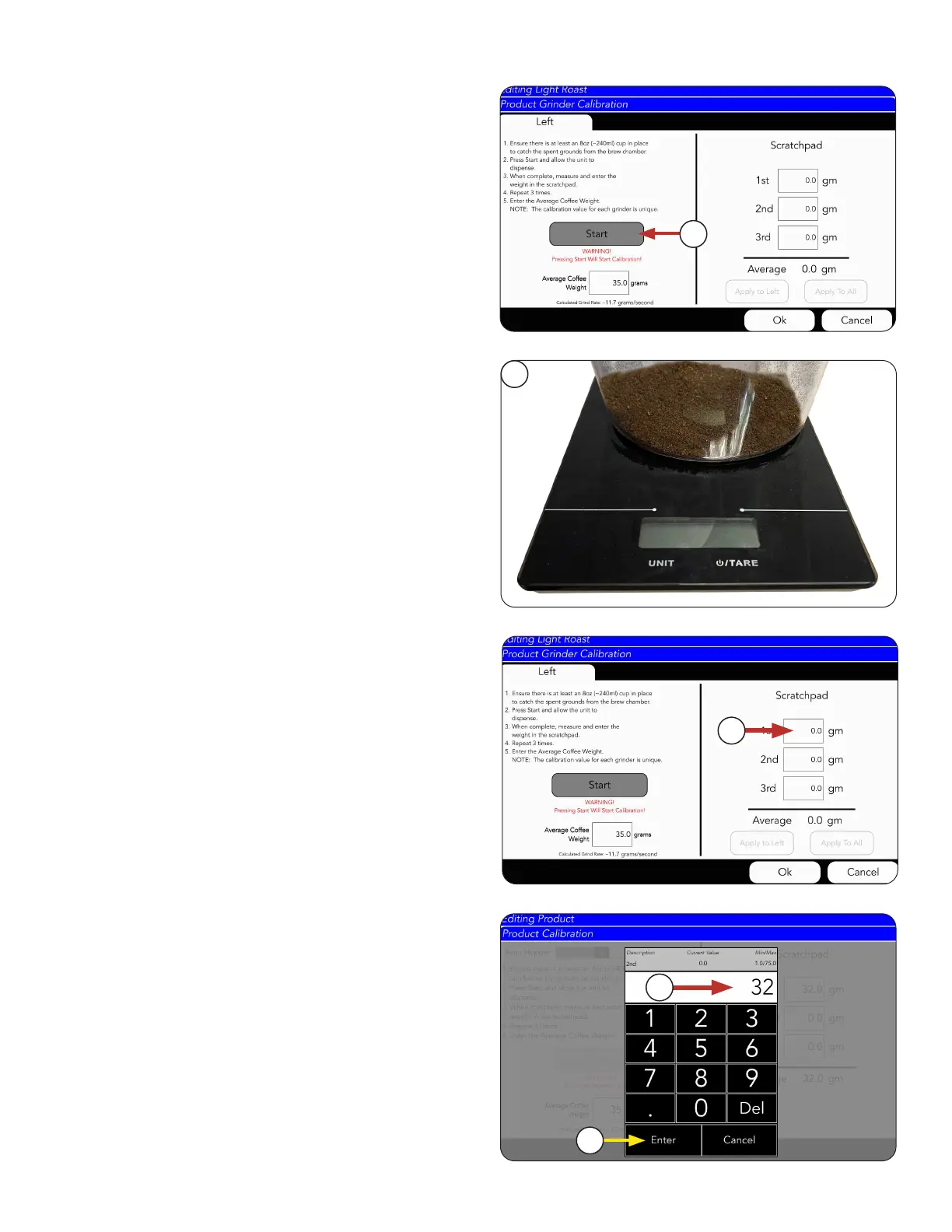
13. Return to CALIBRATION screen.
Press START button.
PRODUCT AND RECIPE SETUP
Grinder Calibration
14. Allow time for the grind to finish. Once the grind
is finished, take the container and place it on the
digital scale.
15. Weigh cup.
16. Press the 1st Field to log the weight of the coffee
in the cup.
17. Type the weight of the cup
18. Press ENTER.
After pressing the 1st Field to log the weight of the
coffee in the cup, the INPUT Screen will appear for
you to input in these numbers.
continued >
14
16
17
18
13



 To Next Page