36
RECIPE AND PRODUCT SETUP
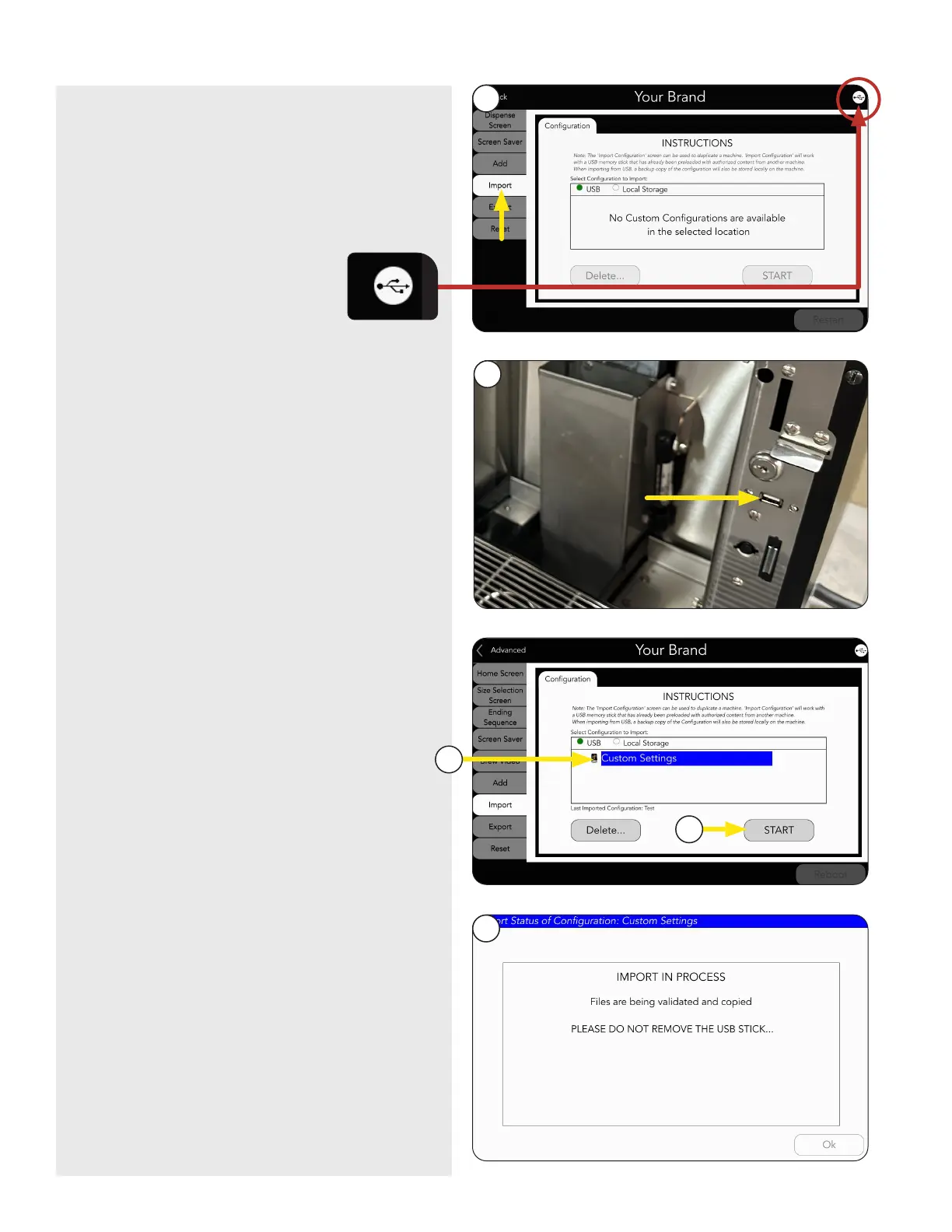
5. Press the IMPORT tab.
7. Select new Configuration file.
8. Press Start button.
9. Screen will show progress of file import.
NOTE: Do not remove USB Stick while files
are copying.
6. Open the Lower Door and Insert USB Stick.
continued >
5
6
7
8
9
NOTE: To verify a USB is recognized, look for
the connection icon in the upper right corner
of the screen.



 To Next Page