Pos: 49 / #Ne ustr ukt ur# /Onl in e-Dokumentation (+KNX)/Bedi enung /Timer /Rüc ksetze n des Ger ätes - 6455_ 6456 @ 26\ mod_1343199854442_15.docx @ 225333 @ 2223333333 @ 1
5.6.3 RESET (resetting the device)
Pos: 36 / #Ne ustr ukt ur# /Onl in e-Do kume ntati on /Be die nung /T emp erat urreg l er/R ücks etz en des Ger ätes - 1 098_6 455 @ 26\ mod_1343199854442_1.docx @ 225331 @ 111111111111111111111111111111111111111111111111111111111111111112221212212221112212211111121221112212222121111222112111222221132121112212221221111111122222222222222222222222222222221 @ 4
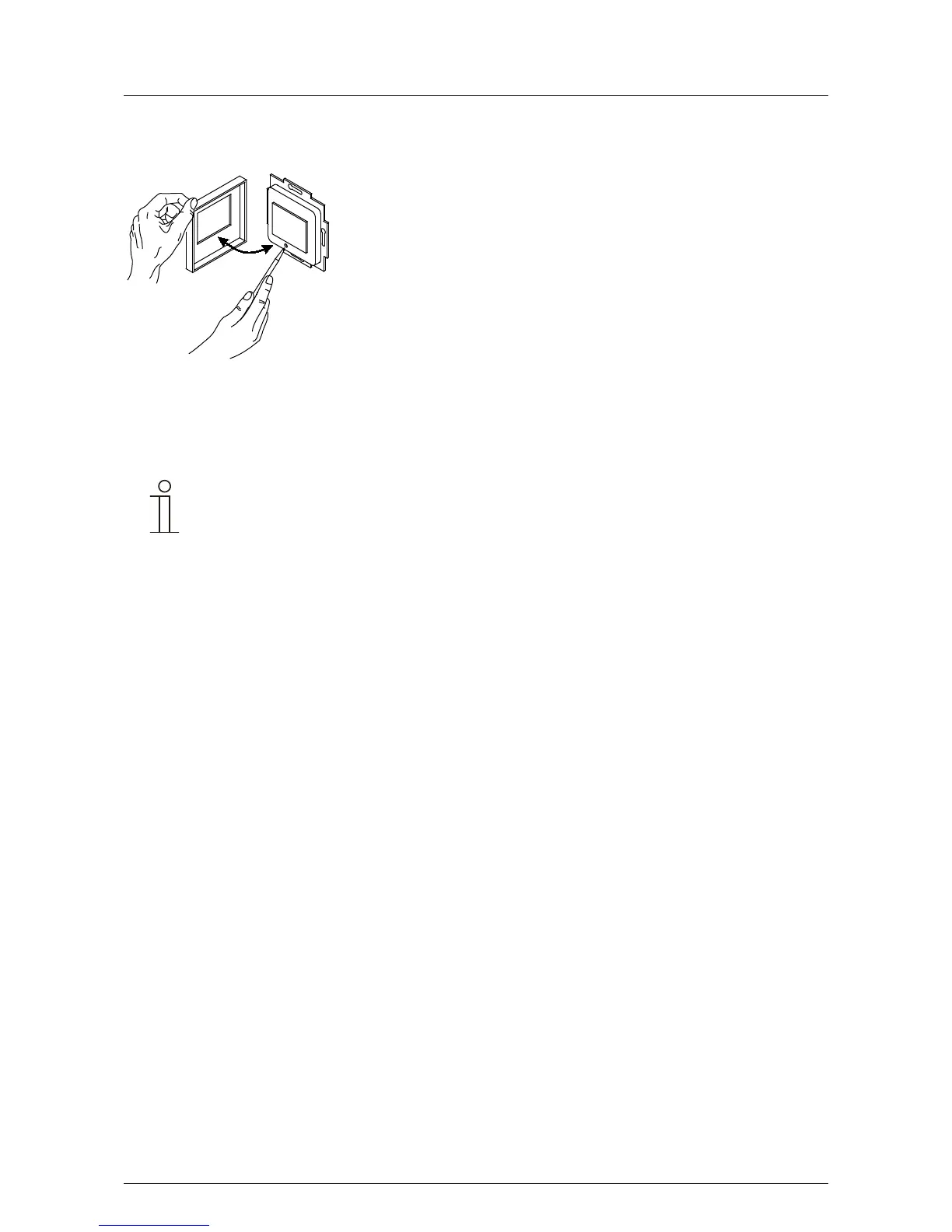
Fig. 7: Reset
1. Remove the cover and press the reset button.
2. Replace the cover.
3. Then, again set the language, the date and the time, see section 5.6.



 To Next Page