Operating Instructions | 1473-1-8164
Pos: 30 / #Ne ustr ukt ur# /Onl in e-Do kume ntati on (+ KNX) /Üb ersc hr ift en ( --> Für all e D oku ment e <--)/2. Ebene/S - T/Tastenbelegung @ 23\mod_1336978335991_15.docx @ 209274 @ 22333333223 @ 1
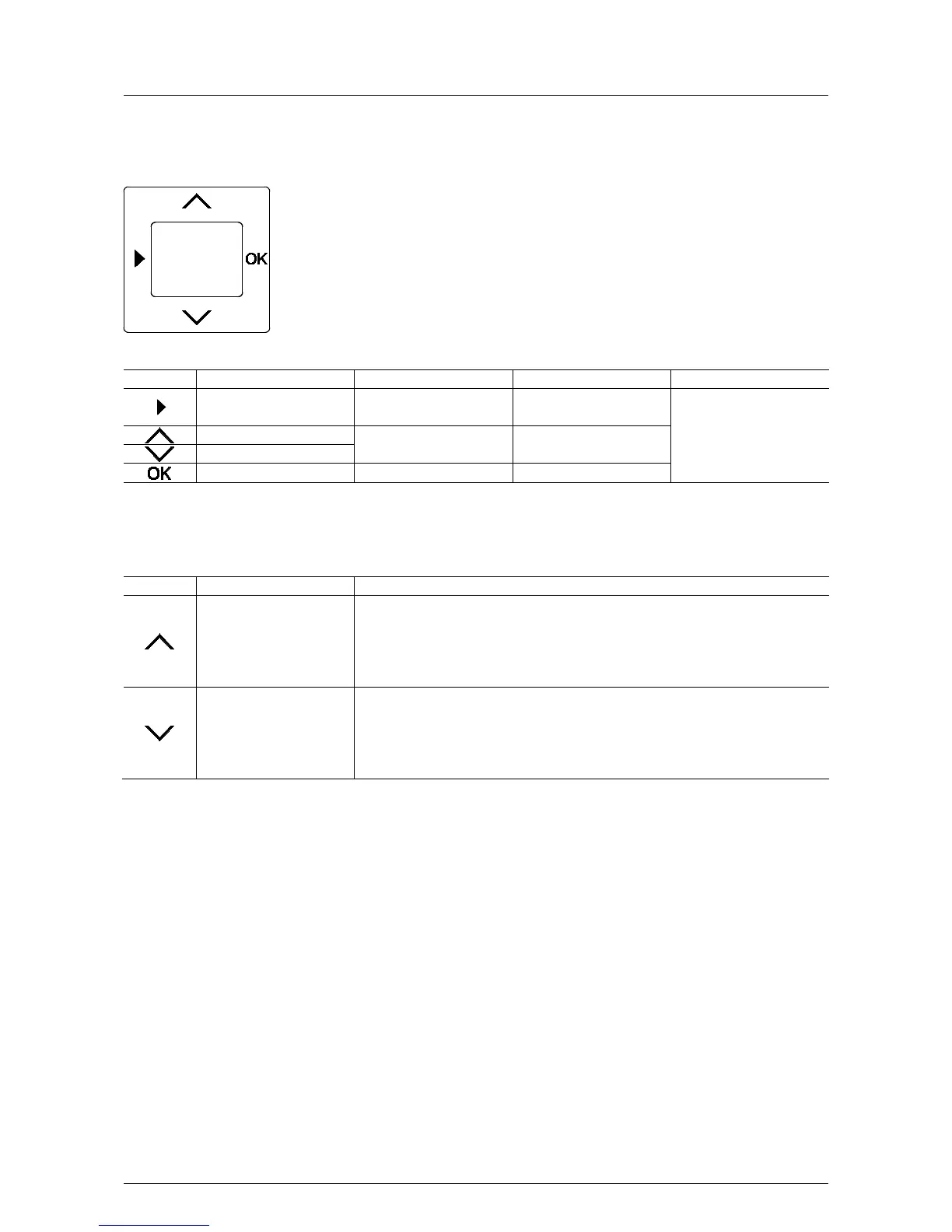
5.2 Key assignment
Pos: 31 / #Ne ustr ukt ur# /Onl in e-Do kume ntati on (+ KNX) /B edie nung /Ti mer/ Tas te nbel egu ng - 6455 J alous ie @ 26\ mod_1343374210951_15.docx @ 225663 @ 3 @ 1
Fig. 3: Button assignment of cover pate
Calling up menu level and
switching to setting mode
Return to operating mode
Press all buttons of the
rocker switch simultaneously
for approx. 5 seconds
Select menu item Adjust values
Pos: 32 / #Ne ustr ukt ur# /Onl in e-Do kume ntati on (+ KNX) /Üb ersc hr ift en ( --> Für all e D oku ment e <--)/2 . Eb ene/M - O/Manuelle Bedienung @ 28\mod_1346940429935_15.docx @ 230994 @ 22222 @ 1
5.3 Manual operation
Pos: 33 / #Ne ustr ukt ur# /Onl in e-Do kume ntati on (+ KNX) /B edie nung /Ti mer/ Ma nuel le Bedi enu ng 6 455 Jal o usie @ 2 8\mod_1346940513035_15.docx @ 231007 @ 32222332 @ 1
Manual operation is always possible. You can control the blind manually as follows:
Blind UP (bright) Brief press of the button:
- The blind travels to the top end position
- A renewed brief press of the button stops the blind immediately.
Long button press:
- The blind travels up as long as the button is pressed.
Blind DOWN (dark) Brief press of the button:
- The blind travels to the bottom end position
- A renewed brief press of the button stops the blind immediately.
Long button press:
- The blind travels down as long as the button is pressed.
Pos: 34 / #Ne ustr ukt ur# /Onl in e-Do kume ntati on (+ KNX) /S teuer mod ul e - Online-Dokumentation (--> Für alle Dokumente <--)/++++++++++++ Seitenumbruch ++++++++++++ @ 9\mod_1268898668093_0.docx @ 52149 @ 3 @ 1



 To Next Page