Pos: 51 / #Ne ustr ukt ur# /Onl in e-Do kume ntati on (+ KNX) /Üb ersc hr ift en ( --> Für all e D oku ment e <--)/2. Ebene/A - F/ Betr iebs art en @ 1 3\mod_1286276050737_15.docx @ 91535 @ 222222 @ 1
5.7 Operating modes
Pos: 52 / #Ne ustr ukt ur# /Onl in e-Do kume ntati on (+ KNX) /B edie nung /Ti mer/ B etrie bs arte n - 6 455 Jal ousie @ 26 \mod_1343390669973_15.docx @ 225788 @ 233 @ 1
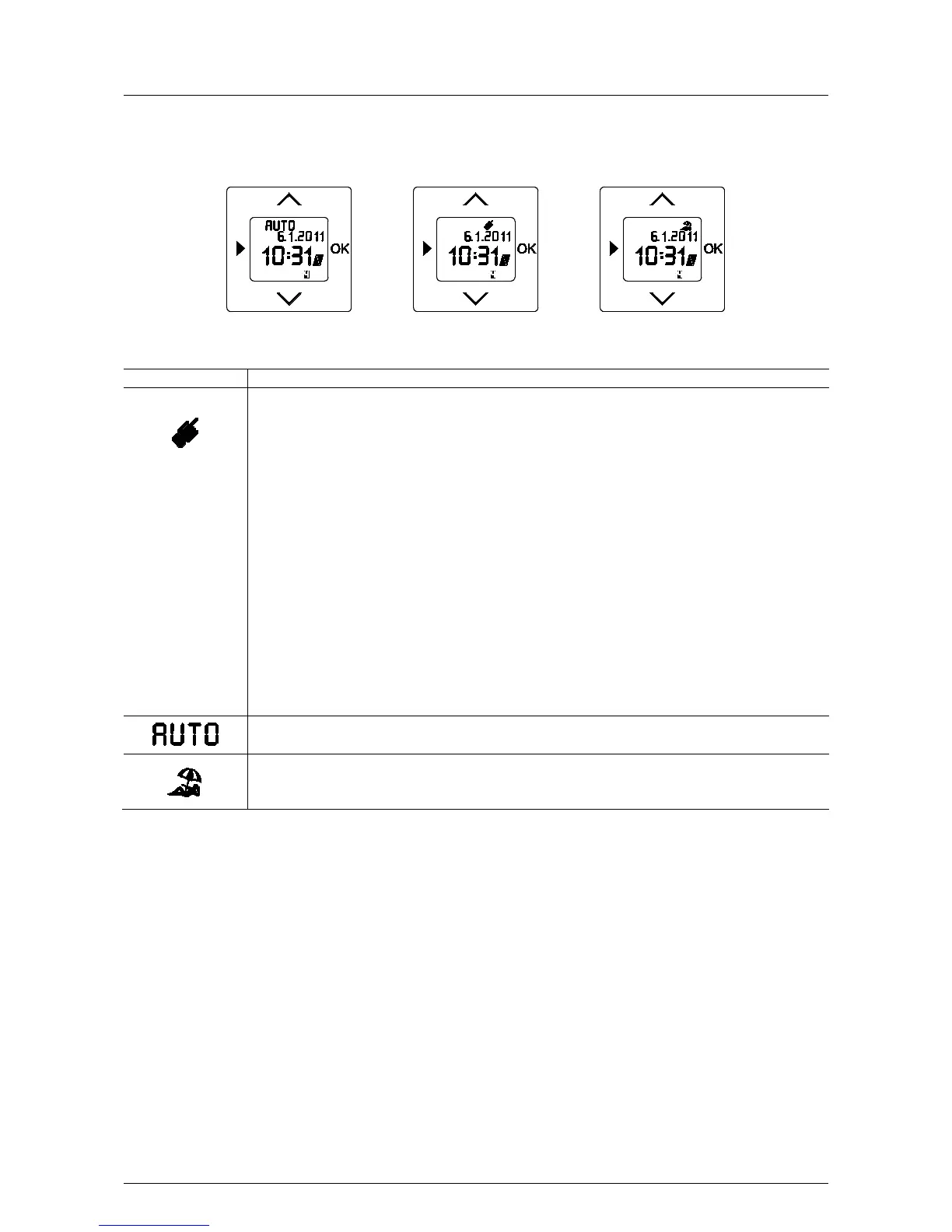
MANUAL MODE
Control is executed only manually. For information concerning the operation please refer to the operating
manual 6411 U/x-10x. The user can always switch to the manual mode and back. Automatic switching times,
as well as brightness and twilight functions are not carried out.
General actuation
You can control the blind as follows:
UP / :
- Touching the top surface
- The blind travels to the top end position or
- Hold the top surface
The blind travels up as long as the button is pressed.
DOWN / :
- Touch the bottom surface
- The blind travels to the bottom end position or
- Hold the bottom surface
The blind travels down as long as the button is pressed.
A brief actuation while the blind travels will stop it immediately.
AUTOMATIC MODE
The programmed switching times will be executed automatically.
HOLIDAY MODE
Control is executed as in automatic mode. A random generator shifts the switching times by up to 30 minutes
• Press the OK button to change the operating mode.
Manual operation of the blind is always possible via the arrow buttons (UP and DOWN.
Pos: 53 / #Ne ustr ukt ur# /Onl in e-Do kume ntati on (+ KNX) /S teuer mod ul e - Online-Dokumentation (--> Für alle Dokumente <--)/++++++++++++ Seitenumbruch ++++++++++++ @ 9\mod_1268898668093_0.docx @ 52149 @ 324 @ 1



 To Next Page