Pos: 54 / #Ne ustr ukt ur# /Onl in e-Do kume ntati on (+ KNX) /Üb ersc hr ift en ( --> Für all e D oku ment e <--)/3. Ebene/S - T/ Schal tzeite n lösc hen @ 26\ mod_1343388128693_15.docx @ 225775 @ 4442222 @ 1
5.7.1 Deleting switching times
Pos: 55 / #Ne ustr ukt ur# /Onl in e-Do kume ntati on (+ KNX) /B edie nung /Ti mer/ Sc hal tzei ten l ösc he n - 6 455_6 456 @ 26\ mod_1343388058618_15.docx @ 225761 @ 344 @ 1
To be able to delete the switching times during an incorrect entry, the procedure is described here first. For
setting the switching times, please continue reading on the next page.
Deleting all switching times
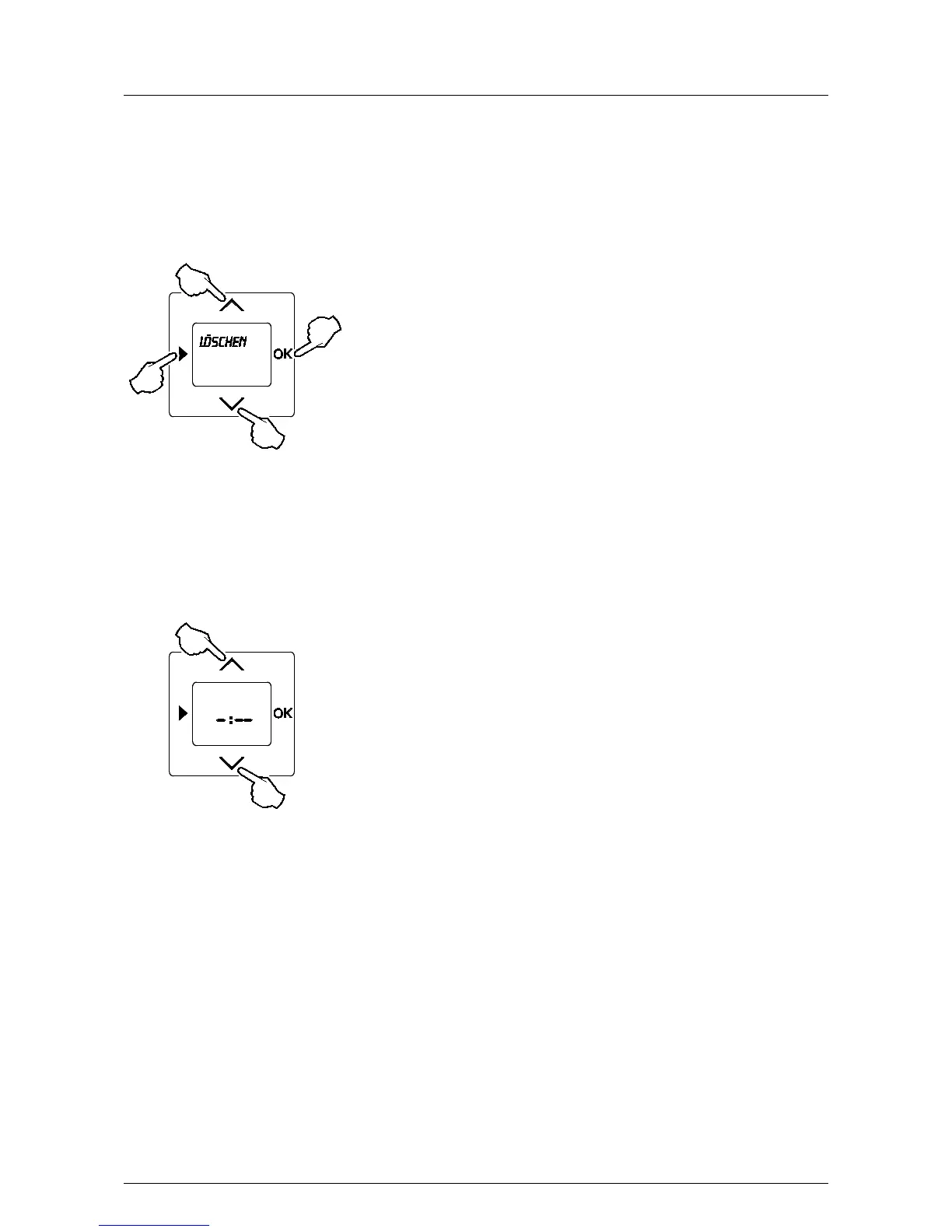
Fig. 9: Delete function
1. Press all 4 buttons simultaneously, or the entire operating surface for more than 5 seconds.
2. Confirm the enquiry with the OK button.
All set switching times will now be deleted. The date, time and language settings remain saved.
Deleting the current switching time in the setting mode
Fig. 10: Delete function of current value
Individual values can be deleted if "Setting mode / switching times" has been selected and the time display
flashes.
1. Briefly press both arrow buttons.
2. Confirm the enquiry with the OK button.
Only the current value is deleted. The display shows -: - - .
Pos: 56 / #Ne ustr ukt ur# /Onl in e-Do kume ntati on (+ KNX) /S teuer mod ul e - Online-Dokumentation (--> Für alle Dokumente <--)/++++++++++++ Seitenumbruch ++++++++++++ @ 9\mod_1268898668093_0.docx @ 52149 @ 3 @ 1



 To Next Page