Pos: 57 / #Ne ustr ukt ur# /Onl in e-Do kume ntati on (+ KNX) /Üb ersc hr ift en ( --> Für all e D oku ment e <--)/2. Ebene/S - T/ Sch altz eite n ei ns tell en @ 26\ mod_1343392865770_15.docx @ 225802 @ 3333 @ 1
5.8 Setting switching times
Pos: 58 / #Ne ustr ukt ur# /Onl in e-Do kument ation (+KNX) /Bedi enung /Ti mer/Sc haltzei ten ei nstell en (Ei nleit ung) @ 28 \mod_1346999135048_15.docx @ 231603 @ 3343 @ 1
The settings of the switching times that are available and how the menu items are called up is described here. A
detailed description of the individual functions is contained in the following sub-sections.
Pos: 59 / #Ne ustr ukt ur# /Onl in e-Do kume ntati on (+ KNX) /Üb ersc hr ift en ( --> Für all e D oku ment e <--)/3. Ebene/A - F/Bl oc k-Prog ram mierung @ 28\mod_1346999398767_15.docx @ 231616 @ 2 @ 1
5.8.1 BLOCK programming
Pos: 60 / #Ne ustr ukt ur# /Onl in e-Do kume ntati on (+ KNX) /B edie nung /Ti mer/ Blo c k-Programmierung (Allgemein) - 645 5 @ 26\mod_1343393105543_15.docx @ 225816 @ @ 1
So that the switching times need not be entered again for each individual day, the BLOCK programming function
is available. This means that the switching times are entered once for block (Mon - Fri) and once more for block
(Sat - Sun).
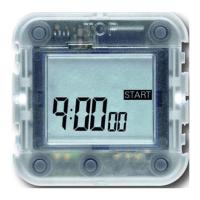
If the display is on -:--, this can mean the following:
– no time has been set
– the memory is not occupied



 To Next Page