2 | Product Description
16 / 68 0870211676_RA0760A_PLUS_-0004_IM_en
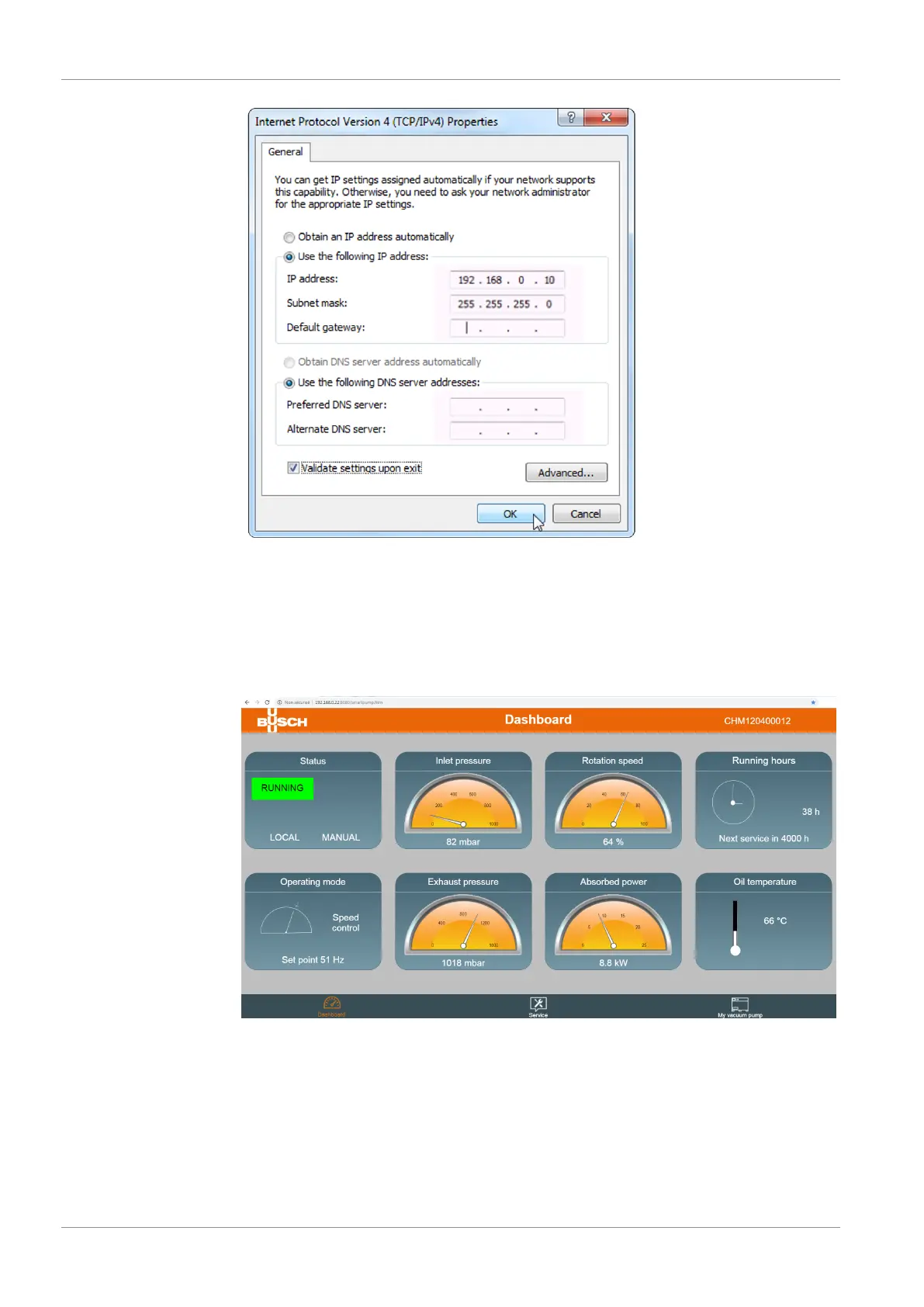
• Open your web browser (full screen window) and type the IP address of the machine
to monitor in the address bar, followed by: :8080/smartpump.htm. By default, the
whole address to be typed in the web browser is: 192.168.0.22:8080/smartpump.htm
• When the Web visualization interface opens, select “Computer” as monitoring device.
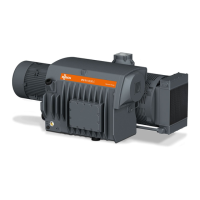
• The main screen, “Dashboard”, shows the main operating parameters and settings of
the machine (machine status, operating mode, running hours, inlet pressure,…).
• Use the icons in the bottom bar to navigate in the Web visualization interface.


 To Next Page