Product Description | 2
0870211676_RA0760A_PLUS_-0004_IM_en 17 / 68
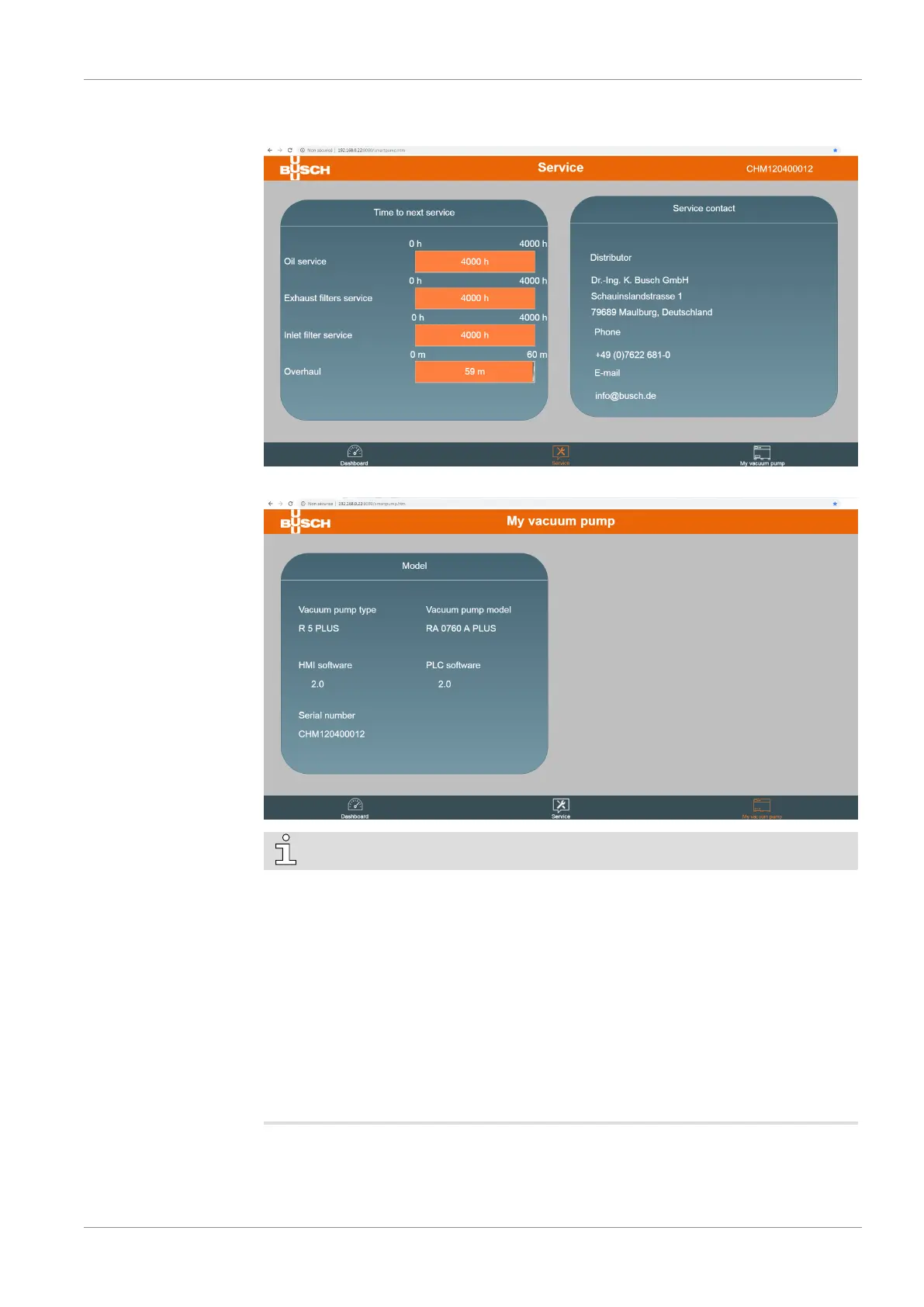
• The second page “Service” shows the service table of the machine and Busch service
contact information.
• The third page “My vacuum pump” gives general information about the machine.
NOTE
• Contact Busch:
ð If the Ethernet port of the machine (COM) is already used for remote control /
monitoring purpose.
OR
ð In order to use the Web visualization function via a WIFI connection (requires an
optional WIFI module).
• The Web visualization interface is optimized for Google Chrome.
• To change the IP address of the machine (in the event it is already used by another
machine for instance), go to the “Ethernet Settings” menu of the User Interface Dis-
play (HMI) on the machine, see Ethernet Settings [►14].


 To Next Page