User Guide for the IX-C62 IP Phone
20
Registration
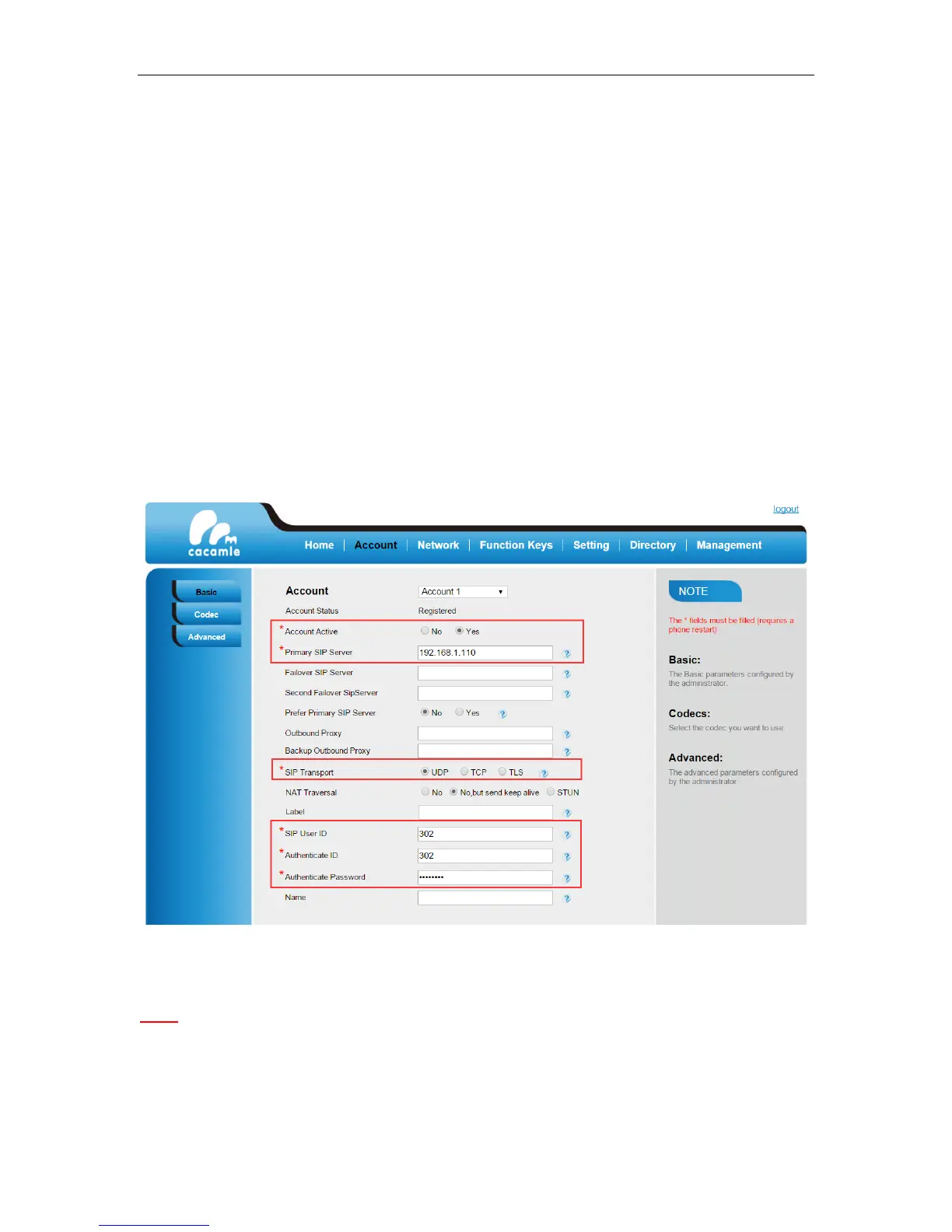
To register via web user interface:
1. Login the web GUI of IP phone.
2. Click on Account -> Basic.
3. Select the desired account in Account filed
4. Enter the desired value in Account Active, Primary SIP Server, SIP Transport, SIP User ID,
Authenticate ID, and Authenticate Password field respectively. Contact your PBX system
administrator or SIP provider for more information if needed.
4. Click SaveSet.
Note:
1. All fields with * must be filled. If changed, it requires a phone restart.
2. Account Status says the account registered successfully or not.
When change the account information via phone, it will show Restart note when back to idle page.


 To Next Page