User Guide for the IX-C62 IP Phone
89
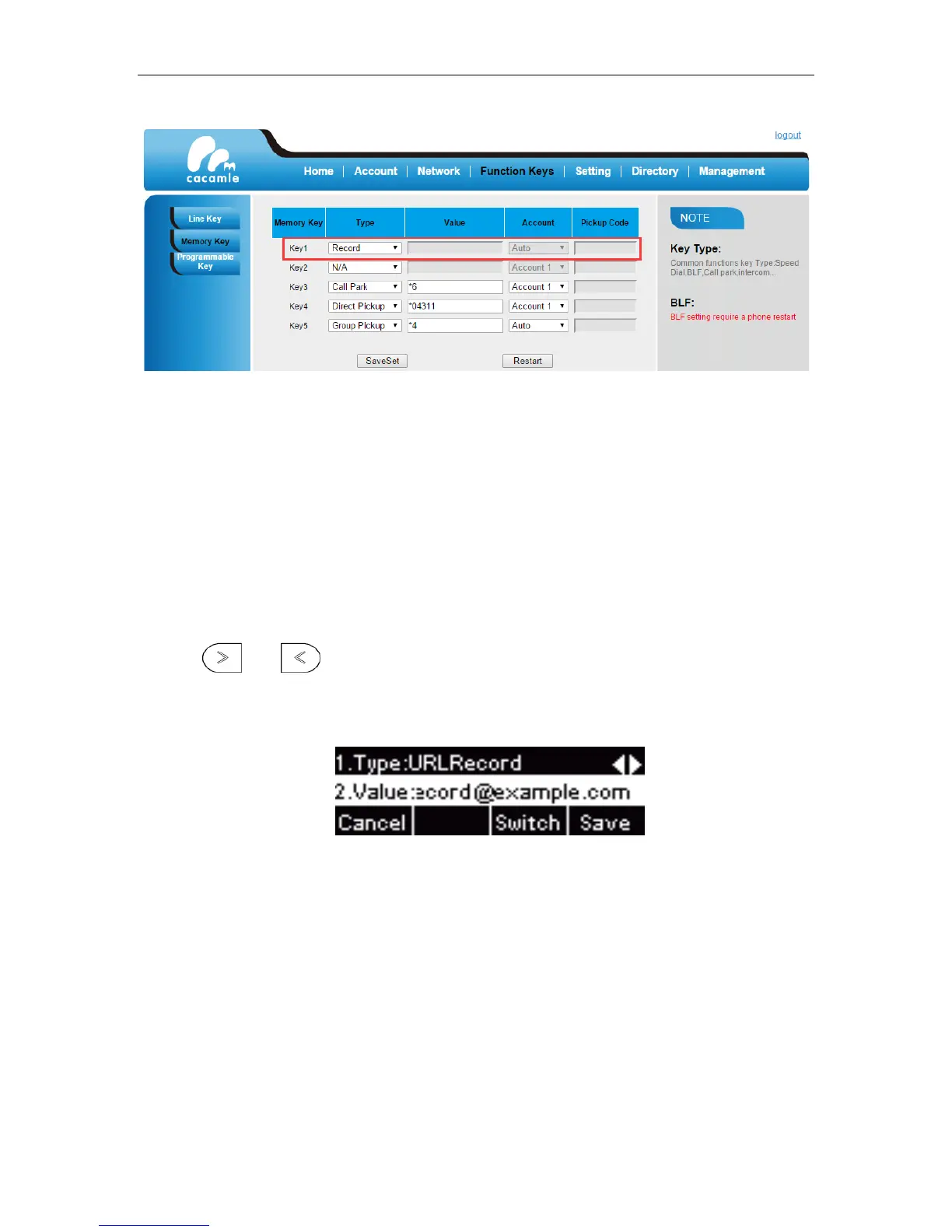
5. Click SaveSet.
To configure a URL record key via phone user interface:
1. Press Menu –> Features -> Function Keys.
2. Select desired Line Key or Memory Key.
3. Press or , or the Switch soft key to select URLRecord from the Type field.
4. Enter the URL from your system administrator.
5. Press Save soft key.
To configure a URL record key via web user interface:
1. Login the web GUI of IP phone.
2. Click on Function Keys.


 To Next Page