©2022 CAE 905K560252 v1.2 61
Using Luna
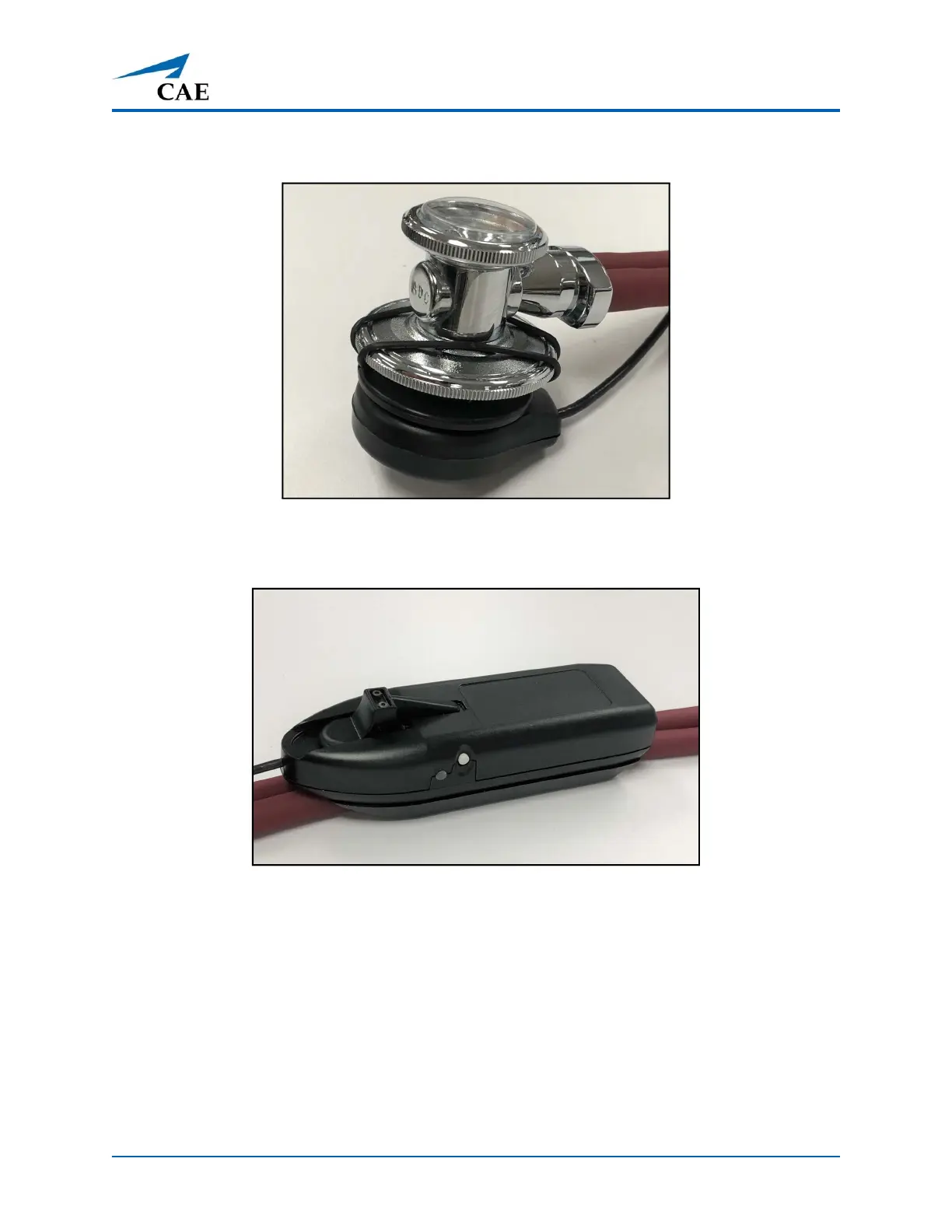
1. Connect the StethoSym’s speaker module to the diaphragm of the stethoscope with the
two elastic bands.
StethoSym Speaker Module Connected to Diaphragm
2. Pull back the lever on the StethoSym module to open the clamp and attach it to the tubing
of the stethoscope.
StethoSym Clipped to Tubing
Operating the StethoSym
To connect the StethoSym to the manikin:
1. Press the power button on the side of the StethoSym module.
The unit powers on and the indicator light should be Green until it synchronizes with the
manikin and then turns Blue. The indicator light flashes Red if the battery is low.



 To Next Page