Using Luna
62 ©2022 CAE 905K560252 v1.2
CAELuna
2. Place the StethoSym speaker module over a sound tag on the manikin for approximately
10 seconds. This ensures that StethoSym connects to the proper manikin. StethoSym
displays a solid blue light when it is connected to the manikin.
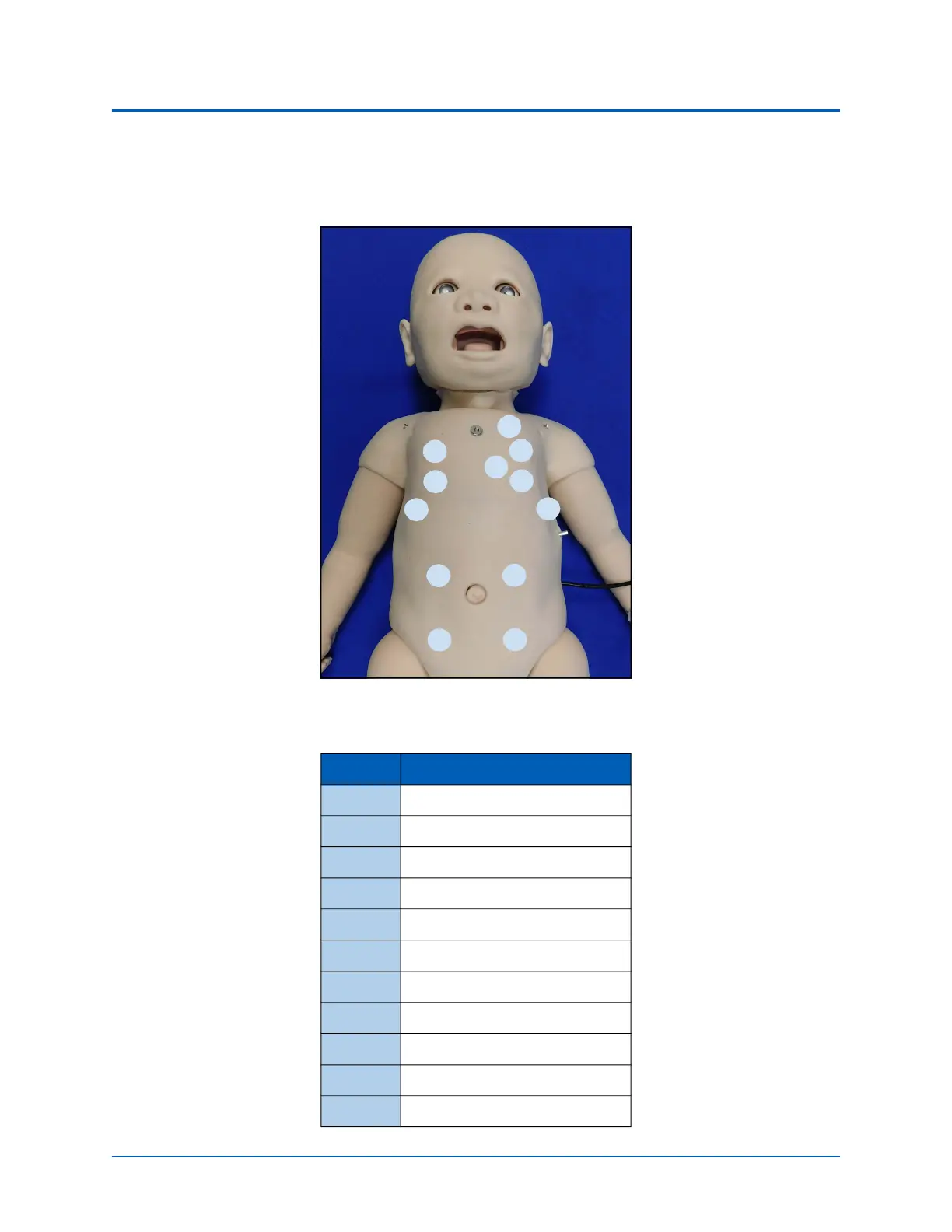
Luna RFID Locations
The following table corresponds with the RFID tag locations on the manikin.
Tag # Location Sound
1 Upper Heart
2 Left Upper Lung
3 Lower Heart
4 Left Lower Lung
5 Left Lower Lung Lateral
6 Left Upper Quadrant
7 Left Lower Quadrant
8 Right Lower Quadrant
9 Right Upper Quadrant
10 Right Lower Lung Lateral
11 Right Lower Lung
1
2
3
4
5
12
11
10
6
7
9
8



 To Next Page