7.1 Default Firmware Upgrade
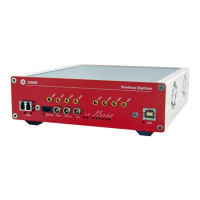
The DT5740 is delivered running a default firmware to operate the board for waveform
recording.
The default firmware updates are available for download on CAEN website (www.caen.it) in the
Software/Firmware tab at the DT5740/DT5740D web pages (login required):
Home / Products / Modular Pulse Processing Electronics / VME / Digitizers / <Digitizer Model>
7.1.1 Default Firmware File Description
The extension of the programming default firmware file is CFA (CAEN Firmware Archive), which is
a sort of archive format file aggregating all the default firmware files compatible with the same
family of digitizers.
CFA and its name follows this general scheme:
x740_revX.Y_W.Z.CFA
where:
x740 are all the boards supported by the file: DT5740, DT5740C, DT5740D, N6740,
N6740C, N6740D, V1740, V1740A, V1740B, V1740C, V1740D, VX1740, VX1740A,
VX1740B, VX1740C, VX1740D;
X.Y is the major (X) and minor (Y) revision number of the mainboard FPGA;
W.Z is the major (W) and minor (Z) revision number of the channel FPGA.



 To Next Page