Need help?
Do you have a question about the CAME ZE5 and is the answer not in the manual?
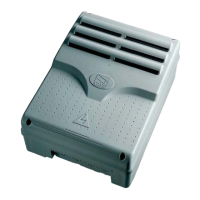
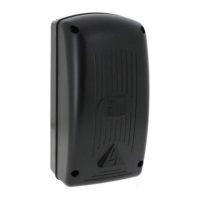
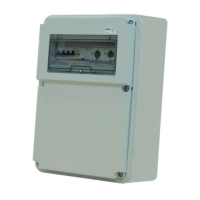
Overview of the control panel designed for EMEGA series automation units.
Explains symbols used in the manual for clarity and safety.
Details the control panel's features, power, and functions for automation units.
Specifies the intended application for EMEGA automation units and prohibits other uses.
Defines the maximum power limitations for connected motors to ensure safe operation.
Presents key technical parameters including power supply, load capacity, and operating temperature.
Provides physical dimensions and layout of the control panel unit.
Identifies and lists all main components of the control panel for easy recognition.
Illustrates the layout of various terminal boards and their connections.
Essential checks before installation, including mounting surface, power source, and wiring insulation.
Lists necessary tools and materials for safe and compliant installation.
Details minimum cable thicknesses and types required for various connections based on length.
Instructions on how to anchor and install the control panel box securely.
Wiring diagram for connecting the 230V AC single-phase gearmotor.
Diagram for connecting the 230V AC power supply to the control panel.
Connection terminals for powering 24V accessories with power limits.
How to connect a flashing light for gate open/close indication.
Configuration for gate open warning light or electric lock using Dip 9.
Wiring for a courtesy lamp that illuminates the parking area.
Input for safety devices like photocells for reopening during closing.
Setting DIP-switch 7 for unused safety device inputs.
Wiring for a stop button to halt gate movement and exclude auto-closing.
Connection for key switches or buttons for gate opening commands.
Using key switches for 'sustained action' function via Dip 6.
Steps to adjust the micro-switch for encoder programming during opening.
Procedure to set the closing end-stop using Dip-switch 8.
Instructions to memorize the 'close' end point using the control panel buttons.
Procedure to memorize the 'open' end point using the control panel buttons.
Notes on deactivating slowing and inserting thrust reduction via key press.
Instruction to reset Dip-switch 8 to OFF after programming.
General advice on programming order and potential issues.
Instructions for connecting two motors in parallel using specific terminals.
Connecting encoder and opening end-stop for a single motor in a dual setup.
Detailed explanation of each DIP-switch function and its effect on operation.
Adjusting the automatic closing time using the A.C.T. trimmer.
Setting obstacle detection sensitivity with the AMP. S trimmer.
Adjusting the safety intervention time for obstacles with the S. DELAY trimmer.
Procedure to reduce motor torque by moving a terminal board.
Method to increase motor torque by isolating wires and adding a bridge.
Connecting the RG58 antenna cable to the appropriate terminals.
Installing the AF43S/AF43SM radiofrequency card and setting jumpers.
Procedure to memorize the transmitter code using the control board buttons.
Guidelines for the proper disposal and recycling of the product and its packaging.
Declaration of conformity with relevant EU directives and standards.
The CAME ZE5 is a control panel designed for EMEGA series garage-type door automation units (E306-E456) with either double or single motors. It is engineered and built by Came Cancelli Automatici S.p.A. The control panel is powered by 230 V AC on terminals L and N, with a maximum frequency of 50/60 Hz. Command devices and accessories are powered by 24 V. The total power of accessories connected to the panel must not exceed 20 W. All connections are protected by quick fuses, with specific fuse ratings provided in a table: the electronic board (line) is protected by a 5 A fuse, command devices by a 630 mA fuse, and accessories by a 1.6 A fuse.
The ZE5 control panel provides and controls several key functions for garage door automation:
The manual provides a table for minimum cable thicknesses based on cable length (1-10m, 10-20m, 20-30m) for various connections:
Before installation, ensure the mounting point is free from impacts, solid, and that proper tools and materials are used. An omnipolar cut-off device with contacts greater than 3 mm and sectioned power source must be set up. Internal connections for the protective circuit must have extra insulation. Proper conduits and electric cable raceways, protected from mechanical damage, must be used.
CAME Cancelli Automatici S.p.A. operates under an ISO 14001 certified Environmental Management System. Packaging components (cardboard, plastic, etc.) are recyclable as urban solid waste. Product components (aluminum, plastic, iron, electrical cables) are also recyclable. Electronic boards and radio control batteries may contain pollutants and should be disposed of by authorized companies. Always verify local regulations for waste disposal.
 General
| Brand | CAME |
|---|---|
| Model | ZE5 |
| Category | Control Panel |
| Language | English |

 To Next Page