CHAPTER 7 PICK-UP / FEEDING SYSTEM
7-68
COPYRIGHT
©
2002 CANON INC. CANON CLC1100/1130/1150/1160/1180 REV.0 MAR. 1999 PRINTED IN JAPAN (IMPRIME AU JAPON)
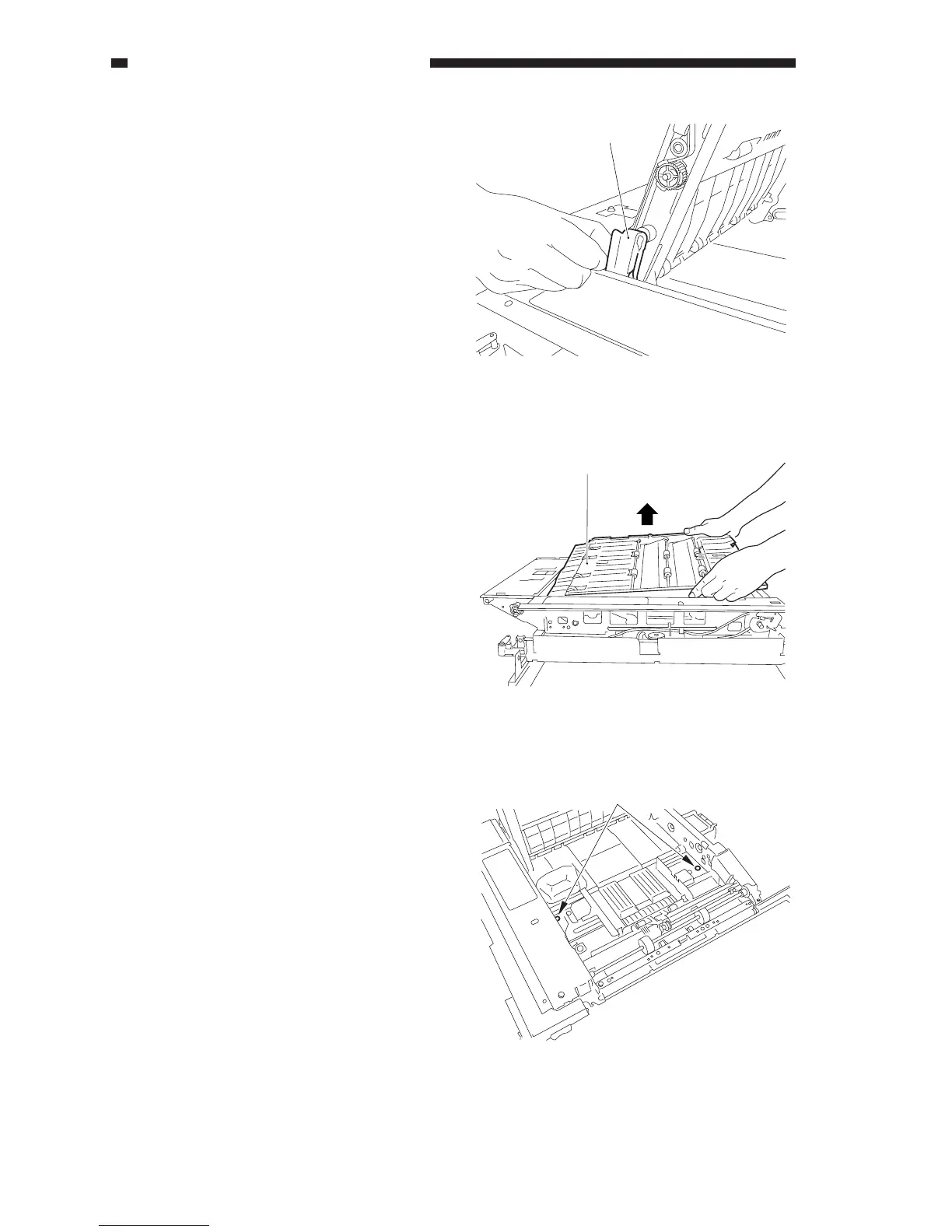
11) Remove the guide plate [15] from the
guide shaft of the duplexing feed
assembly (both front and rear).
Figure 7-753
12) Lift the rear of the duplexing feed
assembly [16], and pull it off.
Figure 7-754
4. Adjusting the Left/Right
Registration of the Duplexing Unit
1) Slide out the duplexing, and open the
duplexing feeding assembly.
2) Loosen the two screws [1].
Figure 7-755
[15]
[16]
[1]



 To Next Page