CHAPTER 9 EXTERNALS / AUXILIARY MECHANISMS
9-28
COPYRIGHT
©
2002 CANON INC. CANON CLC1100/1130/1150/1160/1180 REV.1 JAN. 2000 PRINTED IN JAPAN (IMPRIME AU JAPON)
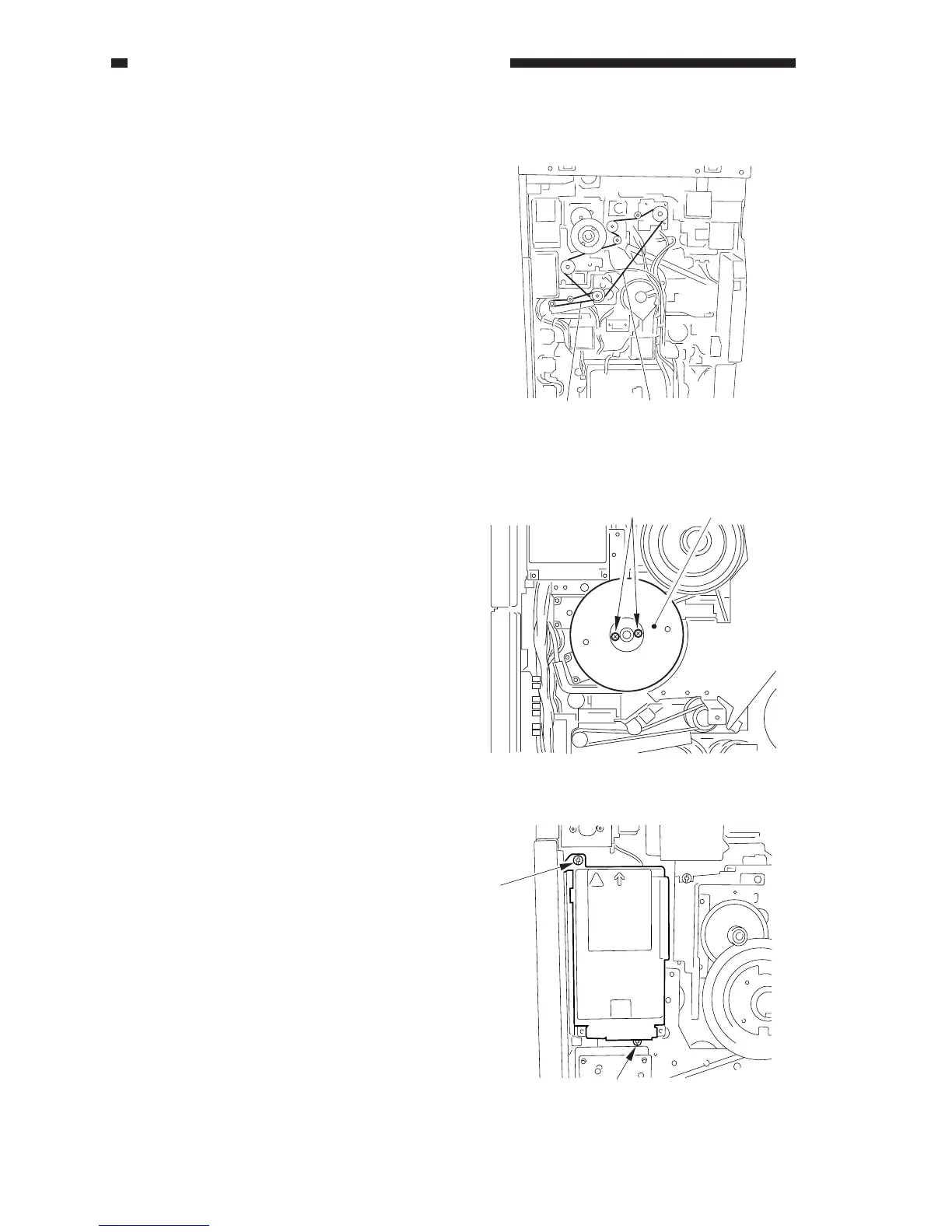
F. Drive System Belt Layout
The copier’s drive belts include the
following:
[1] belt for the developing assembly,
registration roller, attraction roller, and
photosensitive drum cleaner
[2] belt for the multifeeder pickup assembly
Figure 9-724
G. Drum Motor Assembly
1. Removing the Drum Motor (M2)
1) Remove the photosensitive drum unit.
2) Remove the rear cover.
3) Remove the flywheel.
4) Remove the potential control PCB.
5) Remove the two screws [1], and detach
the flywheel [2].
[1][2]
Figure 9-725
6) Remove the two screws [3].
Figure 9-726
[1]
[2]
[3]
[3]



 To Next Page