CHAPTER 11 INSTALLATION
11-14
COPYRIGHT
©
2002 CANON INC. CANON CLC1100/1130/1150/1160/1180 REV.2 FEB. 2002 PRINTED IN JAPAN (IMPRIME AU JAPON)
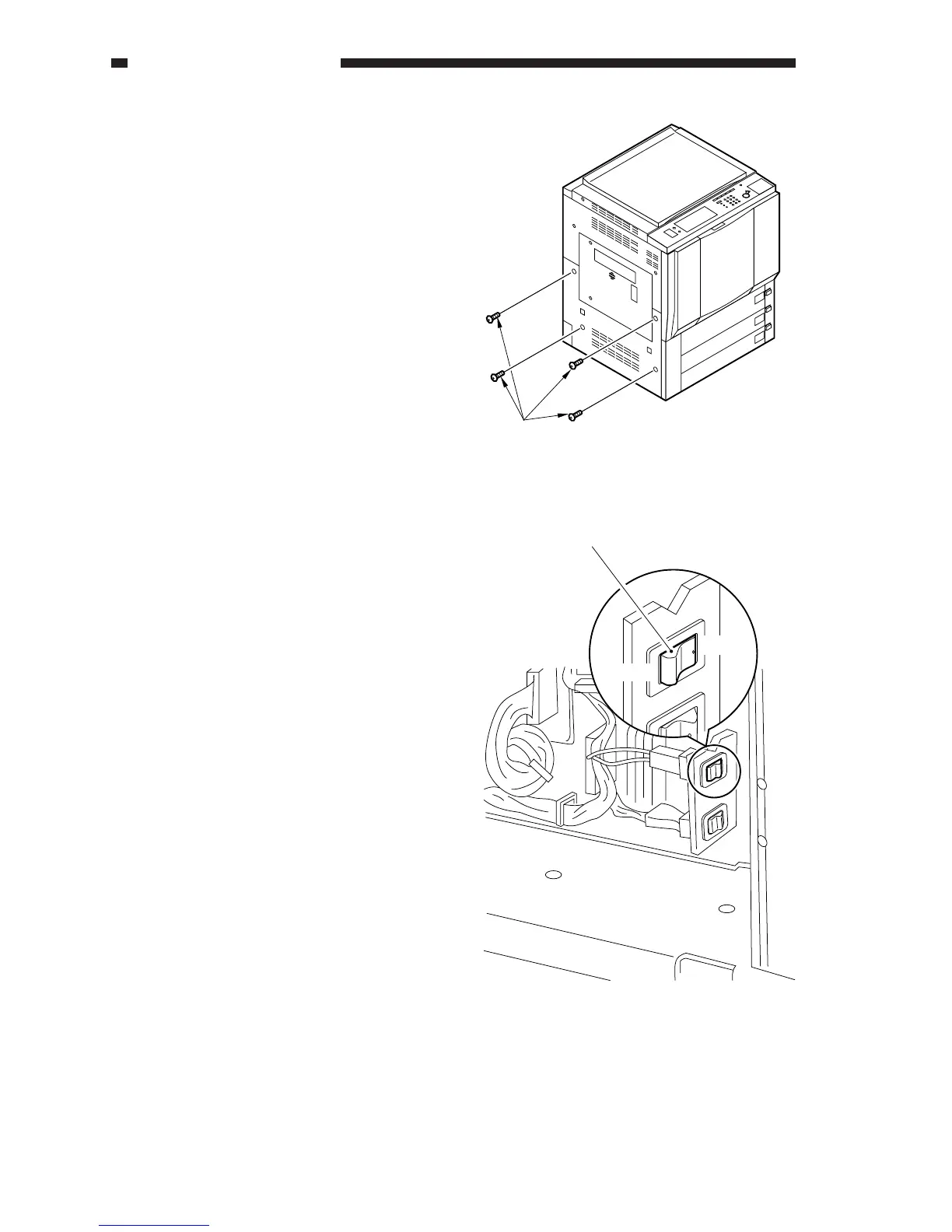
11) Mount the cover and the knob; then, set
the transfer unit inside the copier.
12) Remove the four screws, and mount the
left lower cover.
ON
OFF
Environment switch
Screw
Figure 11-221
13) Check to make sure that the environment
switch (top; black) is ON; otherwise, turn
it ON:
• At time of shipment from the factory,
CLC1120/1130/1150: OFF
CLC1100/1140/1160/1180: ON
• Keep the cassette heater switch
(bottom, gray) OFF.
Figure 11-222
14) Mount the left lower cover with four
screws.



 To Next Page