CHAPTER 13 TROUBLESHOOTING
13-86
COPYRIGHT
©
2002 CANON INC. CANON CLC1100/1130/1150/1160/1180 REV.0 MAR. 1999 PRINTED IN JAPAN (IMPRIME AU JAPON)
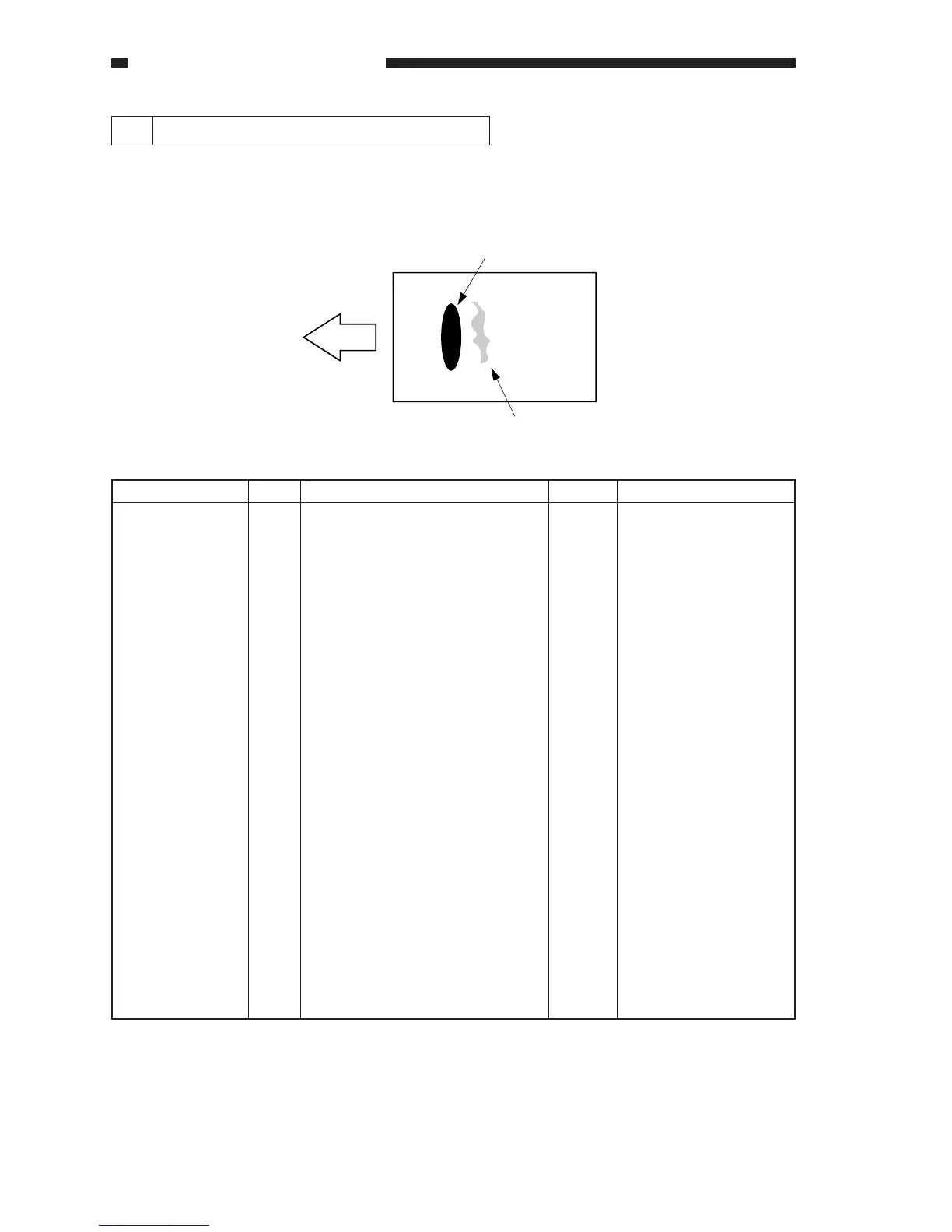
13 The copy has stray toner (from fixing).
In this fault, stray toner is found immediately after a high-density area of an image (in relation
to feeding direction) and in the form of black dots.
Cause
ADJUST>HV-SP
(service mode)
Action
End.
Settings: -6 to 0
Unit: 50 µA
Step
1
Yes/No
YES
Checks
Decrease the setting of SPxx for
the mode and the type of paper in
question using ADJUST>HV-SP in
service mode. Is the problem
corrected?
SP-N1
for plain paper, single-sided
copying and copying on the 1st
side of a double-sided copy
SP-N2
for plain paper, copying on the
2nd side of a double-sided copy
SP-T1
for thick paper, single-sided
copying and copying on the 1st
side of a double-sided copy
SP-T2
for thick paper, copying on the
2nd side of a double-sided copy
SP-S1-1
for special paper 1, single-sided
copying and copying on the 1st
side of a double-sided copy
SP-S2-1
for special paper 2, single-sided
copying and copying on the 1st
side of a double-side copy
SP-OHP
for transparencies
(feeding direction)
High-density area
Stray toner area









 To Next Page