EasyManua.ls Logo

Canon Canovision8 E50E - Page 36

Canon Canovision8 E50E
179 pages
Print Icon
To Next Page IconTo Next Page
To Previous Page IconTo Previous Page
Loading...
button
CAMERA
MODE:
Title
button
[TITLE]
(TITRE)
Pressing
this
button
in
the
camera
mode
presents
the
memorized
title
on
the
viewfinder
screen.
In
the
camera
recording,
the
user-created
title
can
be
imposed
on
pictures.
PLAY
MODE
:
Rewind
button
[¢q}
Pressing
this
button
in
stop
mode
rewinds
the
tape.
And,
holding
down
this
button
in
the
playback
mode
reproduces
the
fast-motion
pictures
(7
x
fast
motion).
In
the
playback
mode,
releasing
this
button
causes
the
machine
to
Perform
normal
playback
again.
Also,
if
it is
held
down
during
tape
rewinding,
the
pictures
are
playbacked
backward
rapidly
as
the
tape
goes
back
(SP:
14
x
fast
motion,
LP:
28
x
fast
motion),
a
|]
sa
button
CAMERA
MODE:
AF/MANUAL
button
[AF/MANUAL
]
When
pressed
in
camera
mode,
auto
focusing
and
manual
focusing
are
selected
alternately.
In
manual
focusing
mode,
"M.
FOCUS"
appears
in
the
EVF,
Immediately
after
the
power
turned
on,
AF
mode
is
set
automatically.
PLAY
MODE
:
Stop
button
[il]
,
Pressing
this
button
causes
tape
drive
to
stop.
EJECT
switch
[4
EJECT
]
In
other
than
the
recording
mode,
pressing
this
switch
eject
the
cassette
tape,
OPERATE
switch
[OPERATE]
(INTERRUPTEUR)
Used
to
turn
power
on/off.
MODE
SELECT
button
[MODE
SELECT}
(SELECT
NODE)
By
pressing
this
button,
buttons
from
(3)
through
can
be
functioned
in
two
ways
respec-
tively,
Whenever
the
power
switch
is
turned
on,
it
is
set
to
CAMERA
mode
automatically,
(See
the
explanation
of
®
through
above.)
TITLE/DATE
button
[TITLE/DATE]
(TITRE/DATE)
By
pressing
this
button
once,
the
title
mode
is
set.
Then,
by
manipulating
the
plus/minus
and
the
SHIFT
buttons,
the
title
can
be
created.
On
completion
of
the
title
making,
press
the
title/date
button
again.
This
stops
the
blinking
of
title.
When
this
button
is
pressed
for
more
than
3
seconds,
“years,
months,
days/hours,
minutes”
mode
is
set.
By
manipulating
each
button,
the
displayed
prompt
can
be
changed.
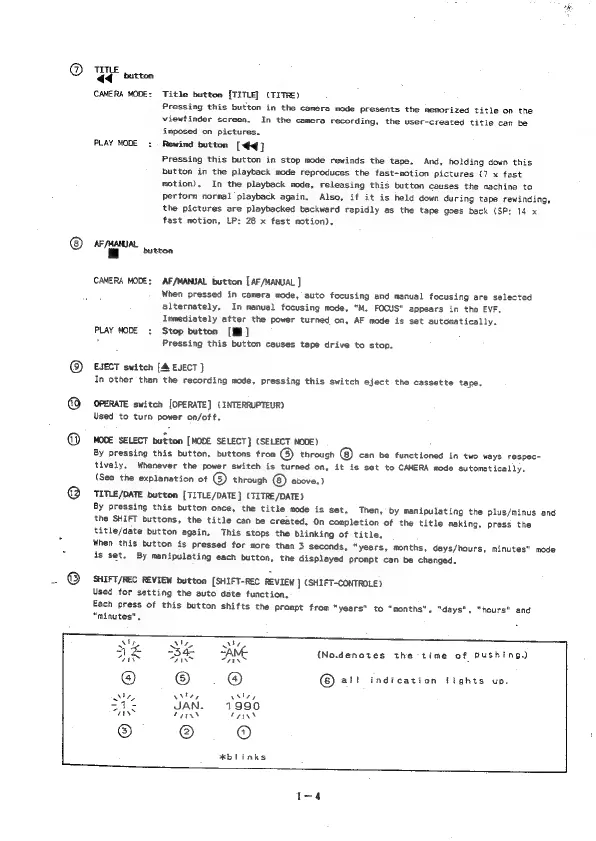
SHIFT/REC
REVIEW
button
(SHIFT-REC
REVIEW
]
(SHIFT-CONTROLE)
Used
for
setting
the
auto
date
function,
Each
press
of
this
button shifts
the
prompt
from
"years"
to
“months”,
"days",
“hours”
and
“minutes",
AY
VI
Ru
ne
34
SAME
(No.denotes
the
time
of
pushing.)
“ty
FIN
“HEN
a
©
.@®
©
@!!
indication
tights
up.
Ma
\Miey
vhiey
S42
YAN.
1990
aay
THAN
wires
#blinks

Table of Contents

Related product manuals