EasyManua.ls Logo

Canon Canovision8 E50E - Page 37

Canon Canovision8 E50E
179 pages
Print Icon
To Next Page IconTo Next Page
To Previous Page IconTo Previous Page
Loading...
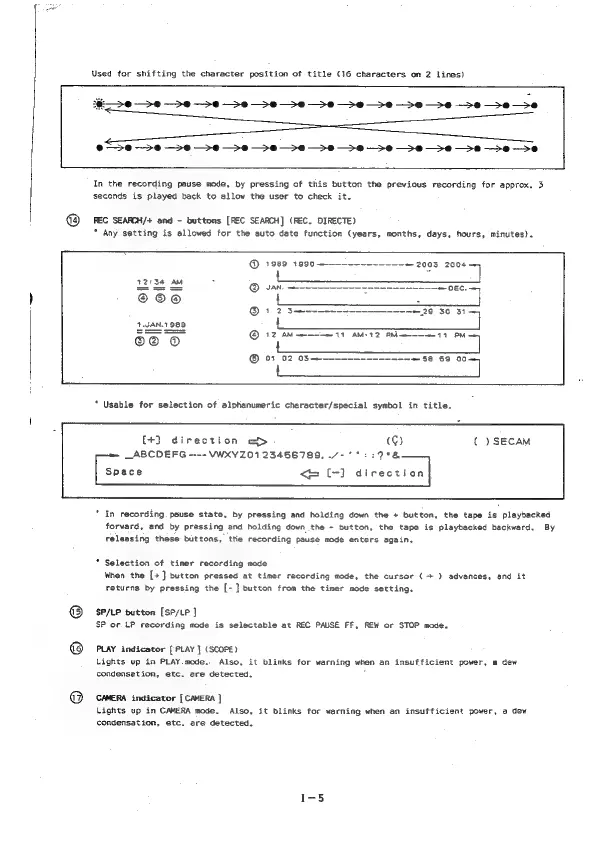
Used
for
shifting
the
character
position
of
title
(16
characters
on
2
lines)
ma
>O
—>e
->#
—>e
Se ee
eo
-
Se
>
e
>
e
>
eo
>
e
-
eo
eo
ee
et
>e
-—->e@
—>e
—>*e
eo
>
e
ee
>
0
-
>
8
-
>
0
>
e
>
oe
8
Pe
-
0
In
the
recording
pause
mode,
by
pressing
of
this
button
the
previous
recording
for
approx.
3
seconds
is
played
back
to
allow
the
user
to
check
it.
REC
SEARCH/+
and
-
buttons
[REC
SEARCH]
(REC.
DIRECTE)
*
Any
setting
is
allowed
for
the
auto
date
function
(years,
months,
days,
hours,
minutes).
@
1988
1990
——~--~~~~--~~.
:
L
van.
—---------.
{
@®123—
©
12
AM
mee
11
AMS
42
PM
mene
11
PM
ey
©
01
02
03—------—-----~-~=—
568
569
00—
be
Usable
for
selection
of
alphanumeric
character/special
symbol
in
title.
(+]
direction
e&D>
(G)
(
)SECAM
_ABCDEFG
----
VWWXYZ01
23456789,
/-
°°
::27°%
Space
<=
[-]
direction
In
recording.
pause
state,
by
pressing
and
holding
down
the
+
button,
the
tape
is
playbacked
forward,
and
by
pressing
and
holding
down
the
-
button,
the
tape
is
playbacked
backward.
By
releasing
these
buttons,
the
recording
pause
mode
enters
again.
Selection
of
timer
recording
mode
When
the
[+]
button
pressed
at
timer
recording
mode,
the
cursor
(+)
advances,
and
it
returns
by
pressing
the
[-]
button
from
the
timer
mode
setting.
SP/LP
button
[SP/LP
]
SP
or.
LP
recording
mode
is
selectable
at
REC
PAUSE
FF,
REW
or
STOP
mode.
PLAY
indicator
[
PLAY
}
(SCOPE)
Lights
up
in
PLAY.mode..
Also,
it
blinks
for
warning
when
an
insufficient
power,
a
dew
condensation,
etc.
are
detected.
.
CAMERA
indicator
[
CAMERA
]
Lights
up
in
CAMERA
mode.
Also,
it
blinks
for
warning
when
an
insufficient
power,
a
dew
condensation,
etc.
are
detected.

Table of Contents

Related product manuals