EasyManua.ls Logo

Canon Canovision8 E50E - Page 38

Canon Canovision8 E50E
179 pages
Print Icon
To Next Page IconTo Next Page
To Previous Page IconTo Previous Page
Loading...
C.
RESET
button
[C.
RESET]
(MISE
A
ZERO)
In
any
mode,
pressing
this
button
causes
the
linear
tape
counter
to
be
reset
to
0:
200,
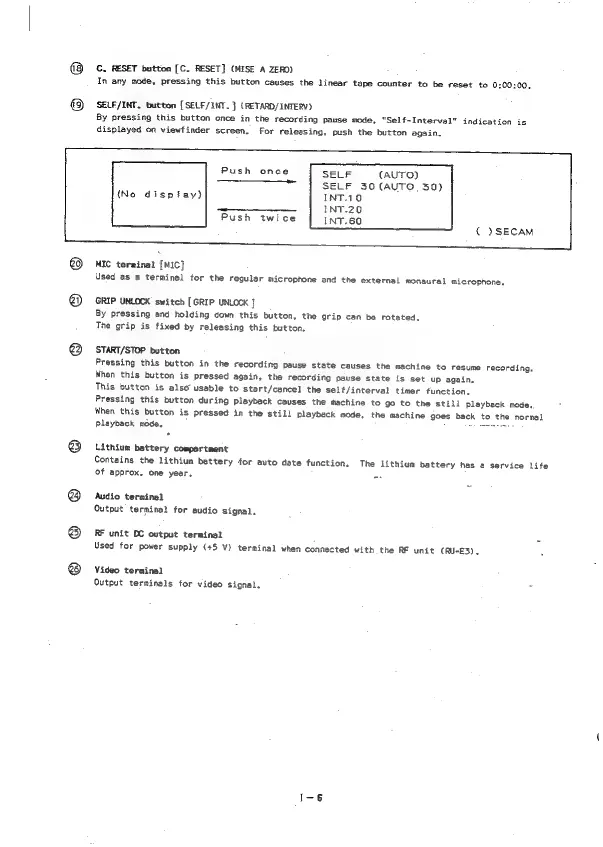
SELF/INT.
button
[SELF/INT.
]
(RETARD/INTERV)
By
pressing
this
button
once
in
the
recording
pause
mode,
“Self~Interval"
indication
is
displayed
on
viewfinder
screen,
For
relessing,
push
the
button
again.
Push
once
SELF
(AUTO)
Fs
SELF
36
(AUTO.
30)
(No
dispiay)
INT.10
———_____
INT.20
Push
twice
INT.60
(
)SECAM
MIC
terminal
[MIC]
Used
as
a
terminal
for
the
regular
microphone
and
the
external
monaural
microphone,
GRIP
UNLOCK
switch
[GRIP
UNLOCK
j
By
pressing
and
holding
down
this
button,
the
grip
can
be
rotated,
The
grip
is
fixed
by
releasing
this
button.
START/STOP
button
Pressing
this
button
in
the
recording
pause
state
causes
the
machine
to
resume
recording.
When
this
button
is
pressed
again,
the
recording
pause
state
is
set
up
again,
This
button
is
also
usable
to
start/cancel
the
self/interval
timer
function,
Pressing
this
button
during
Pleyback
causes
the
wachine
to
go
to
the
still
Playback
mode..
When
this
button
is
pressed
in
the
still
playback
mode,
the
machine
goes
back
to
the
normal
Playback
mode,
i
Lithium
battery
compartment
Contains
the
lithium
battery
for
auto
date
function,
The
lithium
battery
has
a
service
life
of
approx.
one
year,
Audio
terminal
Output
terminal
for
audio
signal.
RF
unit
DC
output
terminal
Used
for
power
supply
(+5
V)
terminal
when
connected
with
the
RF
unit
(RU-E3),
Video
terminal
Output
terminals
for
video
signal.
=

Table of Contents

Related product manuals