DC10 E, DC20 E
SERVICE MODE / ADJUSTMENT
29
5-5-3 CCD Image Adjustment Result Check
For this adjustment, use the same conditions as those specified in 5-5-1 Internal Camera Temperature Check (3)
SPEC. Automatic writing
Procedure)
(1) Check and write the result data of CCD image adjustment.
Note)
If the result of any one of the above check steps is NG, carry out the adjustment procedures described in item 5-5 “CCD Section (2)
(DC20 E only)” again from the beginning while maintaining the internal camera temperature within the allowable range. If NG is
indicated repeatedly, replace the CCD PCB with a new one.
STEP PROCEDURE Microcomputer operation
CS Function
MD ADDR DT
1 1) Make the setting shown at right. 2
08 ST 3017 --
Color difference check
2) Perform storing.
↑↑
RD
↑↑
Adjustment is completed.
(press the PAUSE button.) Completion with ST:05, NG with ST:09
2 1) Make the setting shown at right. 2
08 ST 3018 --
Noise check
2) Perform storing.
↑↑
RD
↑↑
Adjustment is completed.
(press the PAUSE button.) Completion with ST:05, NG with ST:09
3 1) Make the setting shown at right. 2
08 ST 3019 --
Check result writing
2) Perform storing.
↑↑
RD
↑↑
Adjustment is completed.
(press the PAUSE button.) Completion with ST:05, NG with ST:09
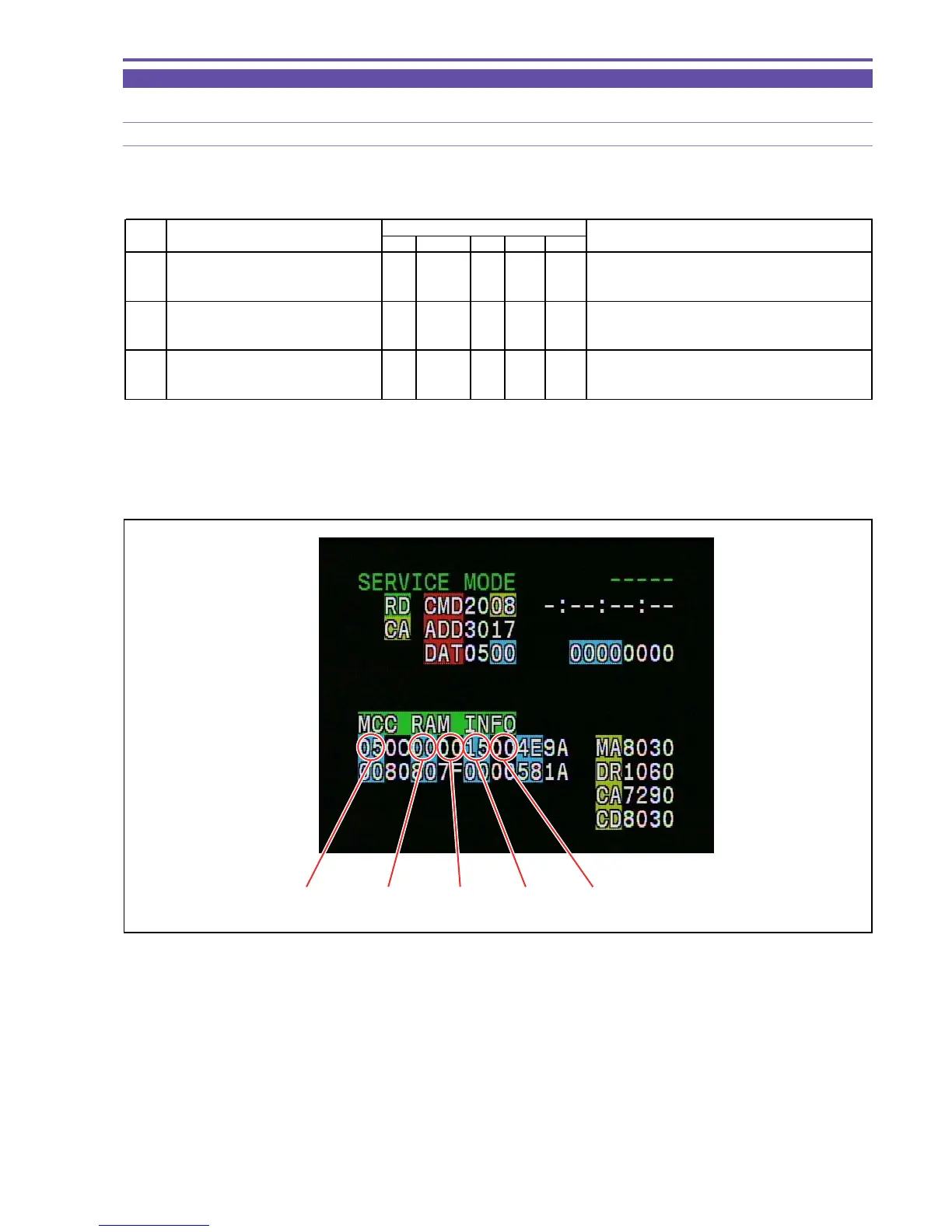
MONITOR
Fig. 21
STATUS
(ST)
ERROR No. TOTAL CER NER



 To Next Page