DC10 E, DC20 E
SERVICE HINTS
17
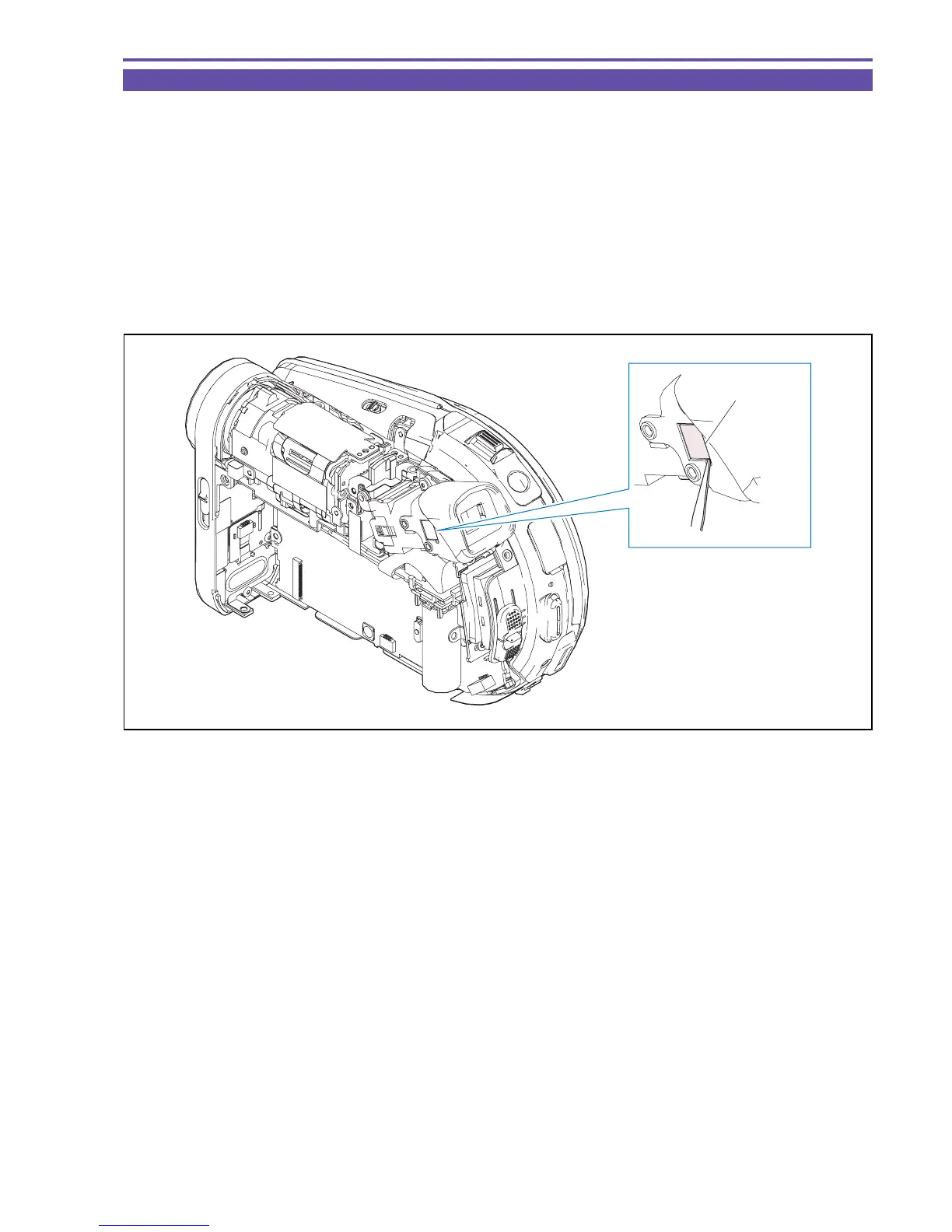
2-6 Cleaning Inside of CVF Unit
<Hints>
The Dust Cover for the CVF Unit cannot be seen from the outside of the camera. For cleaning the inside of the CVF Unit, it is therefore
required to remove its screws. After completion of repair, it is advisable to clean the inside of the CVF Unit regardless of the length of
cumulative use time of the camera.
<Procedure>
(1) Remove the R Upper Cover, R-LCD Unit, and Rear Cover Unit.
(2) Using tweezers, detach the CVF Dust Cover.
(3) Clean the inside of the CVF Unit.
Fig. 14
CVF Dust Cover
Tweezers



 To Next Page