DC10 E, DC20 E
DISASSEMBLING
20
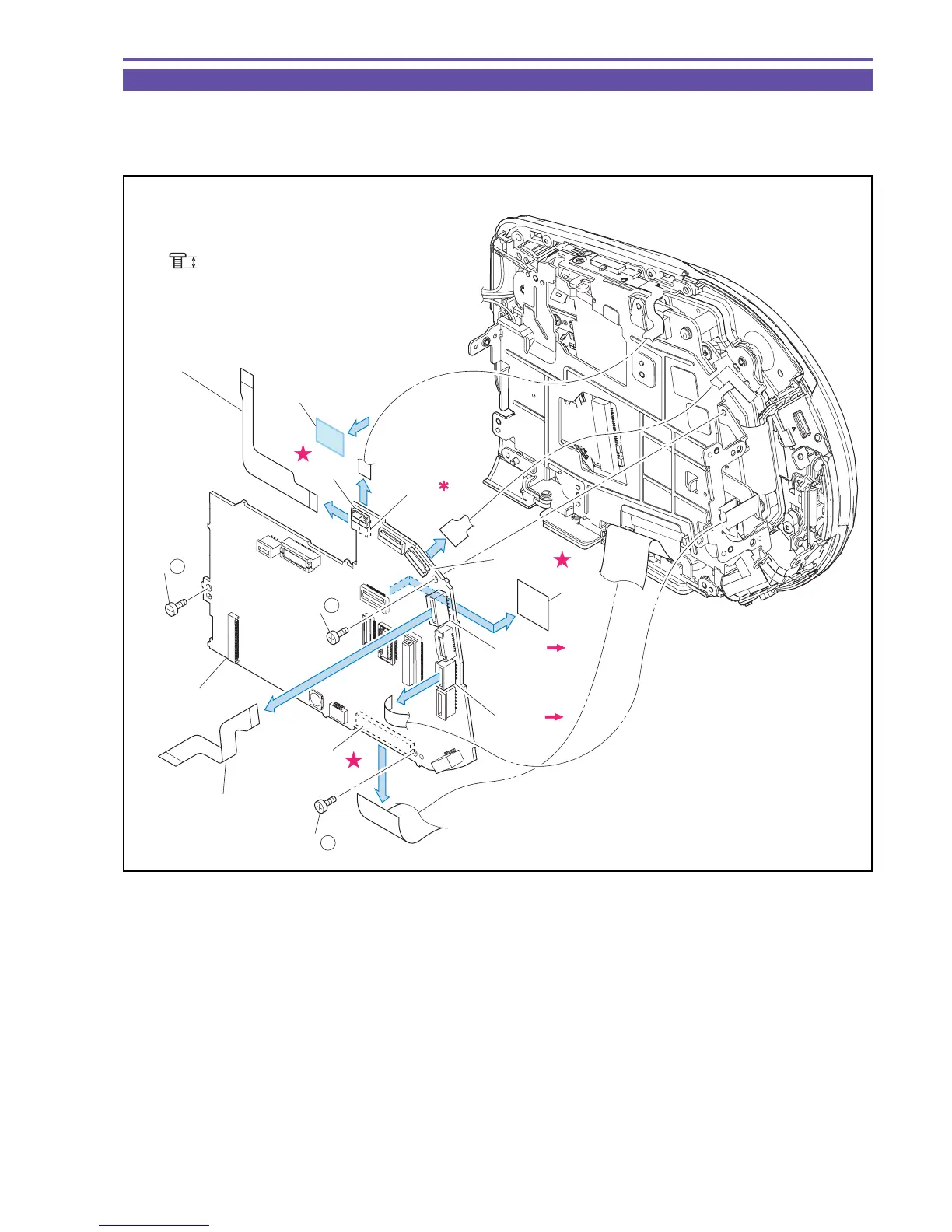
1-12 Separation of MAIN PCB
(1) Detach the UL Tape. Remove three screws (a × 3), disconnect the CN102, the CN107, the CN2100, and the CN2300, and detach the
MAIN PCB.
(2) Detach the GYRO FPC, the FLASH FPC, and the Main Spacer from the MAIN PCB.
Fig. 17
Metal
M1.7
a
2.5mm
(2)
(2)
(1)
(1)
(1)
(1)
(1)
(2)
CN2300
Main
Spacer
GYRO FPC
MAIN PCB
FLASH FPC
CN2100
CN103
CN102
CN107
CN1201
(1) - a
(1) - a
(1) - a
UL Tape
(9 × 10mm)



 To Next Page