DC10 E, DC20 E
DISASSEMBLING
23
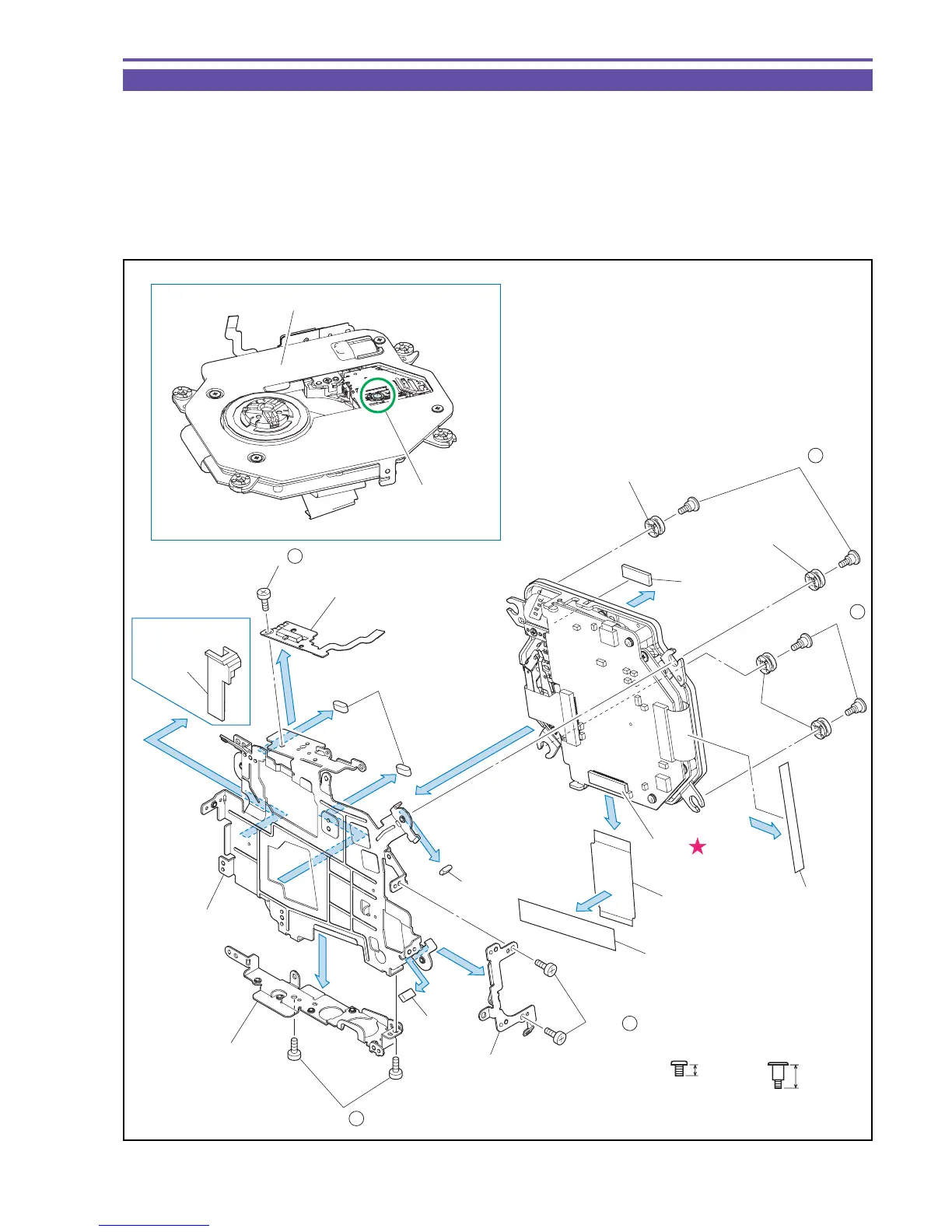
1-14 Separation of Main Frame
Note : After detaching the TS Mech Section, place it with its Lens part upward. Never touch the Lens part.
When cleaning the cover surface part, wipe it with a dry clock without using a solvent for protection of the
coating.
(1) Remove four screws (a × 4), and detach the Bottom Frame and the Card Holder.
(2) Remove five screws (a × 1, h × 4), and detach the Chassis Damper, the Main Frame, and the AE FPC Ass'y.
(3) Detach the Gasket and the ST Wire Protector (DC20 E only).
(4) Disconnect the CN201, and detach the MAIN FPC, the FE FPC Shield, the Shield Sheet, and the D Cover Supporter.
Fig. 20
h
5.3mm
a
2.5mm
Metal
M1.7
Metal
M1.7
Stepped Screw
Note
Lens part
(4)
(4)
CN201
Chassis Damper
Chassis
Damper
Chassis
Damper
MAIN FPC
FE FPC Shield
Card Holder
Gasket
Gasket
Gasket
ST Wire
Protector
Bottom Frame
Main Frame
(1)
(3)
(3)
(3)
(3)
(3)
(2)
(1)
(2)
AE FPC Ass'y
Never touch.
Cover surface part
(1) - a
(1) - a
(2) - h
(2) - h
(2) - a
DC20 E only
(4)
D Cover
Supporter
Shield Sheet
(4)



 To Next Page