DC10 E, DC20 E
DISASSEMBLING
37
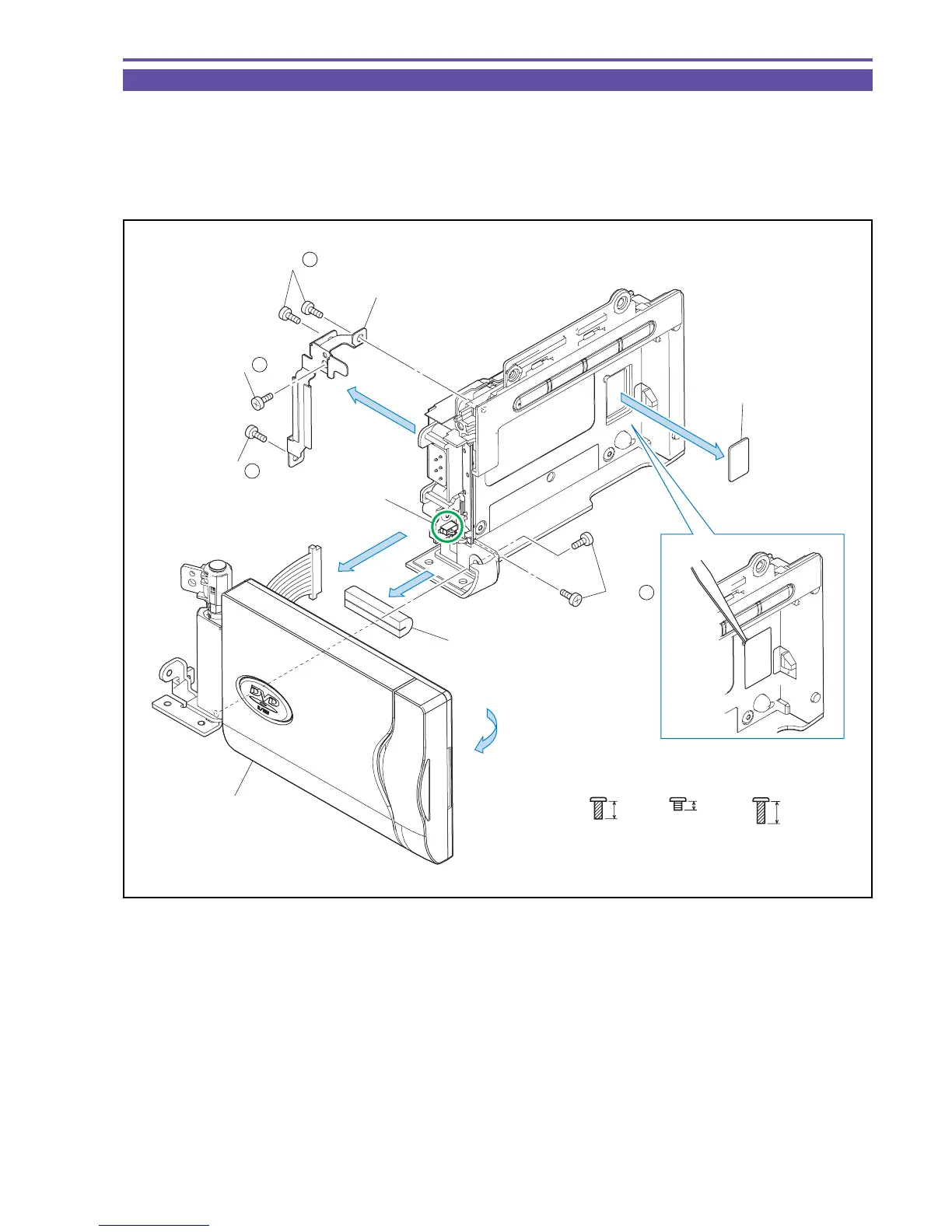
1-20 Separation of LCD Ass'y
(1) Detach the Right Sponge.
(2) Remove four screws (i × 2, k × 1, l × 1), and detach the Hinge Plate.
(3) Open the LCD Ass'y. Remove two screws (k × 2), and detach the LCD Ass'y.
Note : Take care not to damage the LCD Switch.
(4) Detach the Lid Jig Connection.
Fig. 34
k
2mm
Metal
M1.7
i
4mm
Metal
M1.7
(self tap)
l
5mm
Metal
M1.7
(self tap)
(4)
(2)
(3)
(1)
(3)
LCD Ass'y
Hinge Plate
LCD Switch
Right Sponge
Tweezers
(2) - k
(3) - k
(2) - i
(2) - l
Lid Jig Connection



 To Next Page