DC10 E, DC20 E
GENERAL DESCRIPTION OF PRODUCT
6
(17) Execute/release finalizing (finalizing can be released only for DVD-RW discs)
(18) Accessories (same as MVX1 Si E, MVX1 S E)
Tele-Converter TL-H27, Wide Converter WD-H27, Filter Set FS-H27U
Battery Pack BP-208 (850 mAh), Battery Charger CG-300 (E), Multi Cable MTC-100
(19) “MY DVD software” (Roxio MyDVD for Canon)
This software makes it easy to burn original DVDs on home-use personal computers.
It makes it possible to import video and sound from a DVD camera and burn DVDs which can then be played back on a DVD player
purchased on the market.
For more details on these functions, visit the Japanese site at http://www.sonicjapan.co.jp/index.html or the U.S. site at http://
www.sonic.com/default.asp.
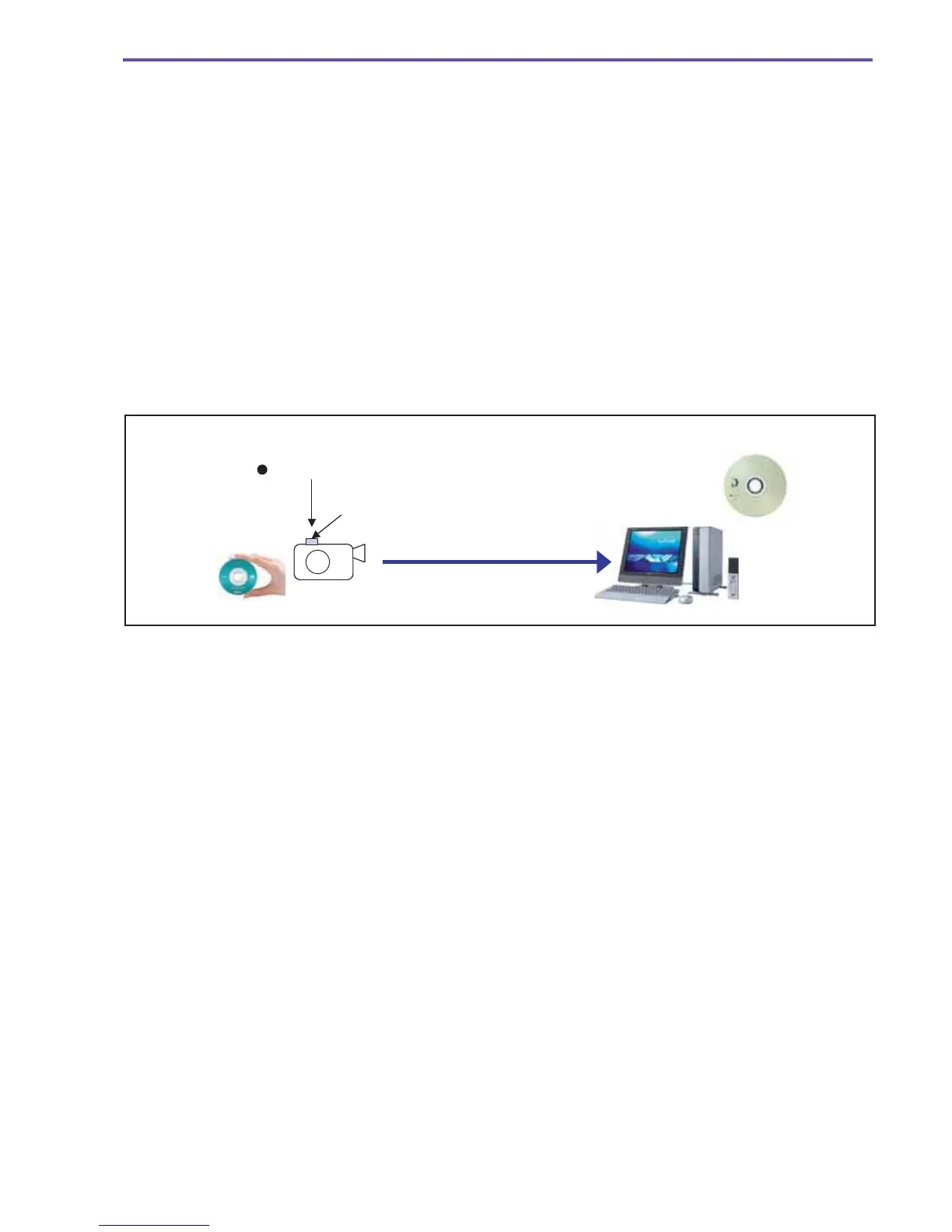
Also joining the ranks of above functions is another function (One-Touch Dubbing) for recording data on the DVD disc in a PC
simply by operating the Easy Direct (PRINT/SHARE) button on the body provided that the camcorder and PC are connected by the
USB interface (Hi-Speed class supported).
This function works only with the Windows XP and subsequently released PC operating systems. Furthermore, it operates on
condition that the disc inside the DC10 E, DC20 E has been finalized and that a blank disc has been loaded into the PC’s DVD
drive.
Recorded and
finalized disc
8cm
DVD-R/RW
1.4GB
User pushes Easy direct button (PRINT/SHARE button)
Easy direct button lights up
Blank Disc
Hi-speed USB2.0
12cm
DVD Disc
(4.7GB)
DC10 E
DC20 E



 To Next Page