EasyManua.ls Logo

Canon EOS 50 E - Page 100

Canon EOS 50 E
207 pages
Print Icon
To Next Page IconTo Next Page
To Previous Page IconTo Previous Page
Loading...
Part
3:
Repair
Information
ASSEMBLY & DISASSEMBLY
NOTES
I NOTE
:
Discharge
the
main
flash
capacitor!
Always
drain
the
main
flash
capacitor
as
soon
as
the
top
cover
is
removed.
I NOTE
:
Front
Cover
(3)
Removal
Loosen,
but
do
not
remove,
the
screws
holding
the
back
cover
latch
cover.
This
cover
does
not
need
to
be
removed for
most
work.
I NOTE
II
: Top Cover
(7)
Removal
1. Remove
the
four eyepiece
screws
(2
black,
2 chrome).
2. Remove
the
screw
at
the
right
end
strap
lug.
3. Lift
the
top
cover. Disengage
the
grip clip from
the
top
cover clip hole before removing
the
top
cover.
4.
Discharge
the
main
capacitor!
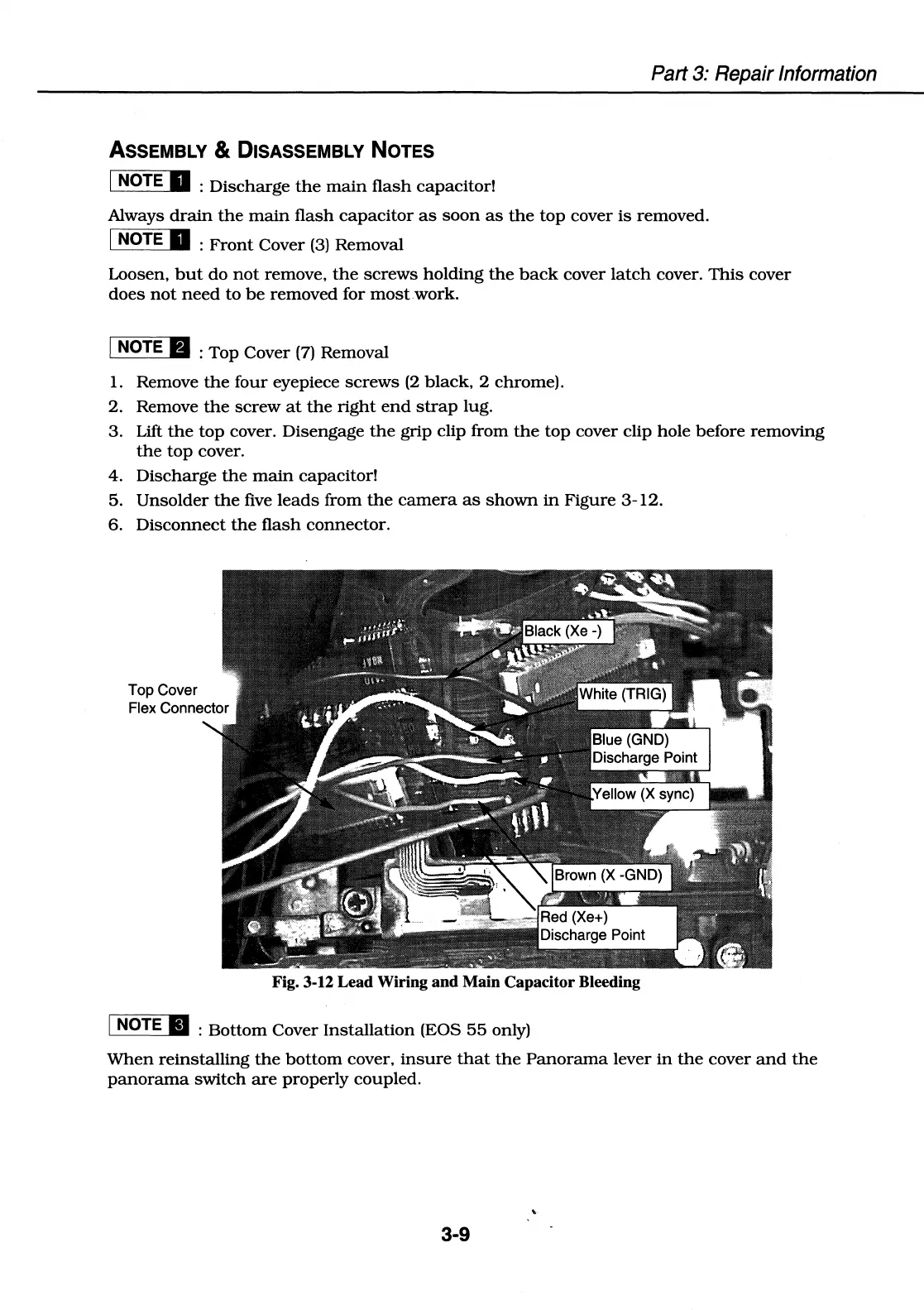
5.
Unsolder
the
five
leads
from
the
camera
as
shown
in
Figure
3-12.
6.
Disconnect
the
flash
connector.
Fig. 3-12 Lead Wiring and Main Capacitor Bleeding
I NOTE
II
:
Bottom
Cover
Installation
(EOS
55
only)
When
reinstalling
the
bottom
cover,
insure
that
the
Panorama
lever
in
the
cover
and
the
panorama
switch
are
properly coupled.
3-9

Table of Contents

Related product manuals