EasyManua.ls Logo

Canon EOS 50 E - Inhibit Voltage Adjustment

Canon EOS 50 E
207 pages
Print Icon
To Next Page IconTo Next Page
To Previous Page IconTo Previous Page
Loading...
Part 3: Repair Information
4.15 INHIBIT VOLTAGE ADJUSTMENT
Inhibit
voltage
check
must
always
be
made
when
replacing
the
main
flex.
PuRPOSE:
To
insure
the
operating
accuracy
of
individual
parts
of
the
camera
by
setting
the
minimum
voltage for
camera
operation.
TOOLS:
Personal
computer
DC
power
supply
RS-232C
cable
HS-1/F
Tool
battery
(CY9- l 101-000)
Adjustment
program
(stored
on
a
work
disk)
EF50mm
f/18
production
lens
Digital
tester
PREPARATION:
Start
adjustment
program,
connect
the
camera
to
the
personal
computer,
and
select
F5
Inhibit
Voltage
Adjustment
on
the
menu
screen.
Al>JuSTMENT:
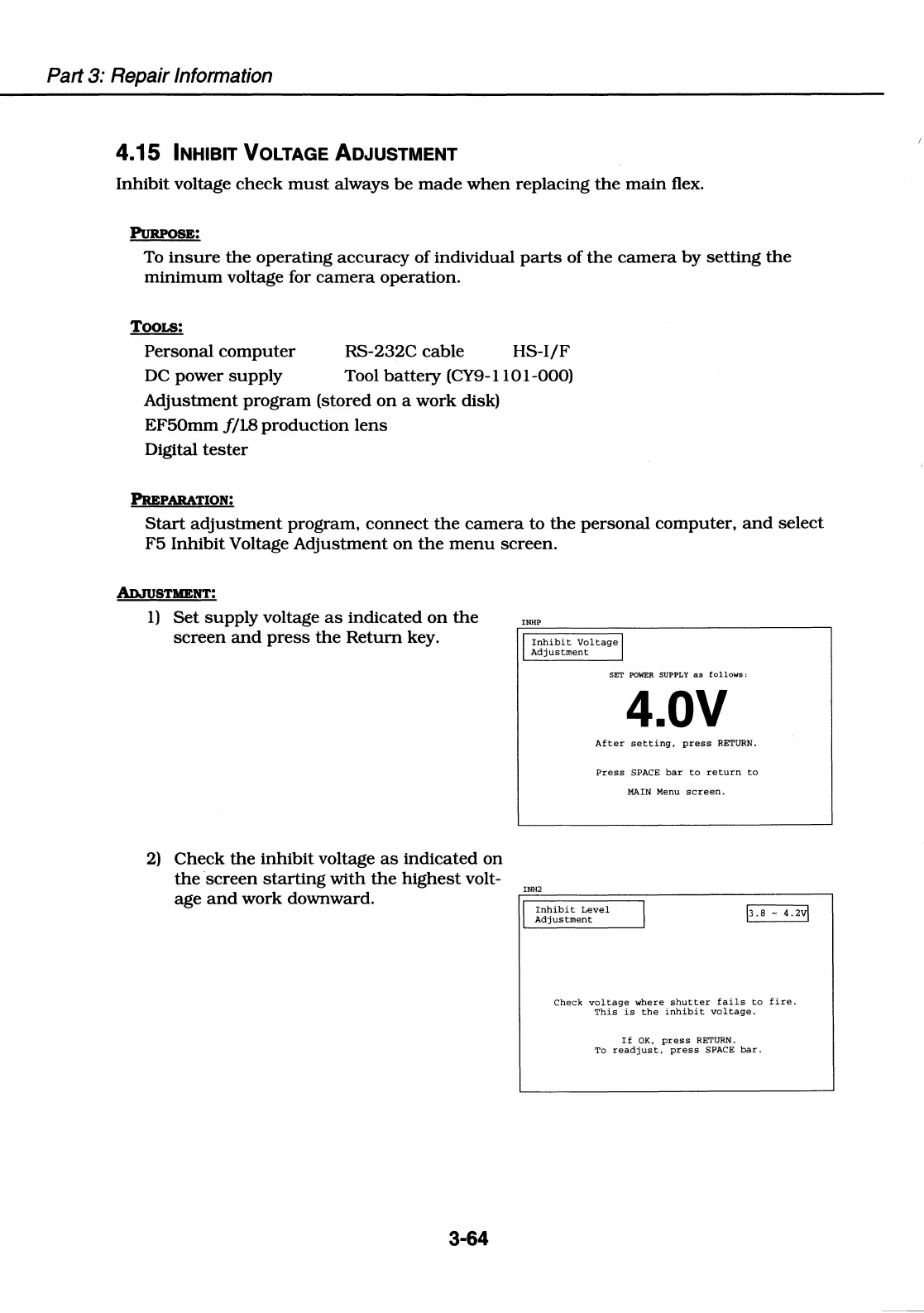
1)
Set
supply
voltage
as
indicated
on
the
screen
and
press
the
Return
key.
2)
Check
the
inhibit
voltage
as
indicated
on
the
screen
starting
with
the
highest
volt-
age
and
work
downward.
3-64
INHP
I
Inhibit
Voltage
I
Adjustment
INH2
SET
POWER
SUPPLY
as
follows:
4.0V
After
setting,
press
RETURN.
Press
SPACE
bar
to
return
to
MAIN
Menu
screen.
I
Inhibit
Level
Adjustment
I
\3.8
-uv\
Check
voltage
where
shutter
fails
to
fire.
This
is
the
inhibit
voltage.
If
OK,
press
RETURN.
To
readjust,
press
SPACE
bar.

Table of Contents

Related product manuals