EasyManua.ls Logo

Canon EOS 50 E - Page 154

Canon EOS 50 E
207 pages
Print Icon
To Next Page IconTo Next Page
To Previous Page IconTo Previous Page
Loading...
Al>JuSTIIENT:
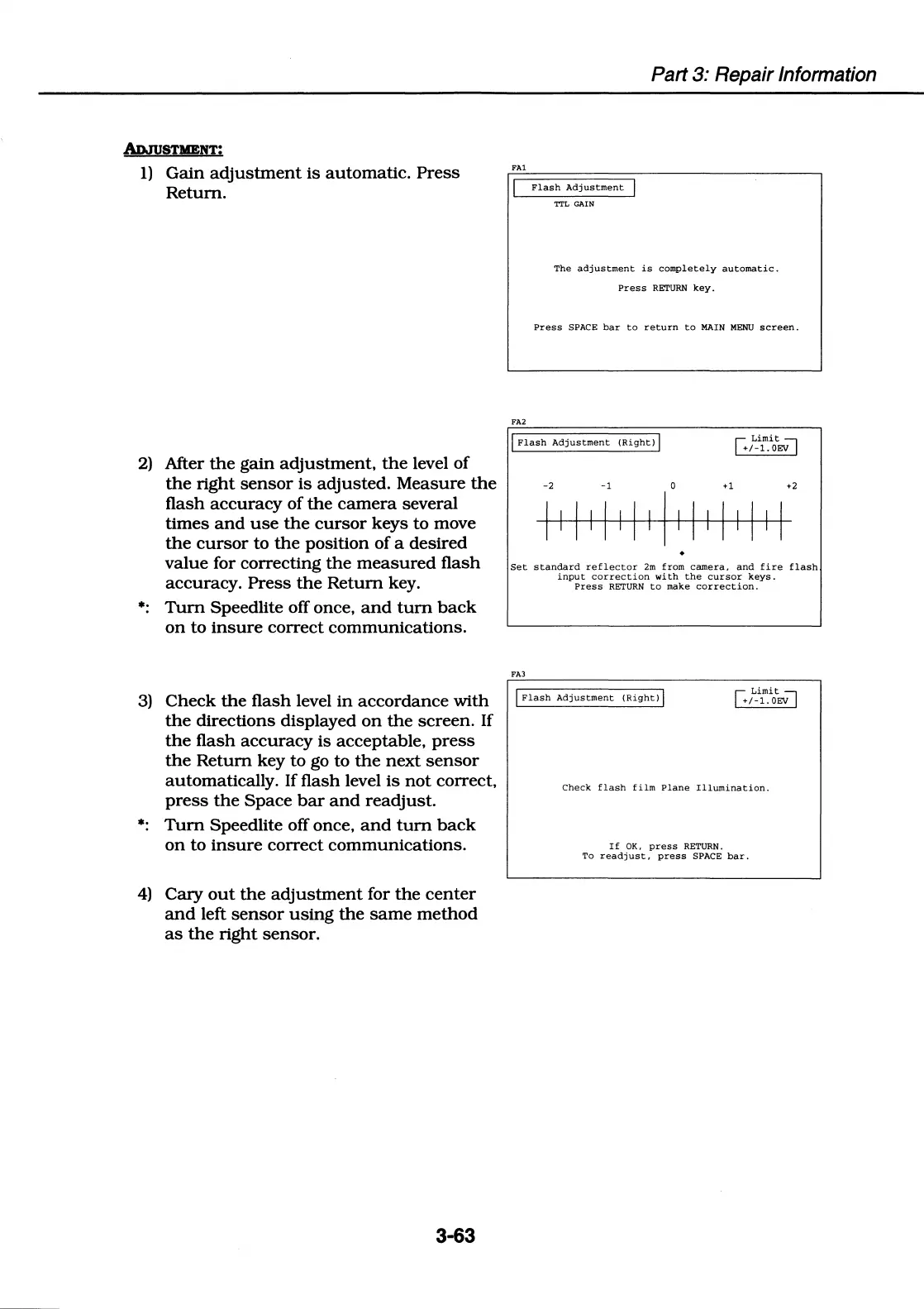
1)
Gain
adjustment
is
automatic.
Press
Return.
2)
After
the
gain
adjustment,
the
level
of
the
right
sensor
is
adjusted. Measure
the
flash
accuracy
of
the
camera
several
times
and
use
the
cursor
keys to move
the
cursor
to
the
position
of
a desired
value for correcting
the
measured
flash
accuracy.
Press
the
Return
key.
Tum
Speedlite off once,
and
tum
back
on
to
insure
correct communications.
3)
Check
the
flash level
in
accordance
with
the
directions displayed
on
the
screen. If
the
flash
accuracy
is acceptable,
press
the
Return
key to go to
the
next
sensor
automatically. If flash level
is
not
correct,
press
the
Space
bar
and
readjust.
Tum
Speedlite off once,
and
tum
back
on
to
insure
correct communications.
4)
Cacy
out
the
adjustment
for
the
center
and
left
sensor
using
the
same
method
as
the
right sensor.
3-63
FA1
FA2
Flash
Adjustment
'I"I'L
GAIN
Part 3: Repair Information
The
adjustment
is
completely
automatic.
Press
RETURN
key.
Press
SPACE
bar
to
return
to
MAIN
MENU
screen.
I
Flash
Adjustment
(Right)
J
I
Limit
;-i
+1-1.oEV
-2 -1
0
+l
+2
I I I I I I I I I I I I I I I I I
Set
standard
reflector
2m
from
camera,
and
fire
flash
input
correction
with
the
cursor
keys.
Press
RETURN
to
make
correction.
FAJ
J
Flash
Adjustment
(Right)
J
I
Limit~
+1-1.oEV
Check
flash
film
Plane
Illumination.
If
OK.
press
RETURN.
To
readjust,
press
SPACE
bar.

Table of Contents

Related product manuals