EasyManua.ls Logo

Canon EOS 50 E - Data Transfer

Canon EOS 50 E
207 pages
Print Icon
To Next Page IconTo Next Page
To Previous Page IconTo Previous Page
Loading...
Part 3: Repair Information
4.18 Data Transfer
The
data
transfer
menu
consist
of
five operations:
1. Initialization:
Transferring
default
data
to
the
camera
and
setting
the
model
designation
if
it
was
impossible
to
store
camera
data
before
replacing
the
main
flex.
2.
Storage:
Storing
camera
data
in
the
PC.
3.
Transfer:
Transferring
stored
camera
data
back
to
the
camera.
4.
Temperature
compensation:
Storing
temperature
corrections
in
the
memory
of
the
camera
to
correct
measuring
errors
made
by
the
internal
thermometer
of
the
camera.
This
data
is
used
in
the
AE
and
AF
sequences.)
5. Counter Reset:
This
resets
the
internal
frame
counter
to zero.
Initialization
PROCEDURE:
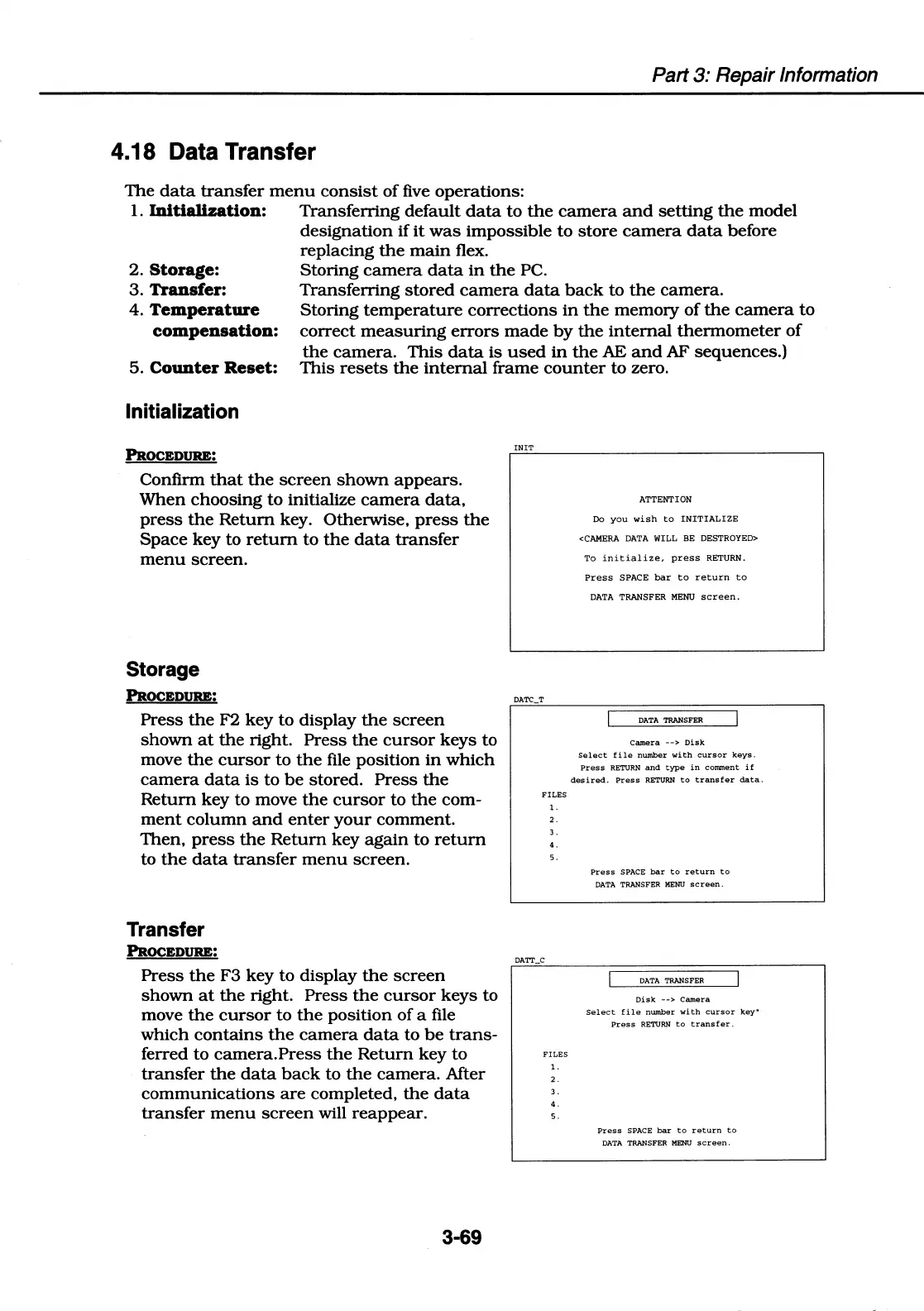
Confirm
that
the
screen
shown
appears.
When
choosing
to
initialize
camera
data.
press
the
Return
key. Otherwise,
press
the
Space
key
to
return
to
the
data
transfer
menu
screen.
Storage
PROCEDURE:
Press
the
F2
key
to
display
the
screen
shown
at
the
right.
Press
the
cursor
keys
to
move
the
cursor
to
the
file position
in
which
camera
data
is
to
be
stored.
Press
the
Return
key to move
the
cursor
to
the
com-
ment
column
and
enter
your
comment.
Then,
press
the
Return
key
again
to
return
to
the
data
transfer
menu
screen.
Transfer
PROCEDURE:
Press
the
F3
key
to
display
the
screen
shown
at
the
right.
Press
the
cursor
keys
to
move
the
cursor
to
the
position
of
a file
which
contains
the
camera
data
to
be
trans-
ferred
to
camera.Press
the
Return
key
to
transfer
the
data
back
to
the
camera.
After
communications
are
completed,
the
data
transfer
menu
screen
will
reappear.
3-69
!NIT
DATC_T
FILES
1.
2.
3.
4.
5.
DATT_C
FILES
1.
2.
3.
4.
5.
ATTENTION
Do
you
wish
to
INITIALIZE
<CAMERA
DATA
WILL BE DESTROYED>
To
initialize,
press
RETURN.
Press
SPACE
bar
to
return
to
DATA
TRANSFER
MENU
screen.
DATA
TRANSFER
Camera
-->
Disk
Select
file
number
with
cursor
keys.
Press
RETURN
and
type
in
comment
if
desired.
Press
RETURN
to
transfer
data.
Press
SPACE
bar
to
return
to
DATA
TRANSFER MENU
screen.
DATA TRANSFER
Disk
-->
Camera
Select
file
number
with
cursor
keyu
Press
RETURN
to
transfer.
Press
SPACE
bar
to
return
to
DATA
TRANSFER MENU
screen.

Table of Contents

Related product manuals