EasyManua.ls Logo

Canon EOS 50 E - Self Check

Canon EOS 50 E
207 pages
Print Icon
To Next Page IconTo Next Page
To Previous Page IconTo Previous Page
Loading...
Part 3: Repair Information
4.17
SELF
CHECK
Self
check
can
be
classified into
the
following types:
PREPARATION:
Start
adjustment
program,
connect
the
camera
to
the
personal
computer,
and
select
F7Self Check
on
the
menu
screen
to
display
the
self
check
menu
screen. Select
the
required screen.
1.
SW check:
2.
LCD
check:
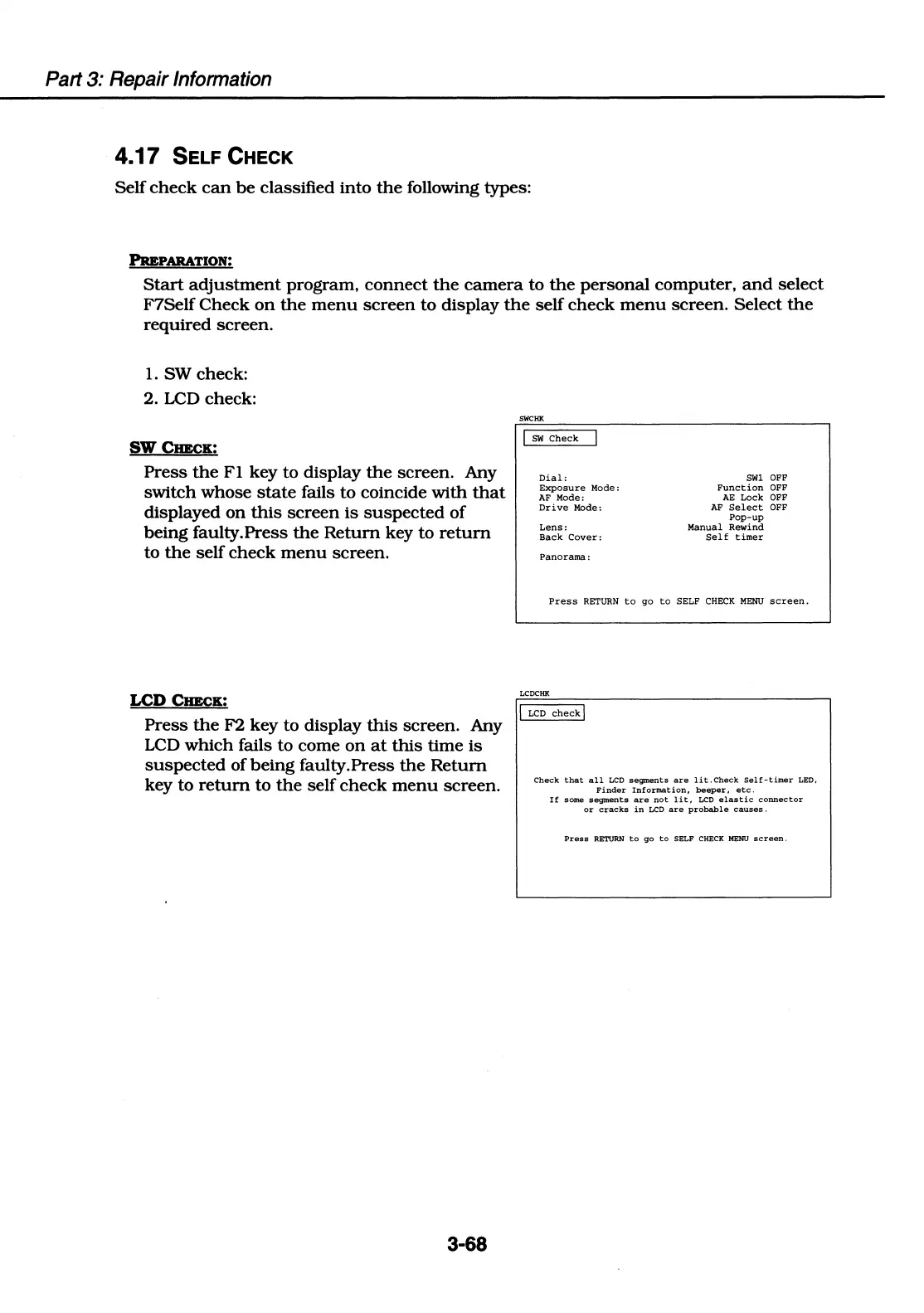
SWCIIEcK:
Press
the
Fl
key to display
the
screen. Any
switch whose
state
fails to coincide
with
that
displayed
on
this
screen
is
suspected
of
being faulty.Press
the
Return
key
to
return
to
the
self
check
menu
screen.
LCD
CIIEcK:
Press
the
F2 key to display
this
screen. Any
LCD
which
fails to come
on
at
this
time
is
suspected
of
being
faulty.Press
the
Return
key to
return
to
the
self
check
menu
screen.
3-68
SWCHK
!
SW
Check
Dial:
Exposure
Mode
:
AF
Mode:
Drive
Mode:
Lens:
Back
Cover:
Panorama:
Sill
OFF
Function
OFF
AE
Lock
OFF
AF
Select
OFF
Pop-up
Manual
Rewind
Self
timer
Press
RETURN
to
go
to
SELF
CHECK
MENU
screen.
LCDCHK
!
LCD
check!
Check
that
all
LCD
segments
are
lit.Check
Self-timer
LED,
Finder
Information,
beeper,
etc.
If
some
segments
are
not
lit,
LCD
elastic
connector
or
cracks
in
LCD
are
probable
causes
.
Press
RETURN
to
go
to
SELF
CHECK
MENU
screen.

Table of Contents

Related product manuals