EasyManua.ls Logo

Canon EOS 50 E - Page 110

Canon EOS 50 E
207 pages
Print Icon
To Next Page IconTo Next Page
To Previous Page IconTo Previous Page
Loading...
Part 3: Repair Information
ASSEMBLY & DISASSEMBLY
NOTES
I NOTE
: MIF
Contact
Block
Installation
When
installing
the
contact
block,
put
enough
slack
in
the
pin
leads
to
allow
proper
pin
movement
and
secure
the
leads
with
Bond
G-103.
(CE)
The
user
safety filter coil
is
installed
as
shown
in
figure
3-24.
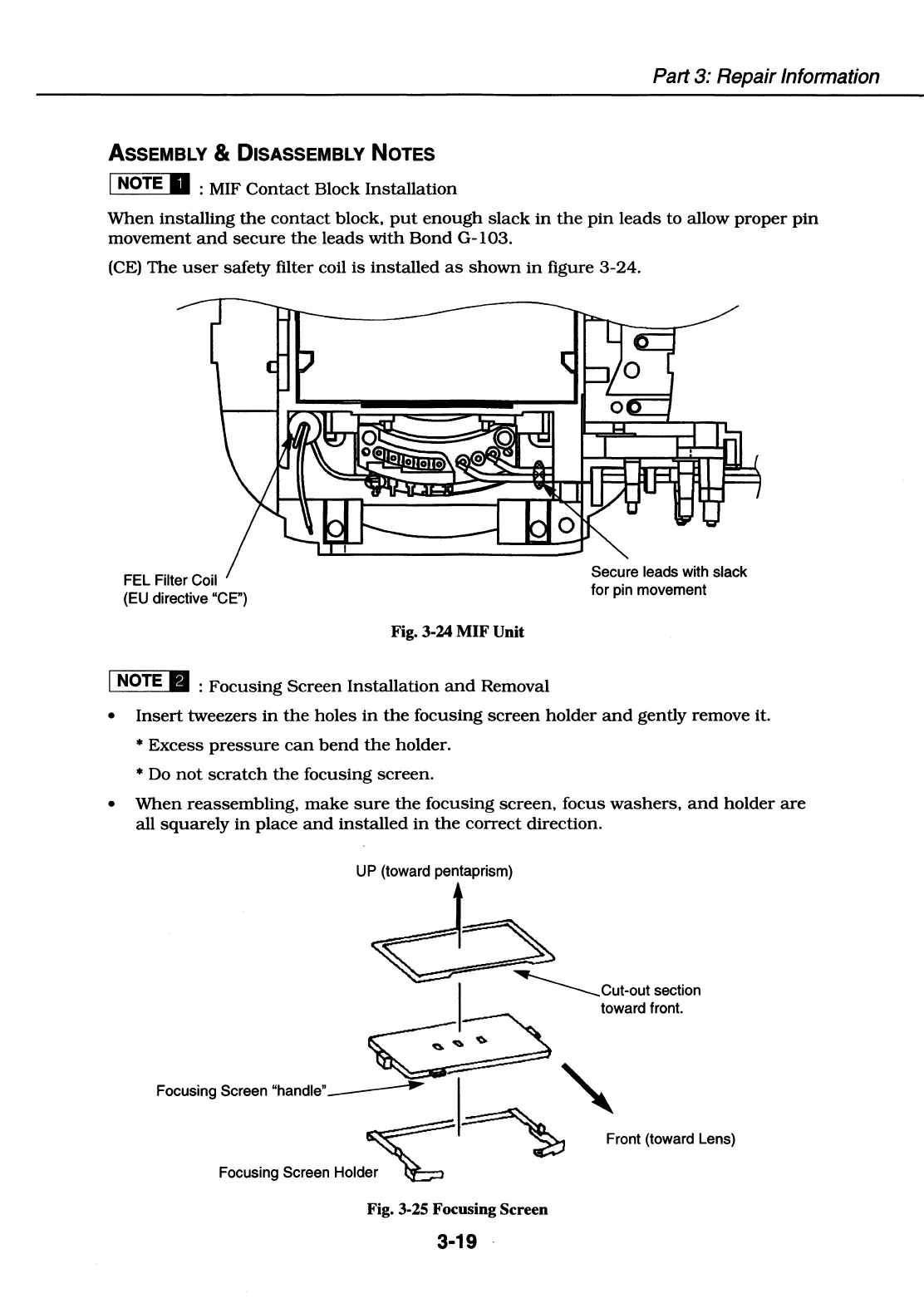
FEL Filter Coil
(EU directive "CE")
Fig. 3-24 MIF Unit
I NOTE 8 :
Focusing
Screen
Installation
and
Removal
Secure leads with slack
for pin movement
Insert
tweezers
in
the
holes
in
the
focusing
screen
holder
and
gently
remove it.
Excess
pressure
can
bend
the
holder.
Do
not
scratch
the
focusing
screen.
When
reassembling,
make
sure
the
focusing
screen,
focus
washers,
and
holder
are
all
squarely
in
place
and
installed
in
the
correct
direction.
UP (toward pentaprism)
...._____Cut-out
section
toward front.
Focusing Screen
"handle"~
~
~
~
Front (toward Lens)
Focusing Screen Holder
~
Fig. 3-25 Focusing Screen
3-19

Table of Contents

Related product manuals