EasyManua.ls Logo

Canon EOS 50 E - Page 128

Canon EOS 50 E
207 pages
Print Icon
To Next Page IconTo Next Page
To Previous Page IconTo Previous Page
Loading...
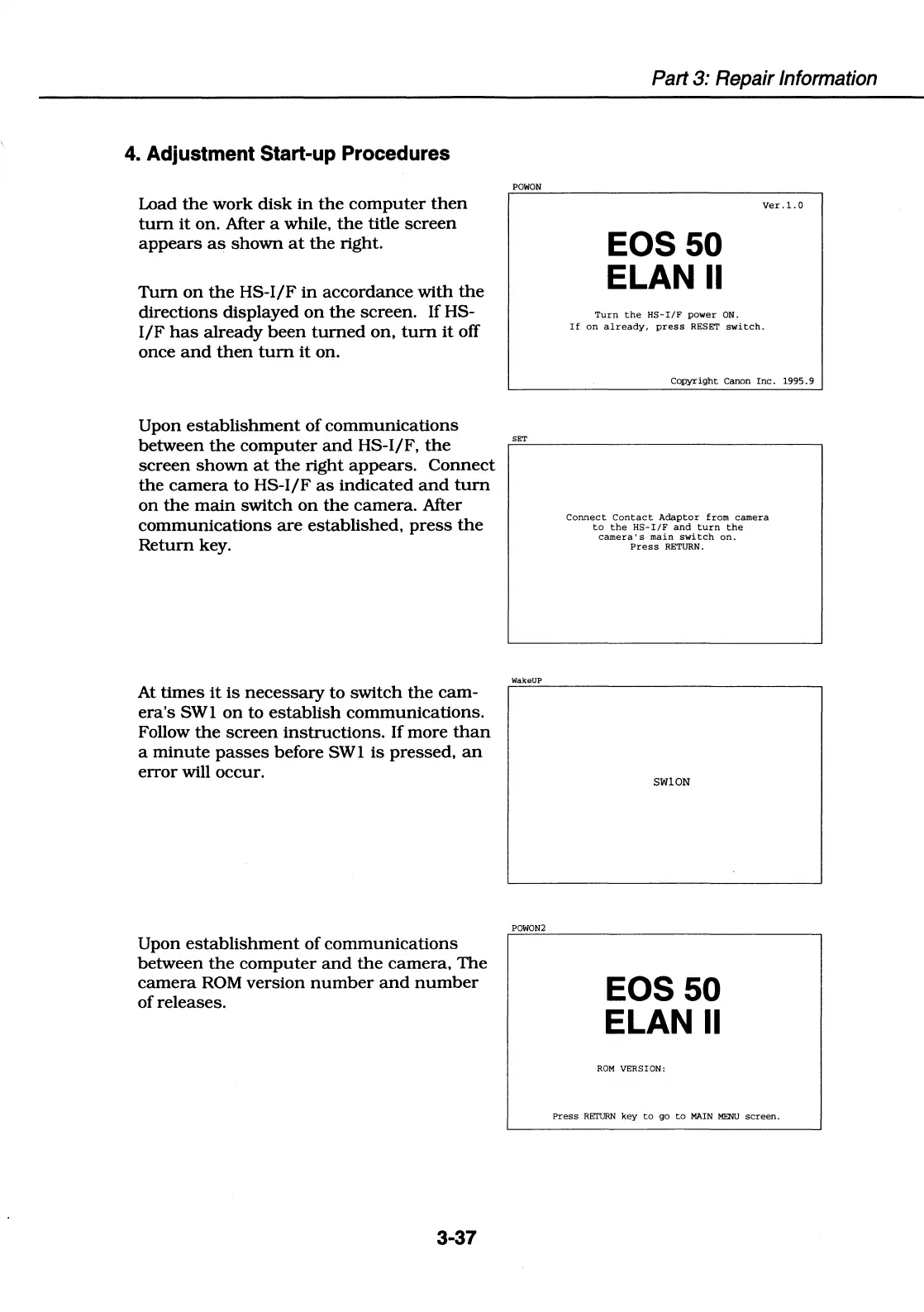
4. Adjustment Start-up Procedures
Load
the
work
disk
in
the
computer
then
tum
it
on.
After a while,
the
title
screen
appears
as
shown
at
the
right.
Tum
on
the
HS-1/F
in
accordance
with
the
directions
displayed
on
the
screen.
If HS-
1/F
has
already
been
turned
on,
tum
it
off
once
and
then
tum
it
on.
Upon
establishment
of
communications
between
the
computer
and
HS-1/F,
the
screen
shown
at
the
right
appears.
Connect
the
camera
to HS-1/F
as
indicated
and
tum
on
the
main
switch
on
the
camera.
After
communications
are
established,
press
the
Return
key.
At
times
it
is
necessary
to
switch
the
cam-
era's
SWl
on
to
establish
communications.
Follow
the
screen
instructions.
If
more
than
a
minute
passes
before
SWl
is
pressed,
an
error
will occur.
Upon
establishment
of
communications
between
the
computer
and
the
camera,
The
camera
ROM
version
number
and
number
of
releases.
3-37
POWON
SET
WakeUP
POWON2
Part 3: Repair Information
EOS50
ELAN
II
Turn
the
HS-I/F
power
ON.
Ver
.1.
0
If
on
already,
press
RESET
switch.
Copyright
Canon
Inc.
1995.
9
Connect
Contact
Adaptor
from
camera
to
the
HS-
I/
F
and
turn
the
camera·
s
main
switch
on.
Press
RETURN.
SWlON
EOS50
ELAN
II
ROM
VERSION:
Press
RETURN
key
to
go
to
MAIN
MENU
screen.

Table of Contents

Related product manuals