EasyManua.ls Logo

Canon EOS 50 E - Page 138

Canon EOS 50 E
207 pages
Print Icon
To Next Page IconTo Next Page
To Previous Page IconTo Previous Page
Loading...
ADJuSTMENT:
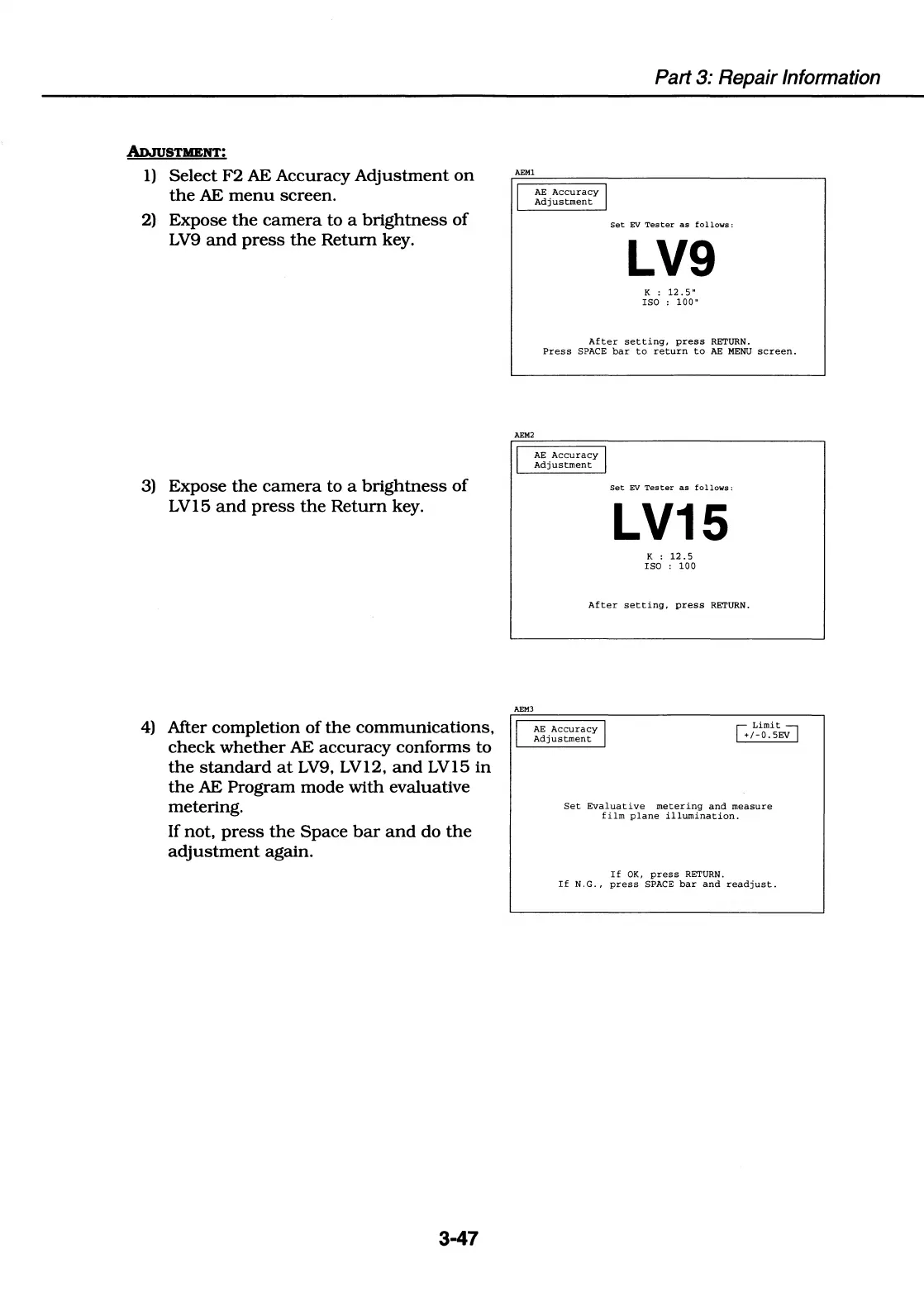
1)
Select
F2
AE
Accuracy
Adjustment
on
the
AE
menu
screen.
2)
Expose
the
camera
to
a
brightness
of
LV9
and
press
the
Return
key.
3)
Expose
the
camera
to
a
brightness
of
LV15
and
press
the
Return
key.
4)
After
completion
of
the
communications,
check
whether
AE
accuracy
conforms
to
the
standard
at
LV9,
LV12,
and
LV15
in
the
AE
Program
mode
with
evaluative
metering.
If
not,
press
the
Space
bar
and
do
the
adjustment
again.
3-47
Part 3: Repair Information
AEMl
I
AE
Accuracy
I
Adjustment
Set
EV
Tester
as
follows:
LV9
K :
12.
5"
ISO
:
100"
After
setting,
press
RETURN.
Press
SPACE
bar
to
return
to
AE
MENU
screen.
AEM2
I
AEM3
I
AE
Accuracy
I
Adjustment
Set
EV
Tester
as
follows:
LV15
K :
12
.5
ISO
:
100
After
setting,
press
RETURN.
AE
Accuracy
I
Adjustment
r;
Limit~
+1-0.sEV
Set
Evaluative
metering
and
measure
film
plane
illumination.
If
OK,
press
RETURN.
If
N.G.,
press
SPACE
bar
and
readjust.

Table of Contents

Related product manuals