EasyManua.ls Logo

Canon EOS 50 E - Page 140

Canon EOS 50 E
207 pages
Print Icon
To Next Page IconTo Next Page
To Previous Page IconTo Previous Page
Loading...
.ADJuSTMENT:
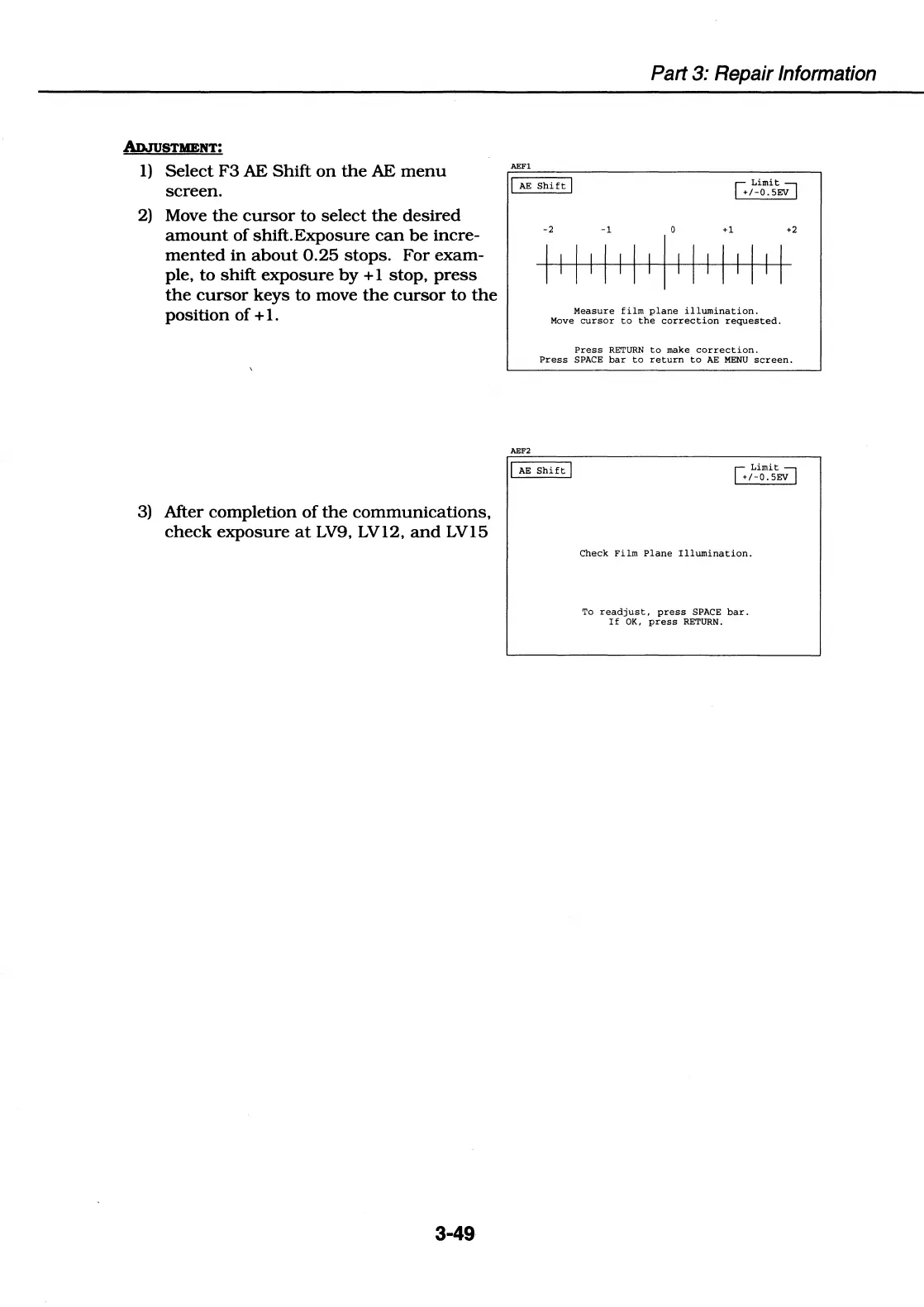
1)
Select
F3
AE
Shift
on
the
AE
menu
screen.
2)
Move
the
cursor
to
select
the
desired
amount
of
shift.Exposure
can
be
incre-
mented
in
about
0.25
stops.
For
exam-
ple,
to
shift
exposure
by
+ 1
stop,
press
the
cursor
keys
to move
the
cursor
to
the
position of
+ 1.
3)
After completion
of
the
communications,
check
exposure
at
LV9,
LV12,
and
LV15
3-49
Part 3: Repair Information
AEFl
I
AE
Shift
I
G
Limit~
+/-0.SEV
-2 -1
0
+1
+2
I I I I I I I I I I I I I I I I I
Measure
film
plane
illumination.
Move
cursor
to
the
correction
requested.
Press
RETURN
to
make
correction.
Press
SPACE
bar
to
return
to
AE
MENU
screen.
AEF2
I
AE
Shift
I
G
Limit~
+/-0.SEV
Check
Film
Plane
Illumination.
To
readjust,
press
SPACE
bar.
If
OK,
press
RETURN.

Table of Contents

Related product manuals