EasyManua.ls Logo

Canon EOS 50 E - Page 142

Canon EOS 50 E
207 pages
Print Icon
To Next Page IconTo Next Page
To Previous Page IconTo Previous Page
Loading...
'
Al>JuSTMENT:
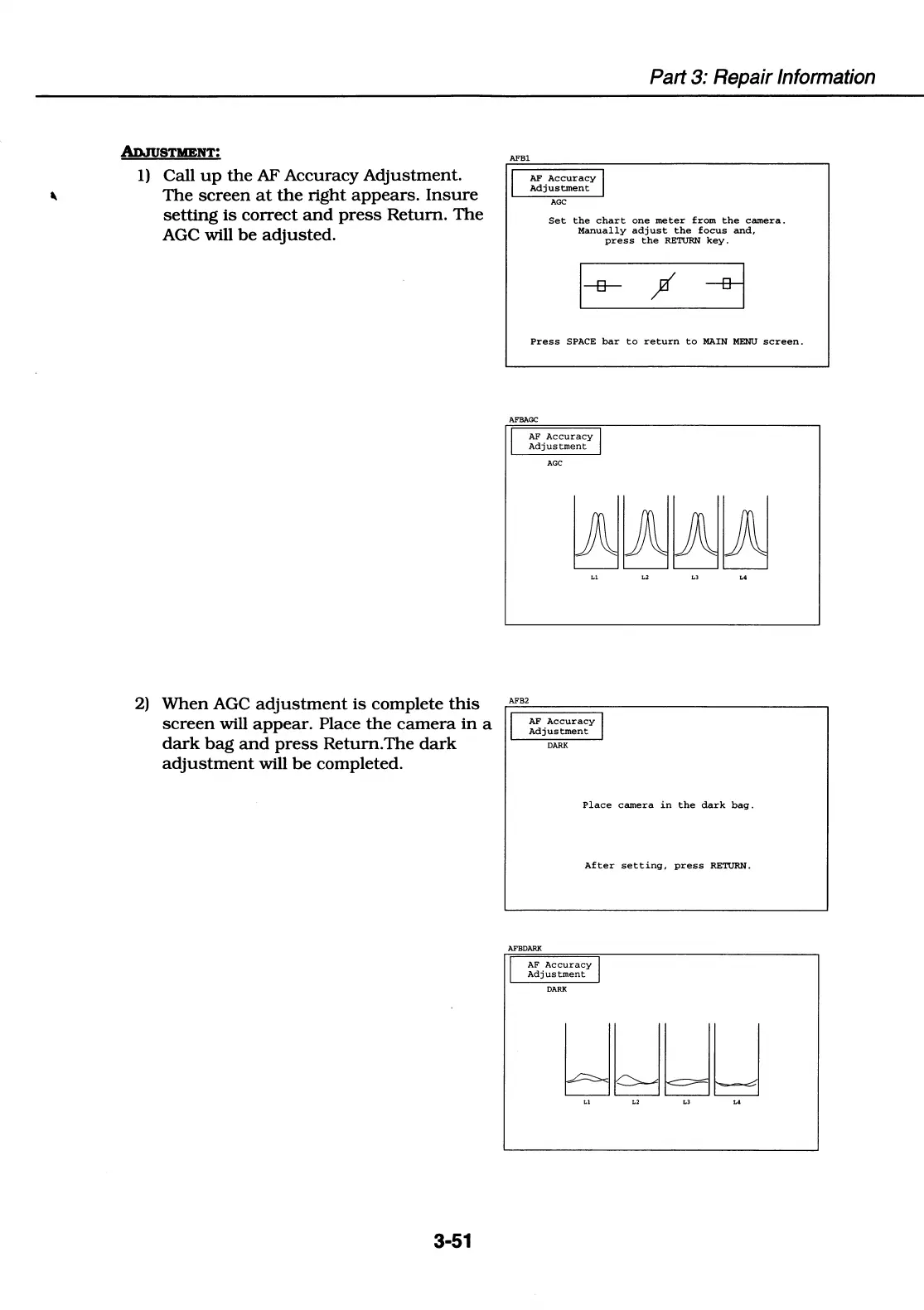
1) Call
up
the
AF
Accuracy
Adjustment.
The
screen
at
the
right
appears.
Insure
setting
is
correct
and
press
Return.
The
AGC will
be
adjusted.
AFBl
I
AF
Accuracy
I
Adjustment
AGC
Part 3: Repair Information
Set
the
chart
one
meter
from
the
camera.
Manually
adjust
the
focus
and,
press
the
RETURN
key.
ft
Press
SPACE
bar
to
return
to
MAIN
MENU
screen.
AFBAGC
I
AF
Accuracy
I
Adjustment
AGC
AFB2
2)
When
AGC
adjustment
is
complete
this
screen
will
appear.
Place
the
camera
in
a I
dark
bag
and
press
Return.The
dark
adjustment
will
be
completed.
AF
Accuracy
I
Adjustment
DARK
3-51
Place
camera
in
the
dark
bag.
After
setting,
press
RETURN.
AFBDARK
I
AF
Accuracy
I
Adjustment
DARK
kJWWLJ
Ll
L2 L3 L4

Table of Contents

Related product manuals