EasyManua.ls Logo

Canon EOS 50 E - Page 146

Canon EOS 50 E
207 pages
Print Icon
To Next Page IconTo Next Page
To Previous Page IconTo Previous Page
Loading...
When
using
a tool
lens
with
a focus vari-
ation
label
reading
other
than
0.00
pro-
ceed
as
follows.
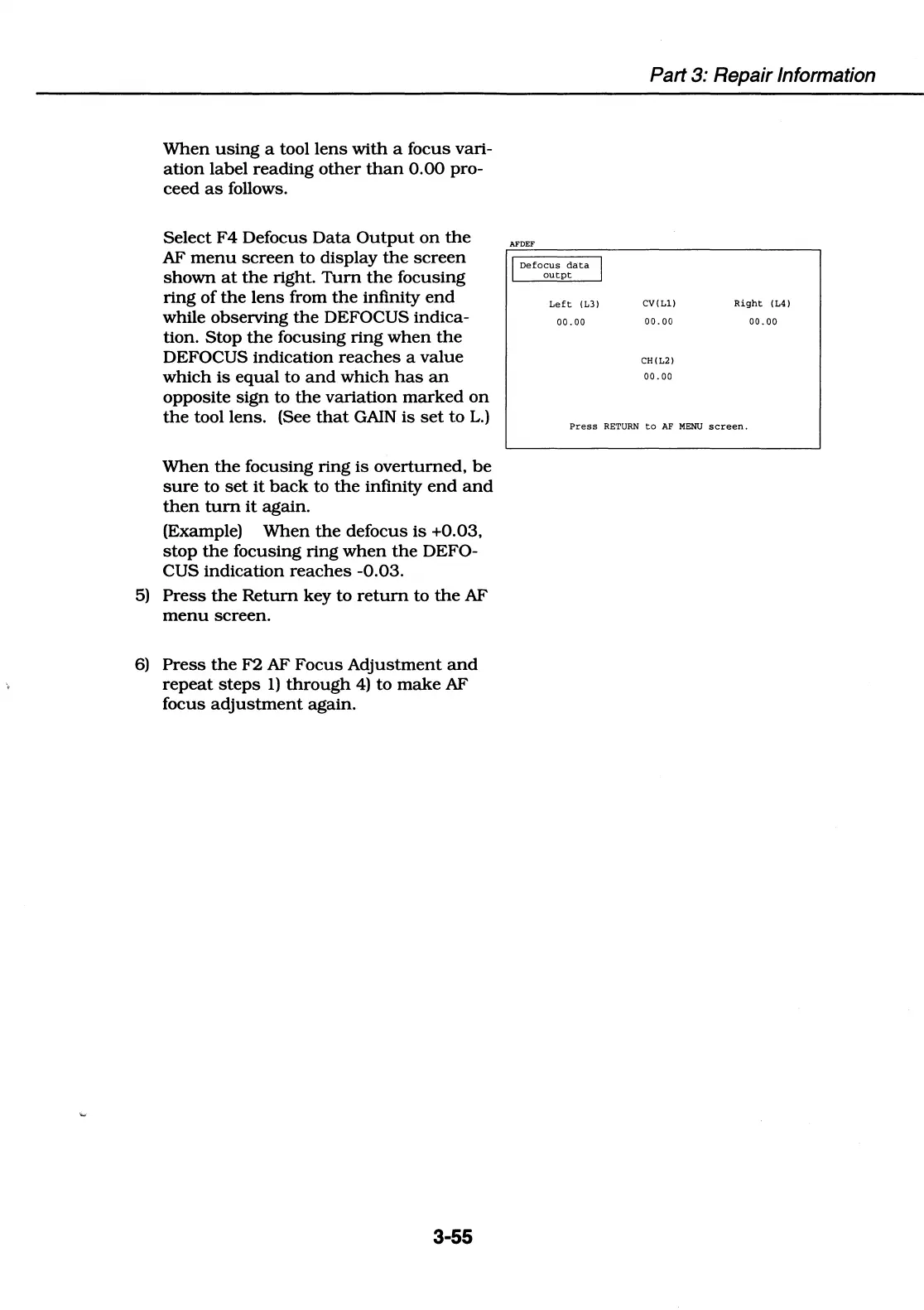
Select
F4
Defocus
Data
Output
on
the
AF
menu
screen
to
display
the
screen
shown
at
the
right.
Tum
the
focusing
ring
of
the
lens
from
the
infinity
end
while observing
the
DEFOCUS
indica-
tion.
Stop
the
focusing
ring
when
the
DEFOCUS
indication
reaches
a
value
which
is
equal
to
and
which
has
an
opposite
sign
to
the
variation
marked
on
the
tool lens. (See
that
GAIN
is
set
to
L.)
When
the
focusing
ring
is
overturned,
be
sure
to
set
it
back
to
the
infinity
end
and
then
tum
it
again.
(Example)
When
the
defocus
is
+0.03,
stop
the
focusing
ring
when
the
DEFO-
CUS
indication
reaches
-0.03.
5)
Press
the
Return
key
to
return
to
the
AF
menu
screen.
6)
Press
the
F2
AF
Focus
Adjustment
and
repeat
steps
1)
through
4)
to
make
AF
focus
adjustment
again.
3-55
AFDEF
I
Defocus
da:ta
I
outpt
Left
(13)
00.
00
Part 3: Repair Information
CV(Ll)
00.
00
CH(L2)
00.
00
Right
(L4)
00.
00
Press
RETURN
to
AF
MENU
screen.

Table of Contents

Related product manuals