EasyManua.ls Logo

Canon EOS 50 E - Page 151

Canon EOS 50 E
207 pages
Print Icon
To Next Page IconTo Next Page
To Previous Page IconTo Previous Page
Loading...
Part 3: Repair Information
TOOLS:
Customer's
lens
Personal
computer
RS-232C
cable
HS-1/F
Adjustment
software
(stored
on
a
work
disk)
Light
Tripod
AF reference
chart
PREPARATION:
1)
Set
lighting
equipment
etc. for AF
Focus
Adjustment.
2)
Select
the
F3
AF
Adjustment
Menu.
3)
Set
the
AF reference
chart
2.
5m
±
10mm
from
the
camera.
Al>JuSTMENT:
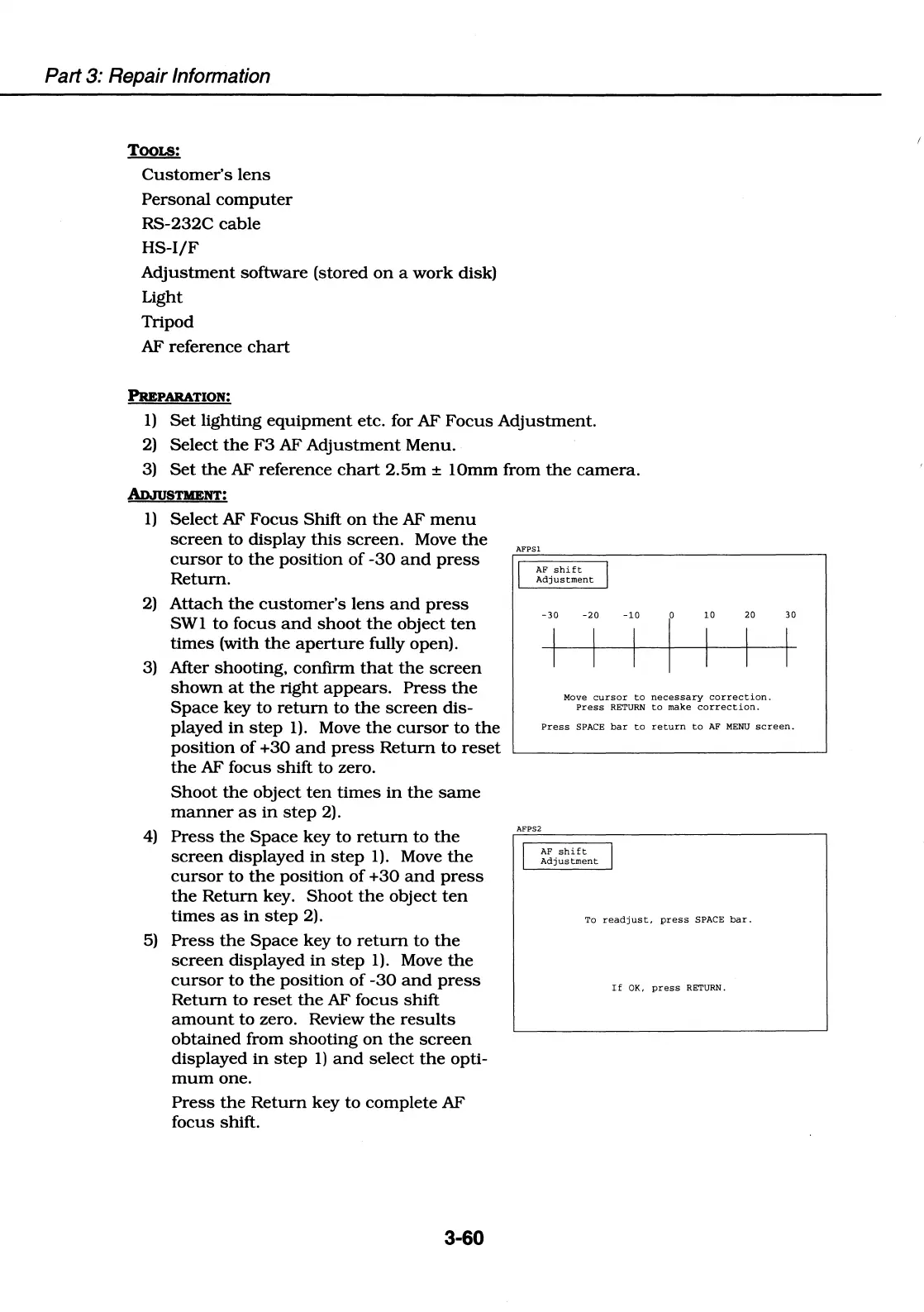
1)
Select
AF
Focus
Shift
on
the
AF
menu
screen
to
display
this
screen.
Move
the
cursor
to
the
position
of
-30
and
press
Return.
2)
Attach
the
customer's
lens
and
press
SWl
to
focus
and
shoot
the
object
ten
times
(with
the
aperture
fully open).
AFPSl
AF
shift
Adjustment
-30 -20
-10
r
10
20
Move
cursor
to
necessary
correction.
Press
RETURN
to
make
correction.
30
3) After shooting,
confirm
that
the
screen
shown
at
the
right
appears.
Press
the
Space
key
to
return
to
the
screen
dis-
played
in
step
1).
Move
the
cursor
to
the
position
of
+30
and
press
Return
to
reset
the
AF focus
shift
to zero.
Press
SPACE
bar
to
return
to
AF
MENU
screen.
Shoot
the
object
ten
times
in
the
same
manner
as
in
step
2).
4)
Press
the
Space
key
to
return
to
the
screen
displayed
in
step
1).
Move
the
cursor
to
the
position
of
+30
and
press
the
Return
key.
Shoot
the
object
ten
times
as
in
step
2).
5)
Press
the
Space
key
to
return
to
the
screen
displayed
in
step
1).
Move
the
cursor
to
the
position
of
-30
and
press
Return
to
reset
the
AF focus
shift
amount
to
zero. Review
the
results
obtained
from
shooting
on
the
screen
displayed
in
step
1)
and
select
the
opti-
mum
one.
Press
the
Return
key
to
complete
AF
focus shift.
3-60
AFPS2
I
AF
shift
I
Adjustment
To
readjust,
press
SPACE
bar.
If
OK,
press
RETURN.

Table of Contents

Related product manuals