9.
Part
1:
General Information
impossible. The time required for refocusing causes the irregular shooting speed. This also
occurs on the
EOS
1
OS.
Infrared
film
cannot
be
used.
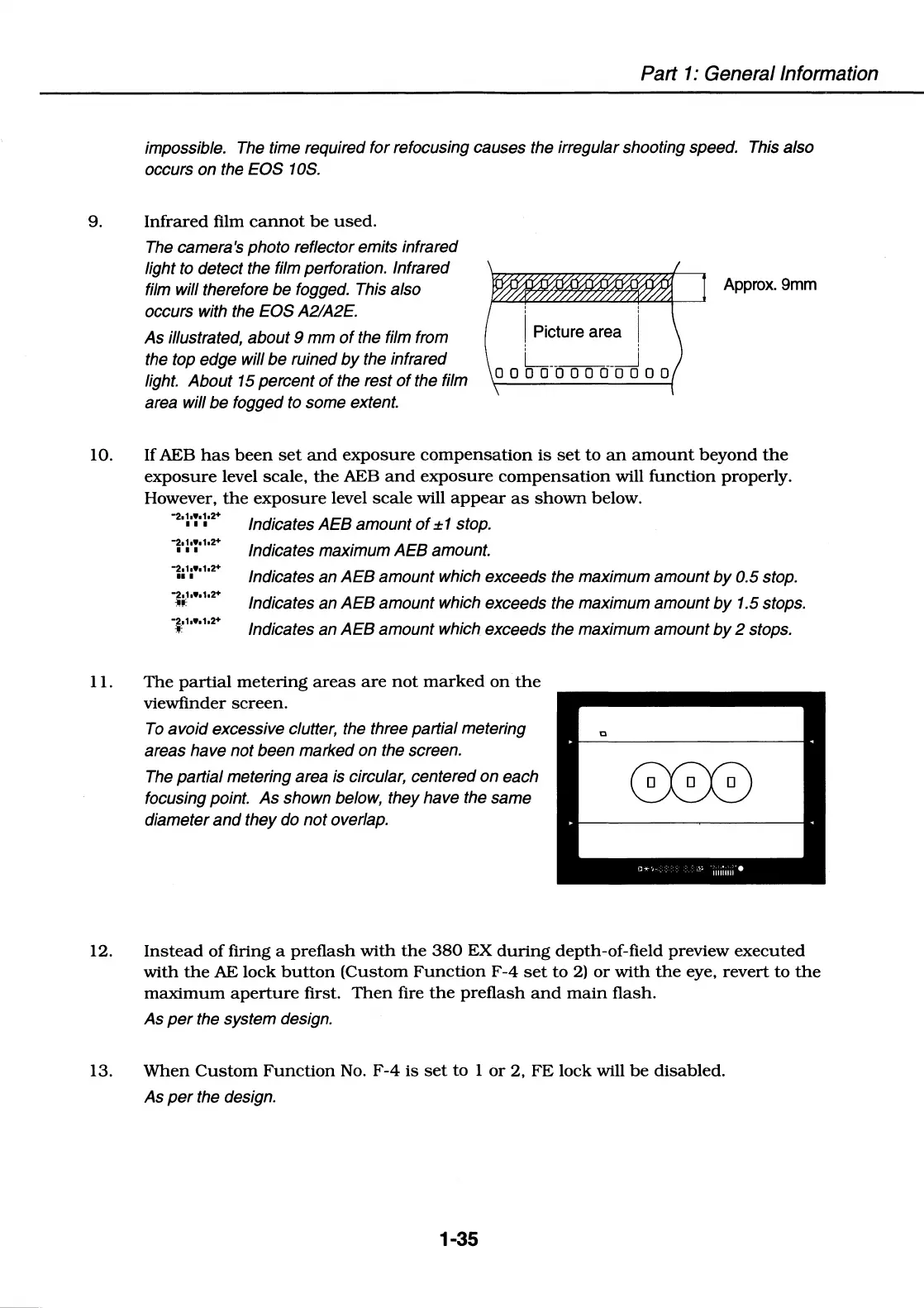
The camera's photo reflector emits infrared
light to detect the film perforation. Infrared
film will therefore be fogged. This also
occurs with the EOS A2/A2E.
As
illustrated,
about
9
mm
of
the film from
the top edge will
be
ruined
by
the infrared
light.
About
15 percent
of
the rest
of
the film
area will
be
fogged to some extent.
Approx.
9mm
' '
I Picture area \
L
______
_j
000000000000
10. If AEB
has
been
set
and
exposure
compensation
is
set
to
an
amount
beyond
the
exposure
level scale,
the
AEB
and
exposure
compensation
will
function
properly.
However,
the
exposure
level
scale
will
appear
as
shown
below.
""2,1
•••
1.2+
, , , Indicates
AEB
amount
of±
1 stop.
1·:·:·
1
•
2
•
Indicates
maximum
AEB
amount.
-2.1
■
••
1.2+
11
• Indicates
an
AEB
amount which exceeds the maximum amount
by
0.5 stop.
-2.1.
••
1.2+
~~
Indicates an
AEB
amount
which exceeds the maximum
amount
by
1.5 stops.
-2.1,.,1.2+
1c
Indicates
an
AEB
amount
which exceeds the maximum amount
by
2 stops.
11.
The
partial
metering
areas
are
not
marked
on
the
viewfinder
screen.
To
avoid
excessive clutter, the three partial metering
areas have
not
been marked on the screen.
The partial metering area is circular, centered
on
each
focusing point.
As
shown below, they have the same
diameter
and
they do
not
overlap.
12.
Instead
of
firing a
preflash
with
the
380
EX
during
depth-of-field preview
executed
with
the
AE
lock
button
(Custom
Function
F-4
set
to
2)
or
with
the
eye,
revert
to
the
maximum
aperture
first.
Then
fire
the
preflash
and
main
flash.
As
per
the system design.
13.
When
Custom
Function
No.
F-4
is
set
to
1
or
2,
FE
lock
will
be
disabled.
As
per
the design.
1-35















 To Next Page