103
If the image comes out dark or the contrast is low, the brightness and
contrast can be corrected automatically. This function is called Auto
Lighting Optimizer. The default setting is [Standard]. With JPEG
images, the correction is applied when the image is captured.
In Basic Zone modes, [Standard] is set automatically.
1
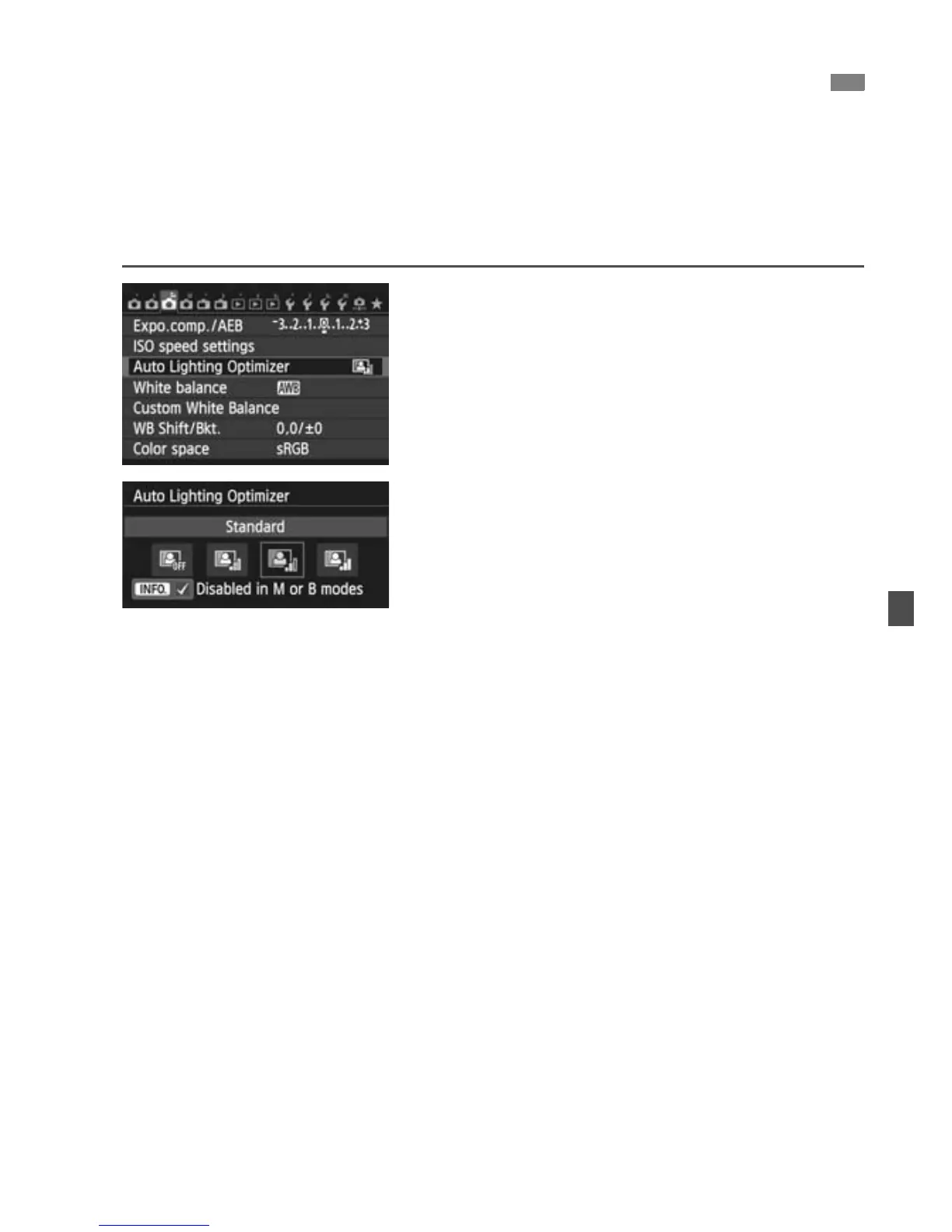
Select [Auto Lighting Optimizer].
Under the [z3] tab, select [Auto
Lighting Optimizer], then press
<0>.
2
Select the setting.
Select the desired setting, then press
<0>.
3
Take the picture.
The image will be recorded with the
brightness and contrast corrected if
necessary.
3
Auto Correction of Brightness and Contrast
N



 To Next Page