362
1
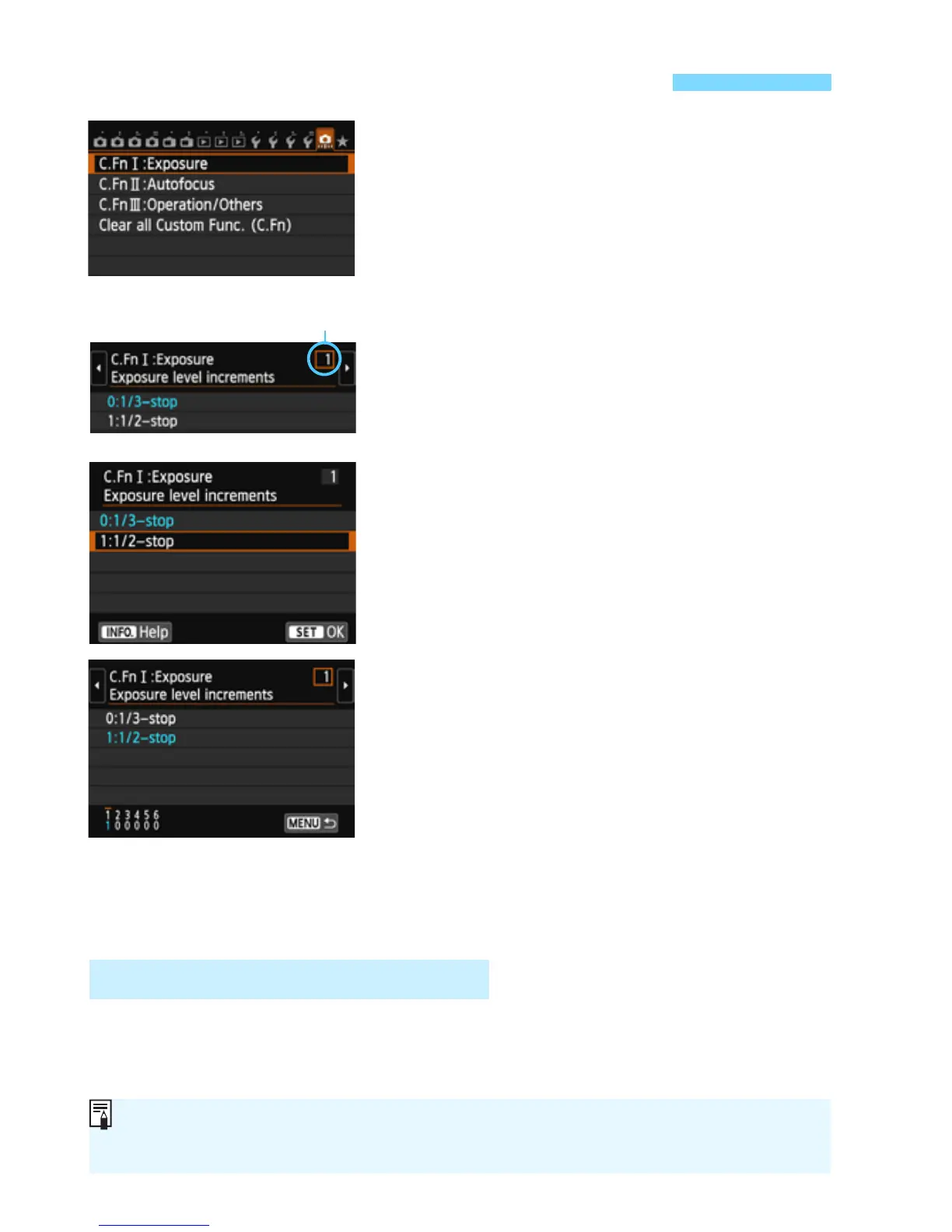
Select [8].
2
Select the group.
Select C.Fn I, II, or III, then press
<0>.
3
Select the Custom Function
number.
Press the <U> key to select the
Custom Function number, then press
<0>.
4
Change the setting as desired.
Select the desired setting (number),
then press <0>.
Repeat steps 2 to 4 if you want to set
other Custom Functions.
At the bottom of the screen, the
current Custom Function settings are
indicated below the respective
function numbers.
5
Exit the setting.
Press the <M> button.
X The screen for step 2 will reappear.
In step 2, select [Clear all Custom Func. (C.Fn ] to clear all the
Custom Function settings.
3 Setting Custom FunctionsN
Custom Function number
Clearing All Custom Functions
Even if you clear all the Custom Func ion settings, the [8C.Fn III-4:
Custom Controls] settings will be retained.



 To Next Page