377
Fine adjustment of the AF’s point of focus is possible for viewfinder
shooting or Live View shooting in the Quick mode. This is called “AF
Microadjustment”. Before making the adjustment, read “Notes for AF
Microadjustment” on page 382.
Normally, this adjustment is not required. Perform this
adjustment only if necessary. Note that performing this
adjustment may prevent correct focusing from being
achieved.
Set the adjustment manually by adjusting, shooting, and checking the
result. Repeat this until the desired adjustment is made. During AF,
regardless of the lens used, the point of focus will always be shifted by
the adjustment amount.
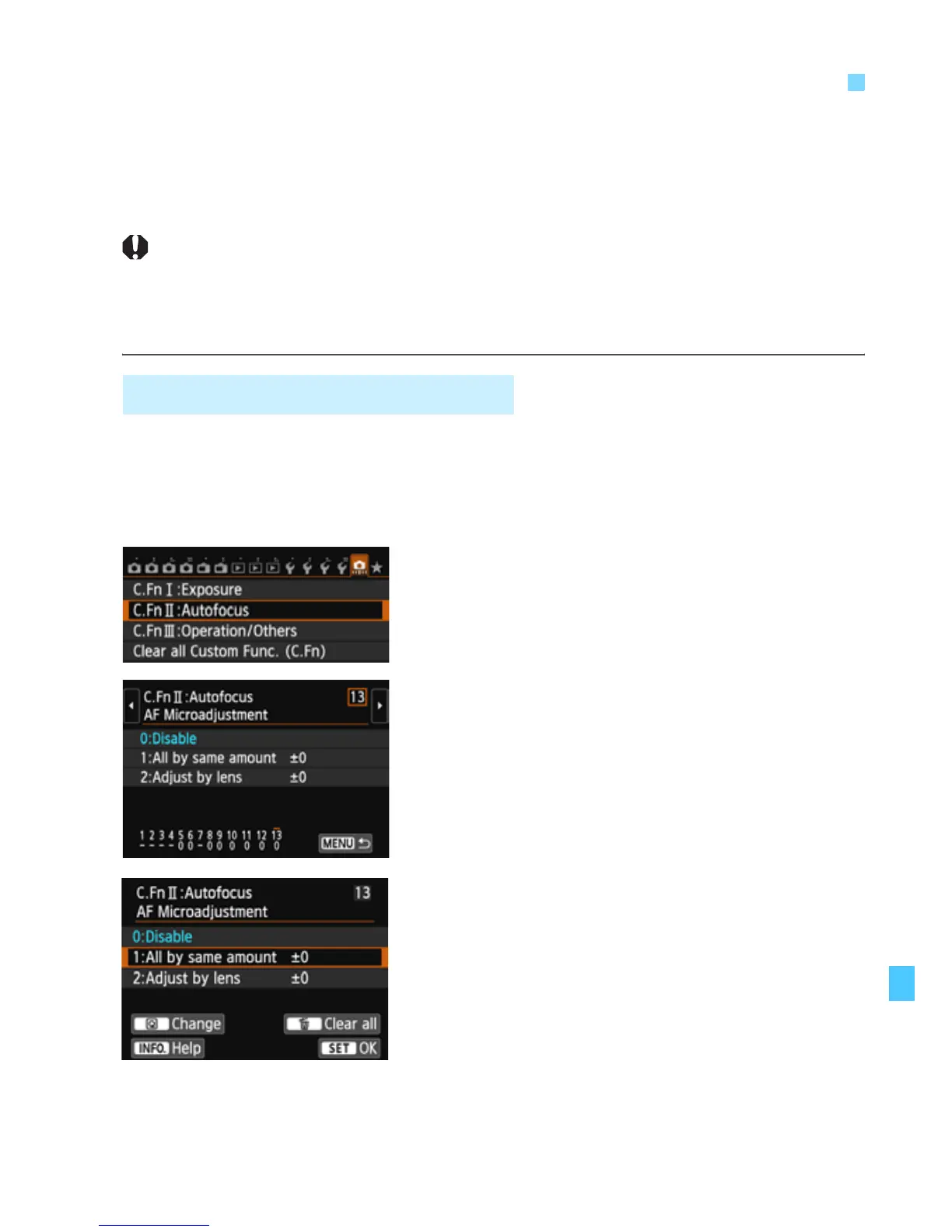
1
Select [C.Fn II: Autofocus].
Under the [8] tab, select [C.Fn II:
Autofocus], then press <0>.
2
Select [13: AF Microadjustment].
Select [13: AF Microadjustment],
then press <0>.
3
Select [1: All by same amount].
Select [1: All by same amount].
4
Press the <Q> button.
X The [1: All by same amount] screen
will appear.
8
: Fine Adjustment of AF’s Point of Focus
1: Adjust All by Same Amount



 To Next Page