149
You can freely create and select the folder where the captured images
are to be saved.
This operation is optional since a folder will be created automatically for
saving captured images.
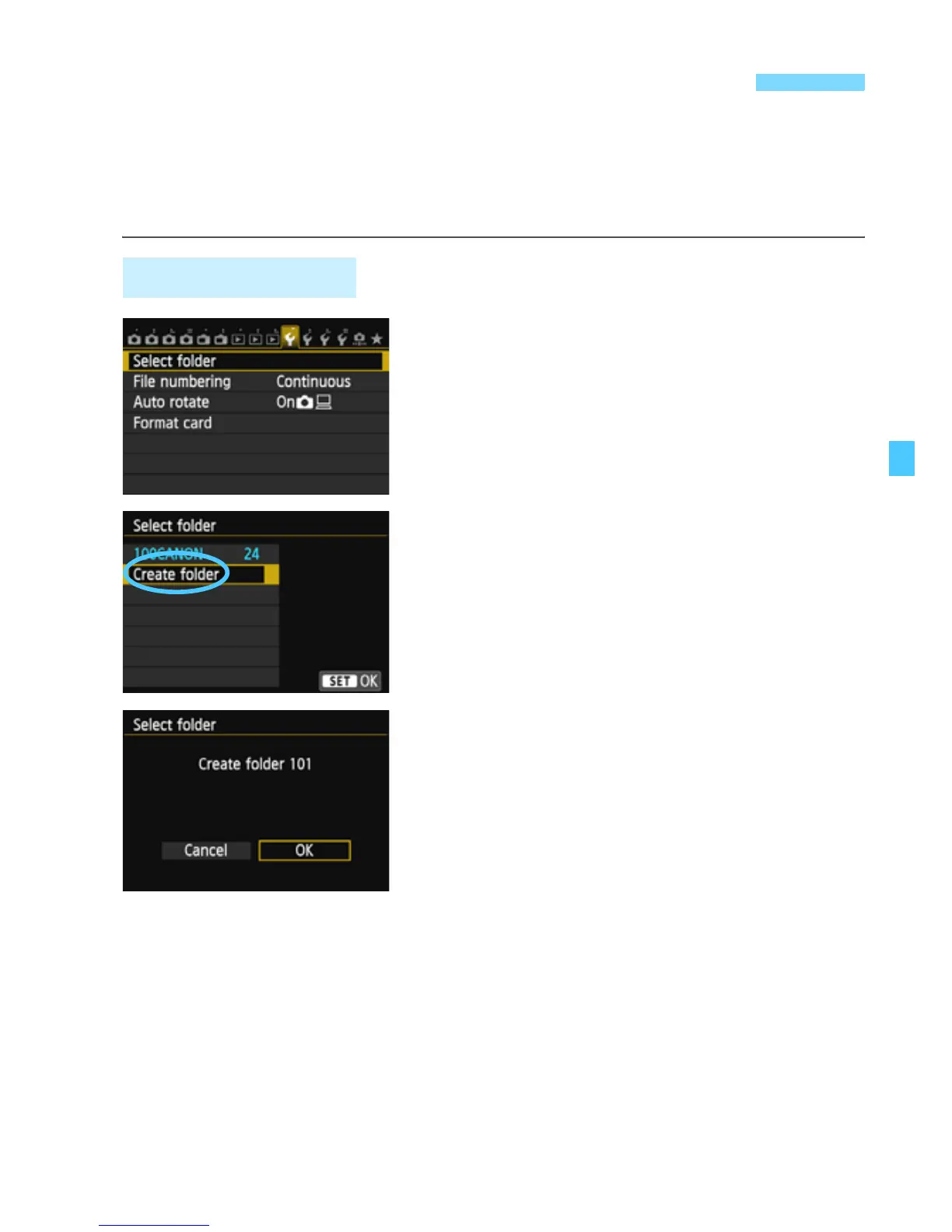
1
Select [Select folder].
Under the [51] tab, select [Select
folder], then press <0>.
2
Select [Create folder].
Select [Create folder], then press
<0>.
3
Create a new folder.
Select [OK], then press <0>.
X A new folder with the folder number
increased by one is created.
3 Creating and Selecting a Folder
Creating a Folder



 To Next Page