18
Selected images are sent one by one.
1
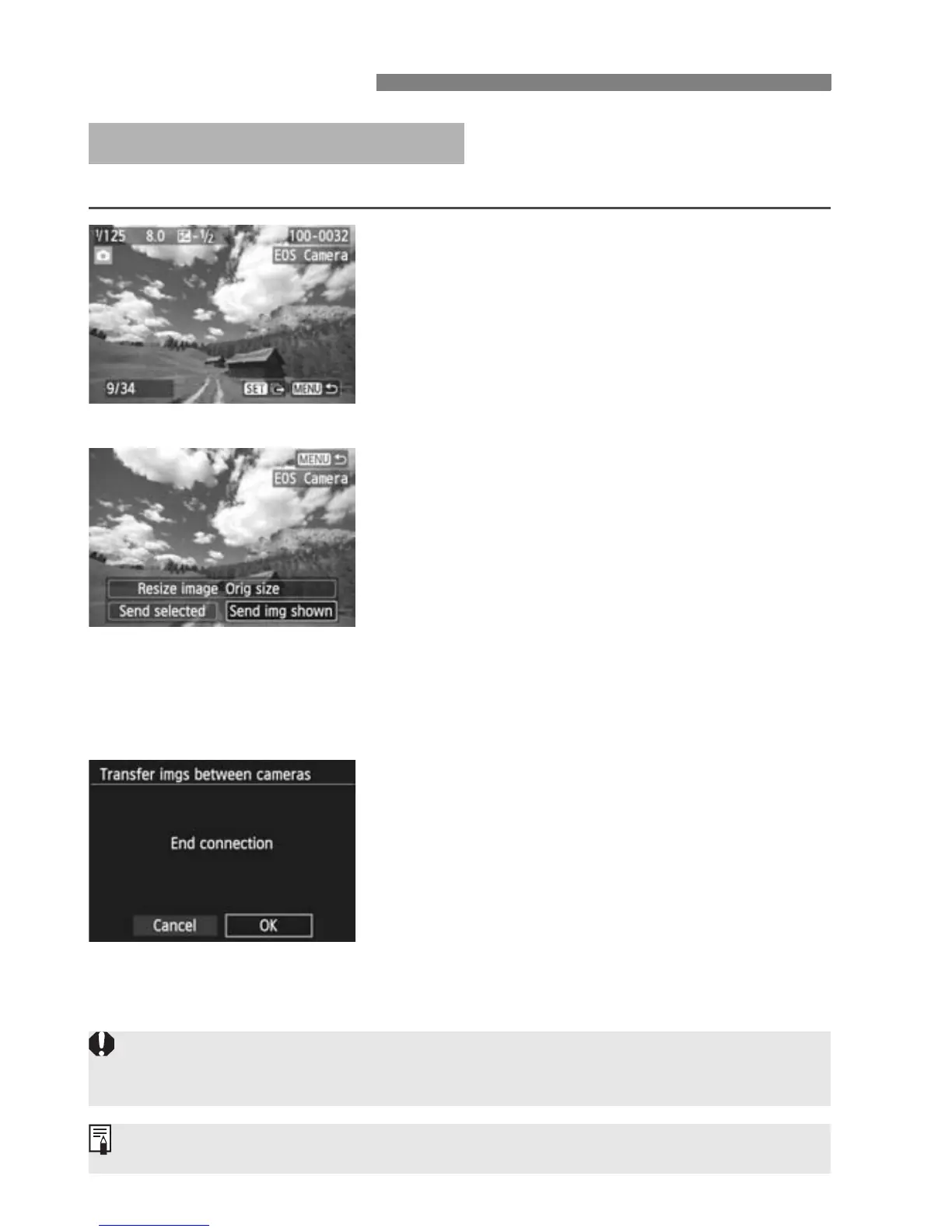
Select an image to send.
Press the <U> key to select an
image to send, then press <0>.
You can also press the <I>
button to select an image in the index
display. To return to the single-image
display, press the <u> button.
2
Select [Send img shown].
To select a size at which to send the
image, select [Resize image] and
press <0>.
Press the <U> key to select [Send
img shown], then press <0>.
X The transfer progress screen is
displayed.
To send another image, repeat steps
1 and 2.
3
Terminate connection.
Press the <M> button to display
the confirmation screen. Press the
<U> key to select [OK], then press
<0> to terminate the connection.
X The [Wi-Fi function] screen will
reappear.
Sending Images
Sending Images One by One
If playback or shooting operation is started during the connection, the
connection will be terminated.
RAW images cannot be sent.



 To Next Page