96
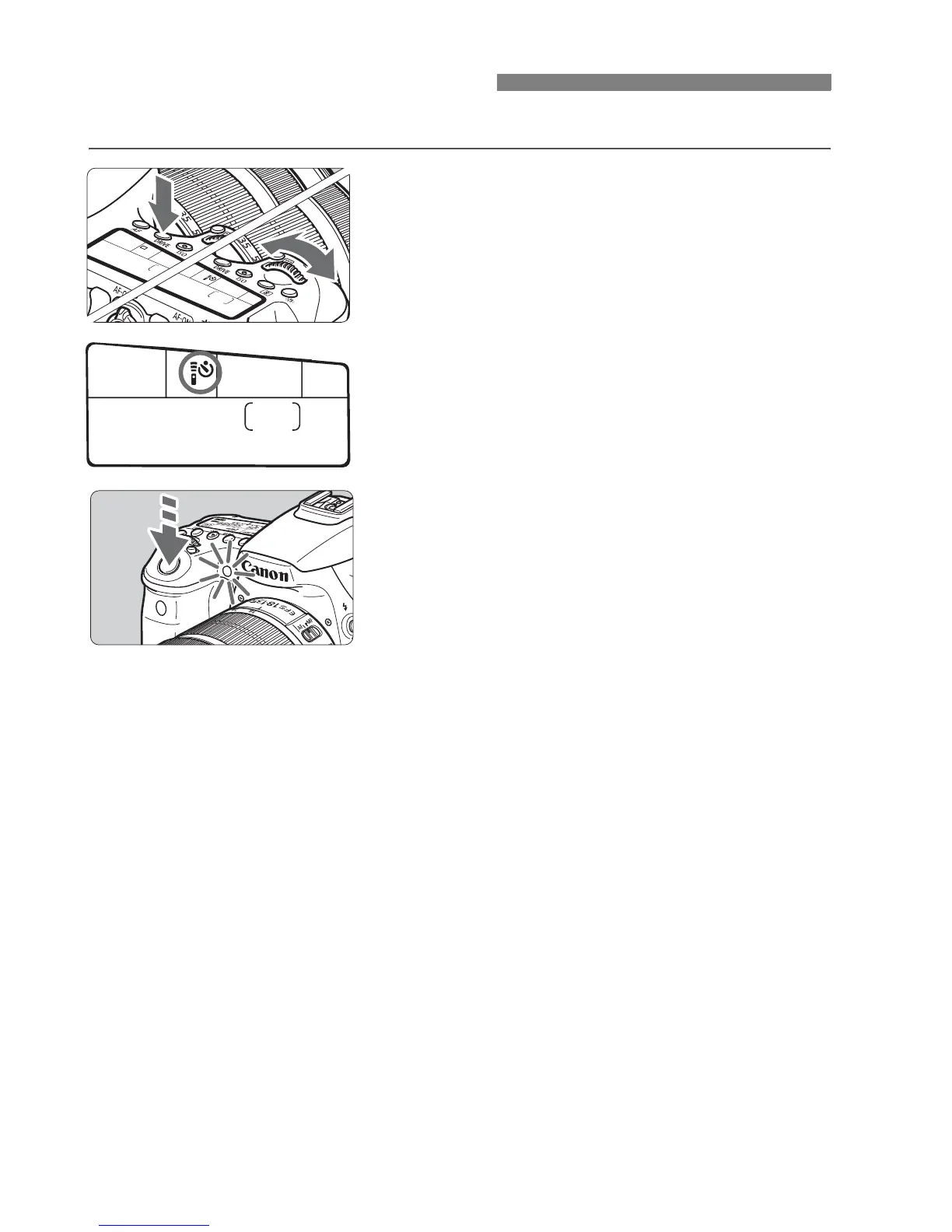
Use the self-timer when you want to be in the picture.
1
Press the <R> button. (9)
2
Select the self-timer.
While looking at the LCD panel, turn
the <6> or <5> dial to select the
self-timer delay.
Q : 10-sec. self-timer
k : 2-sec. self-timer
3
Take the picture.
Look through the viewfinder, focus
the subject, then press the shutter
button completely.
X You can check the self-timer
operation with the self-timer lamp,
beeper, and countdown display (in
seconds) on the LCD panel.
X Two seconds before the picture is
taken, the self-timer lamp will light up
and the beeper will sound faster.
j Using the Self-timer



 To Next Page